AI hair color changer tools help you preview a new hair color before actually dyeing your hair. Want to try black tea brown, chestnut brown, ash blonde, ruby red, blue, or even a rainbow gradient? You no longer need to book a salon appointment right away or worry about choosing the wrong color. Just upload a portrait photo, and AI can quickly show you how a new hair color may look on you.
Among the most popular AI hair color changer tools in 2026, AILab Tools Hair Color Changer is my top recommendation. It does more than simply “change hair color.” It is useful for realistic hair color previews, creative hairstyle ideas, and beauty content creation.
1. AILab Tools Hair Color Changer: Best for Serious Hair Color Testing
AILab Tools is very easy to use. You upload a clear portrait photo, enter a hair color name or describe the style you want, and then generate the result. It supports common image formats such as JPG, PNG, and WEBP, and can create hair color previews based on preset colors or custom text prompts.
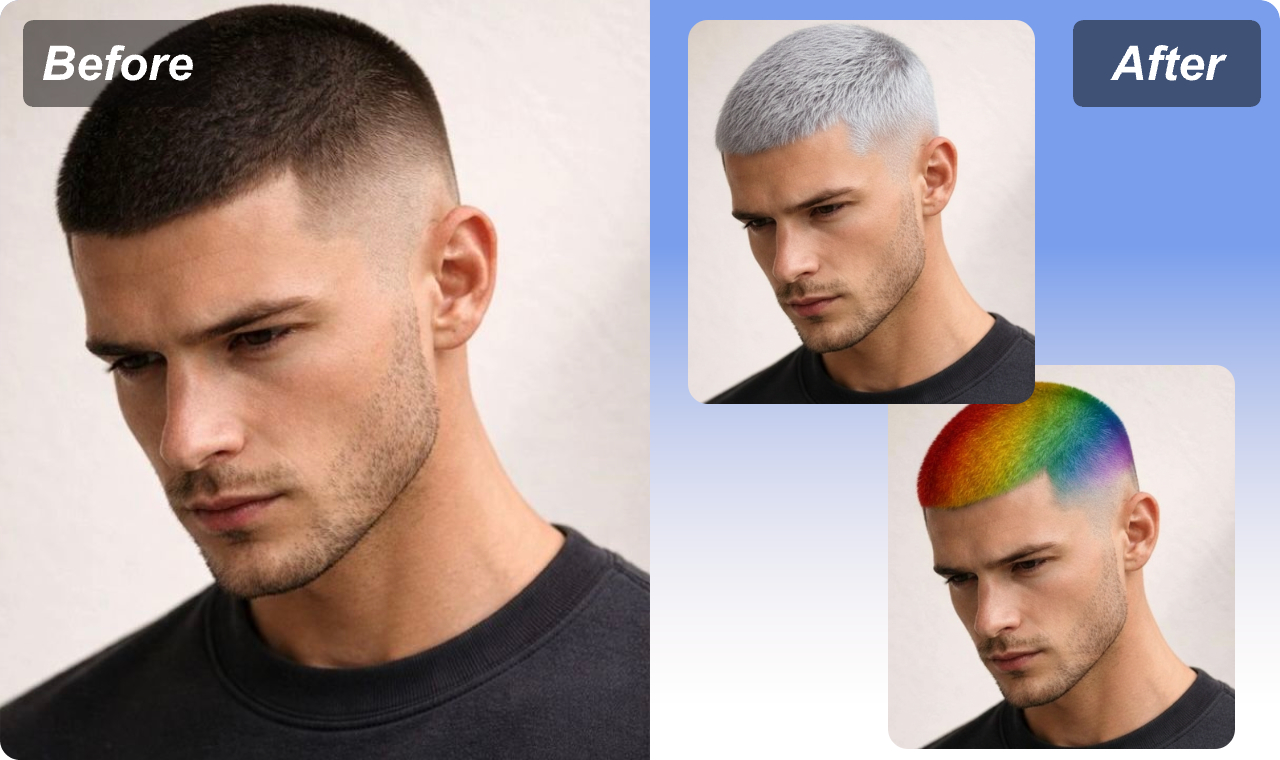
One of its biggest strengths is variety. For everyday looks, you can try black, chestnut brown, mocha brown, ash brown, beige blonde, and other natural shades. If you prefer a bolder style, you can test cobalt blue, emerald green, cherry red, rose pink, lavender, and other creative colors.
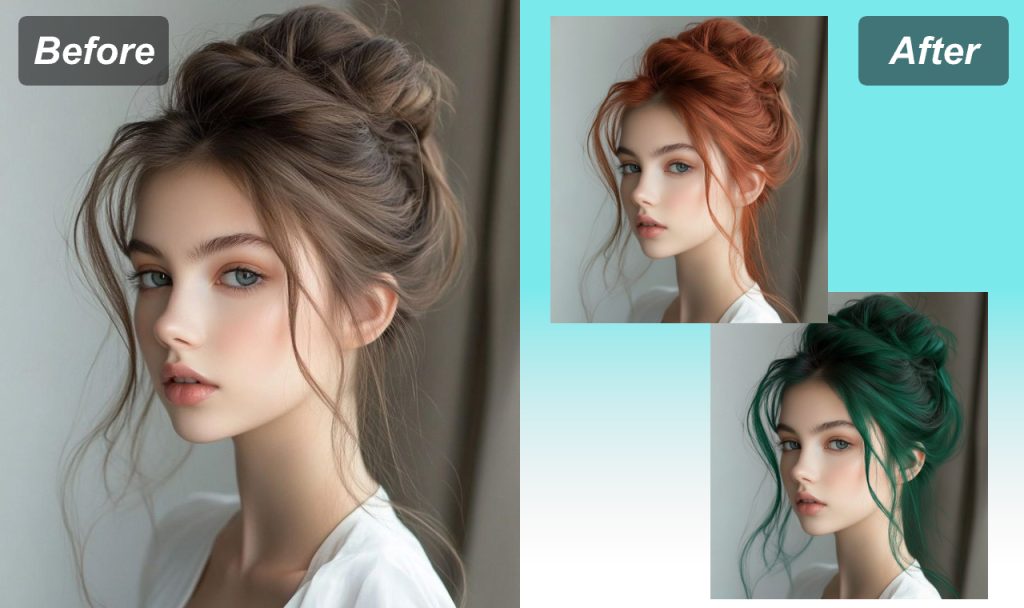
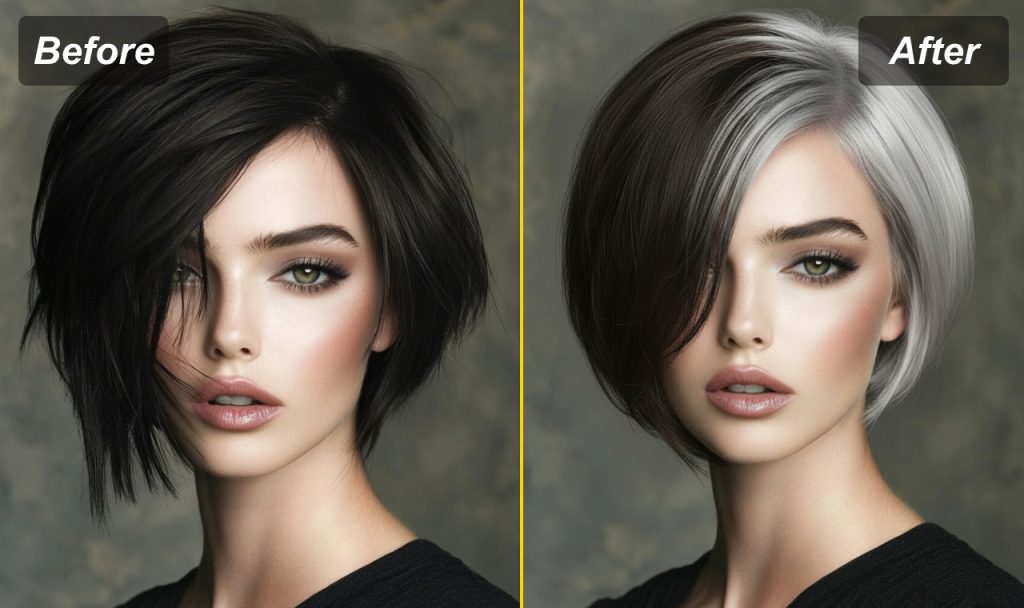
AILab Tools is also great for more unique looks. It supports gradient hair color and split-dye effects. For example, you can preview a half-dark, half-light hairstyle, or try a rainbow gradient before making a real change. This is especially useful for hairstylists, beauty creators, bloggers, and designers. You can create a visual draft first, then decide whether the look is worth dyeing, shooting, or sharing.
Another helpful feature is the Hair Color Changer API. If you run an app, photo editing website, beauty platform, or virtual makeover tool, you can integrate this hair color changing feature into your own product. It supports natural shades, high-saturation fashion colors, gradient styles, and split-dye looks. Uploaded and generated files are also automatically deleted within 24 hours.
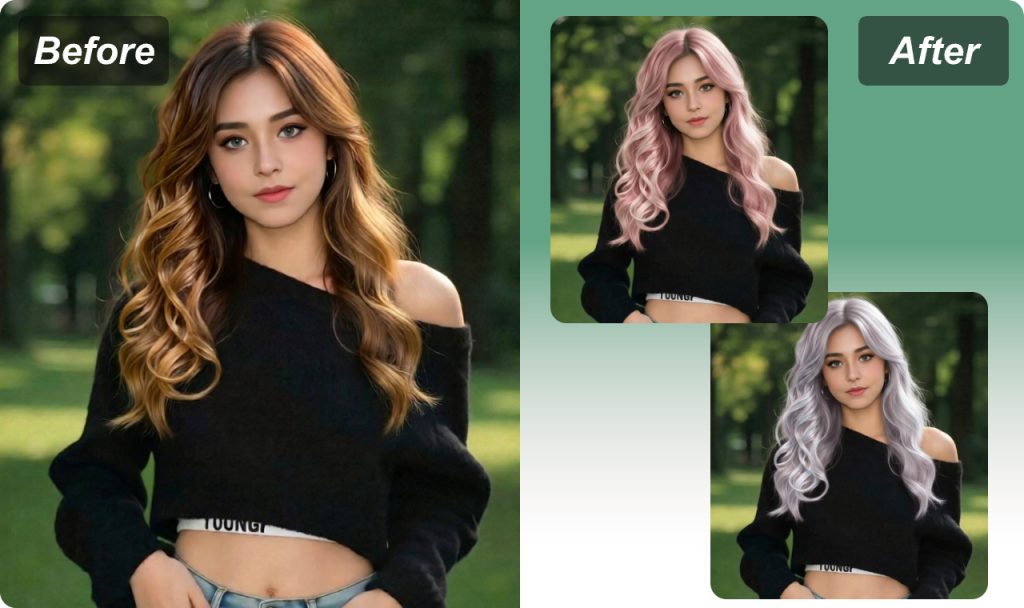
In simple words, AILab Tools works like a “virtual hair color fitting room.” You do not need to dye your hair first. You can see what suits you before making a real decision.
2. VisualGPT AI Hair Color Changer: Best for Quick Color Testing
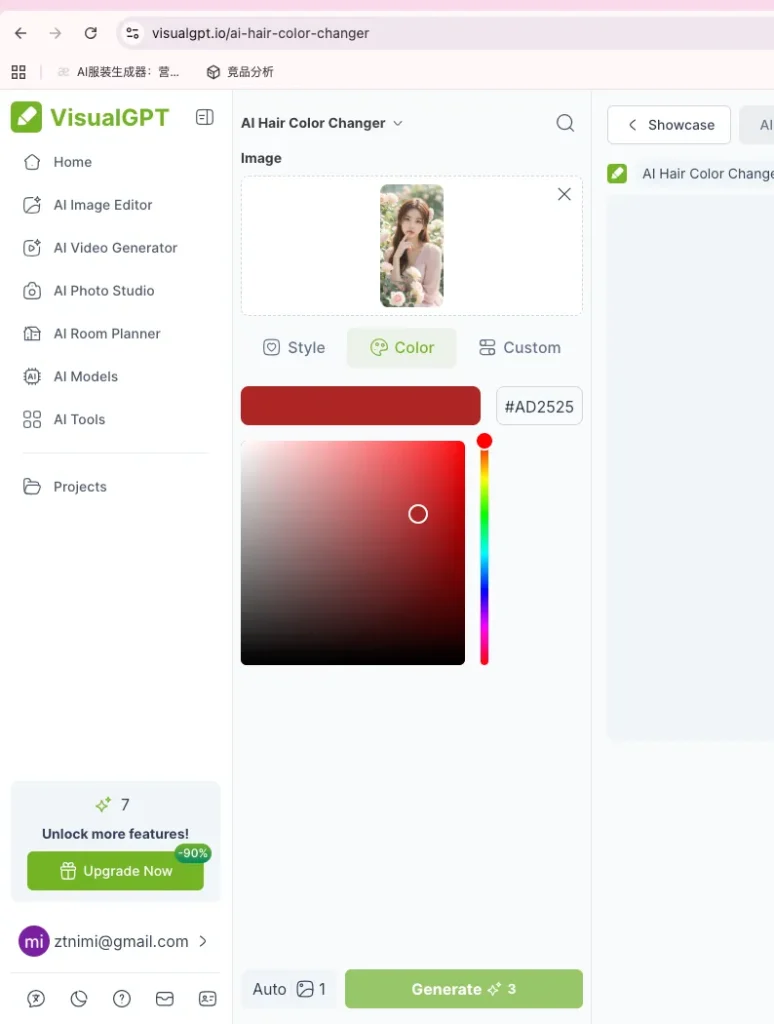
VisualGPT also offers an online AI hair color changer. It supports JPG, JPEG, PNG, and WEBP images up to 16MB. It also provides several color options, such as brown, dark blue, cherry red, platinum ice, golden blonde, and smoky lavender.
Its main advantage is speed. It is a good choice for users who just want to test a few colors quickly. But if you want to describe a more detailed hair color style with text prompts, AILab Tools may be a better fit.
3. Evoto AI Hair Color Changer: Best for Professional Photo Editing
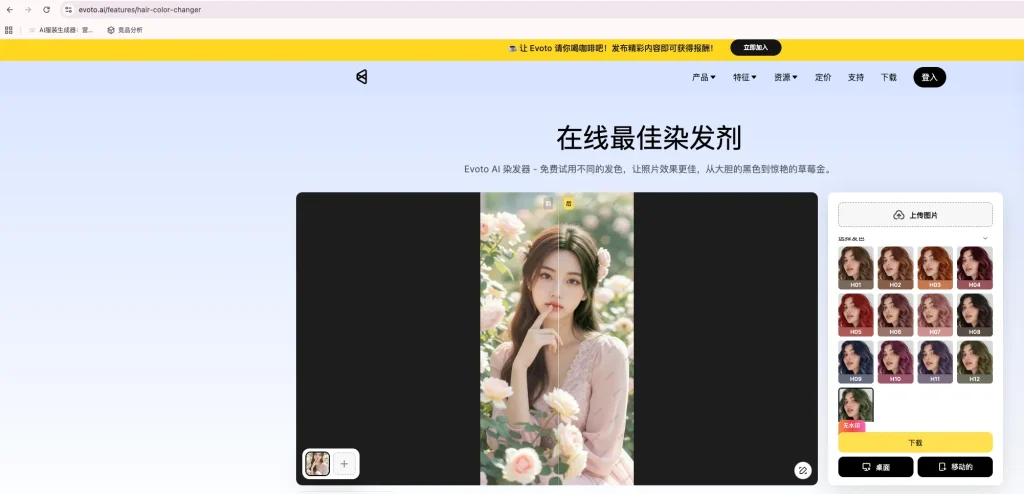
Evoto offers 13 hair color options, from H01 to H13, and supports JPEG, JPG, PNG, and WebP image uploads.
Evoto is more focused on portrait editing and professional photo retouching. If you also need skin retouching, photo adjustment, or full portrait editing, it can be useful. But if your main goal is simply to try hair colors online, AILab Tools gives you a more direct and flexible experience.
4. PhotoCat Hair Color Changer: Best for Batch Image Editing
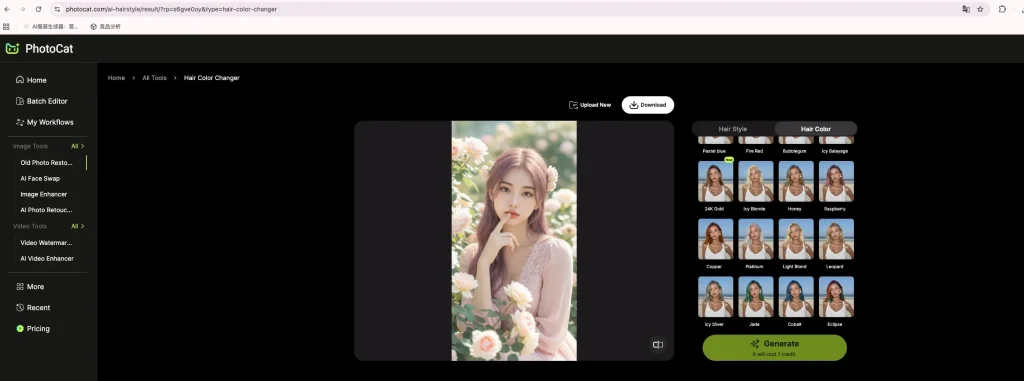
PhotoCat lets users try hair colors online for free and supports drag-and-drop image uploads. It also allows batch editing of up to 50 images.
This is helpful if you need to test hair colors on multiple photos. However, its feature description is relatively simple. It is better for fast batch testing, but not the best option for detailed creative hair color prompts.
5. AI Ease Hair Color Changer: Best for Trying Hair Color and Hairstyles Together
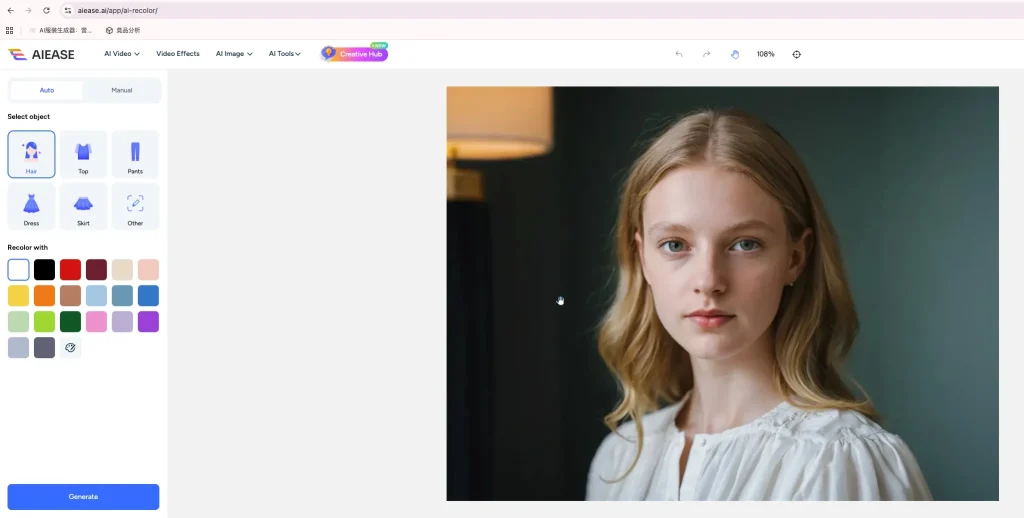
AI Ease also provides an online hair color changer. After you upload a photo, it can detect the hair area and let you choose a new color. It also offers a custom mode, where you can use text prompts to generate the hair color you want.
In addition, AI Ease provides more than 20 hairstyle templates for men and women. This makes it a good choice if you want to try both a new hair color and a new hairstyle at the same time.
What Hair Color Suits You Best?
If you have a warm skin tone, you can start with chestnut brown, caramel brown, or copper brown.
If you have a cool skin tone, try ash brown, blue black, cool blonde, or purple red.
If you are not sure what suits you, start with natural colors in AILab Tools first. Then you can slowly try bolder colors like red, pink, blue, or gradient shades.
Dyeing your hair can be exciting, but it can also be risky. That is why using AI hair color changer tools before visiting a salon is a safer and smarter choice.
Final Thoughts
If you only want to play around with a few colors, VisualGPT, PhotoCat, and AI Ease are all worth trying. But if you want something more natural, more flexible, and more creative, AILab Tools Hair Color Changer is the best choice on this list.
It is useful for everyday users, hairstylists, content creators, and developers. Upload a photo, enter the hair color you want, preview the result, and then decide whether to dye your hair for real. With AILab Tools, trying a new hair color becomes simple, fun, and much less risky.
FAQ
Q1: Is AILab Tools Hair Color Changer free?
AILab Tools provides an online trial option. Users can upload a photo and experience the AI hair color changing feature online.
Q2: What hair colors can I try with AILab Tools?
You can try natural hair colors, trendy fashion shades, gradient colors, and split-dye styles.
Q3: What kind of photo works best?
Use a clear portrait photo with good lighting. Make sure your hair is visible and not covered by a hat or heavy shadows. This helps the AI detect the hair area more accurately and create a more natural result.