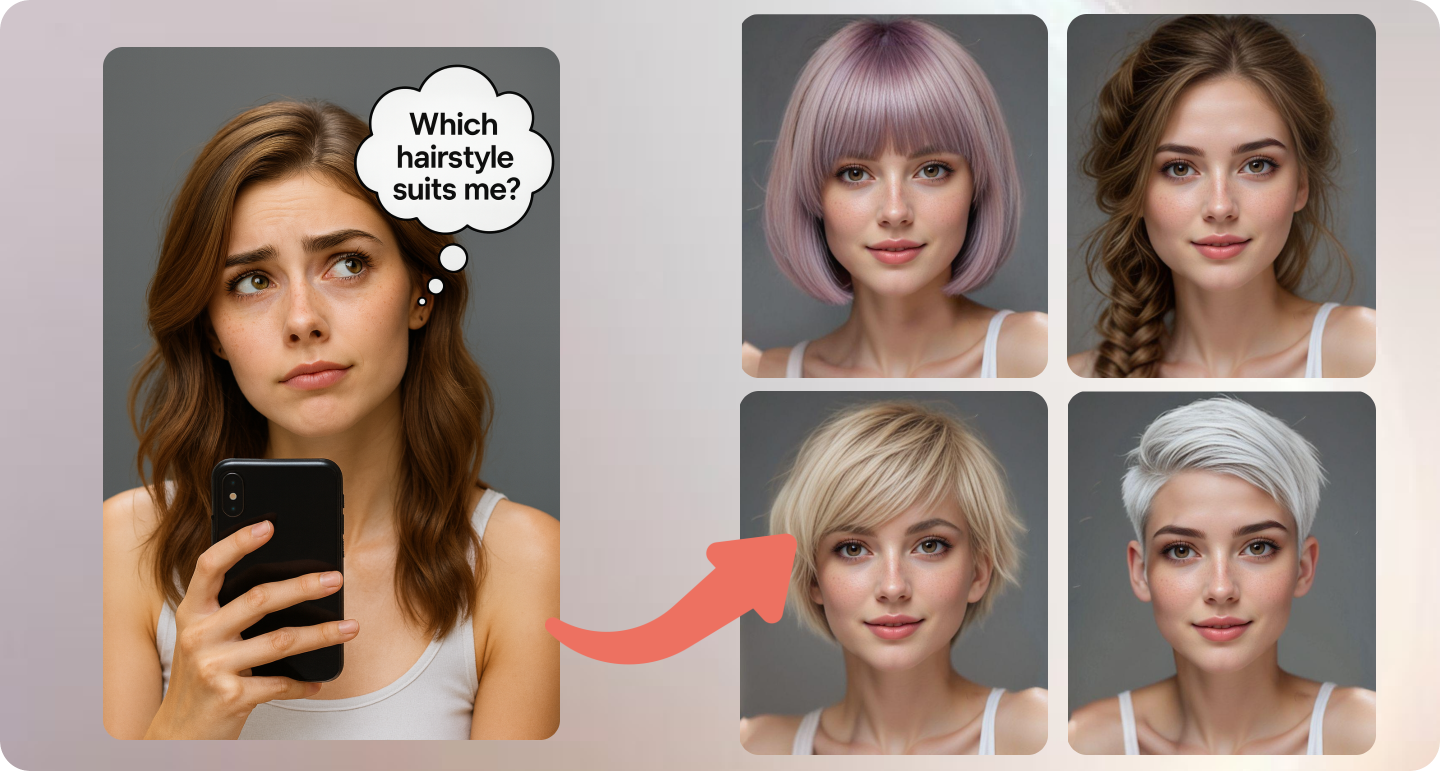
Ever walked past a salon window and wondered if bangs would suit you? Or if you should finally go blonde—but worry it might look off?
Now, you don’t need to risk a haircut you might regret. With TryOnHairstyle, you can test-drive a totally new look using just a selfie. It’s quick, realistic, and completely free.
What Is TryOnHairstyle?
TryOnHairstyle is an online tool that shows how different haircuts and colors would look on you. You upload a clear photo of your face, pick a style, and it instantly blends the new look onto your image. It’s not a cartoon filter—it actually keeps your face shape, lighting, and features intact. So what you see is pretty close to how you’d look walking out of a real salon.

Why Try On Hairstyle Stands Out: 4 Core Strengths & a Comparison with Traditional Hair Simulation Tools
4 Core Strengths
- No signup, no limit, no cost — Try as many styles as you like
- For men and women — From sharp buzz cuts to soft waves, from braids to bold bangs
- Side-by-side comparison — Save your favorites and pick your best look
- Smart tech, simple use — It works fast and feels fun
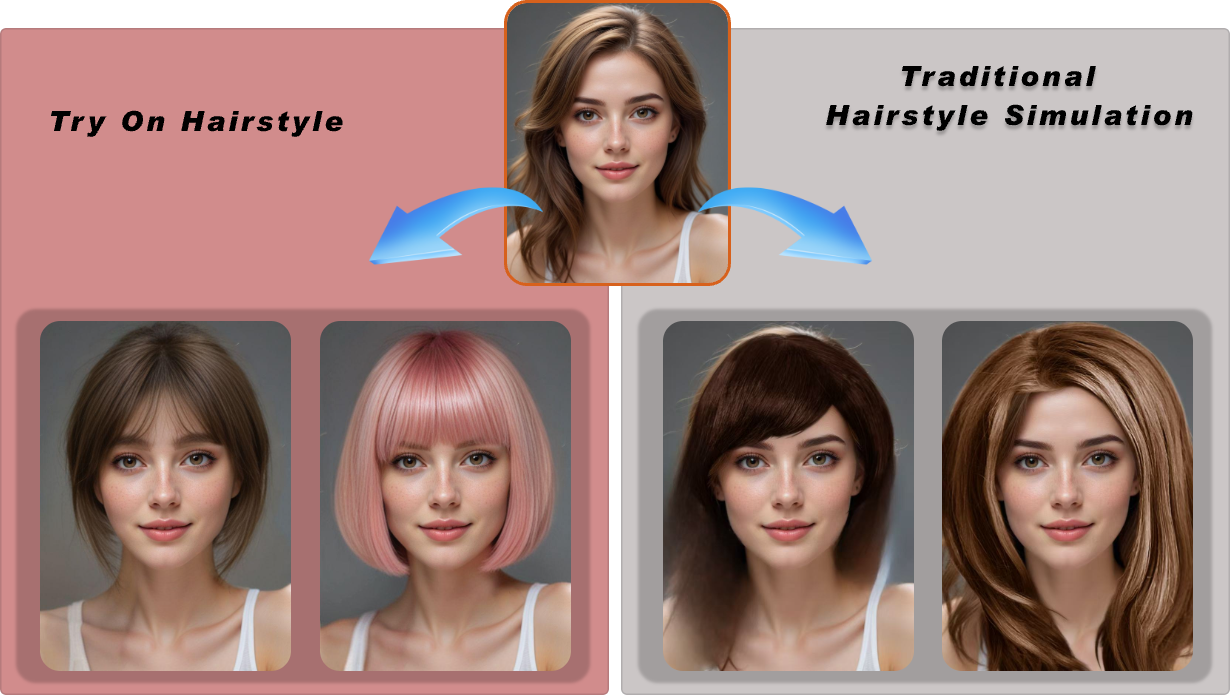
A Comparison with Traditional Hair Simulation Tools
|
Dimension |
Try On Hairstyle (AI) |
Traditional Hair Simulation |
|
Face-shape & features detection |
Auto-detects face shape and hairline to match best styles |
Manual tweaks needed; error-prone |
|
Realism & hair-strand detail |
Natural shine/volume; clean edges |
Harsh cutouts; obvious “sticker” look |
|
Try-on speed & workflow |
One-click multi-style preview, real-time |
Many steps; cumbersome setup |
|
Privacy & output quality |
Local/encrypted processing; HD export without watermark |
Mostly offline tools; hard to version/save |
How to Try a New Look (Just 3 Steps)
- Upload Your Photo
Use a front-facing photo with good lighting. No hats or heavy shadows. - Pick a Hairstyle & Color
Browse short, medium, and long styles. Try warm vs. cool tones.

- See the Results
Get your new look in seconds. Compare styles and save what you love.
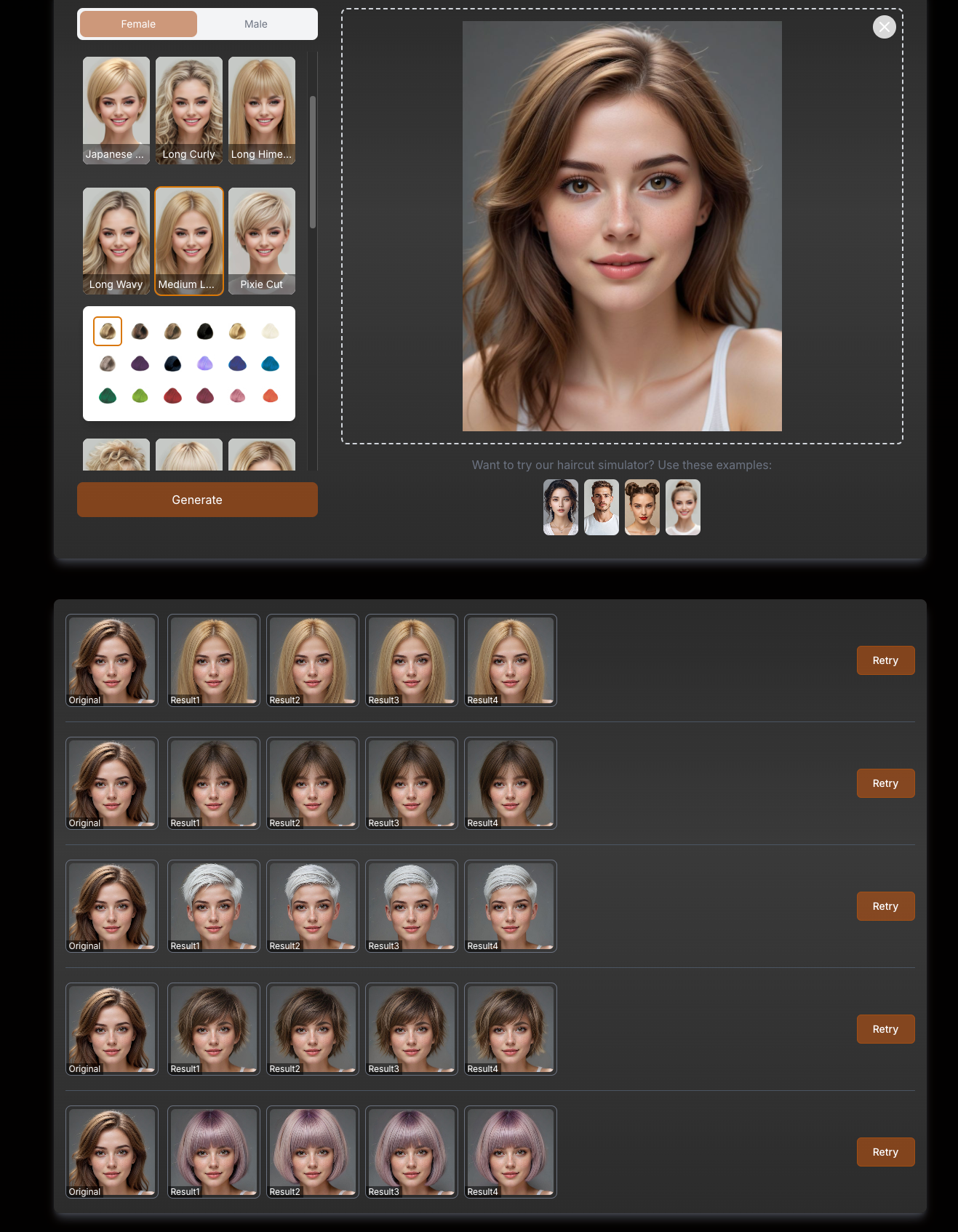
🎯 TryOnHairstyle — See your new hair in 3 secs
Best Photo Tips
- Face the camera straight-on
- Use natural or soft indoor light
- Keep your background simple
- Make sure your hairline is visible
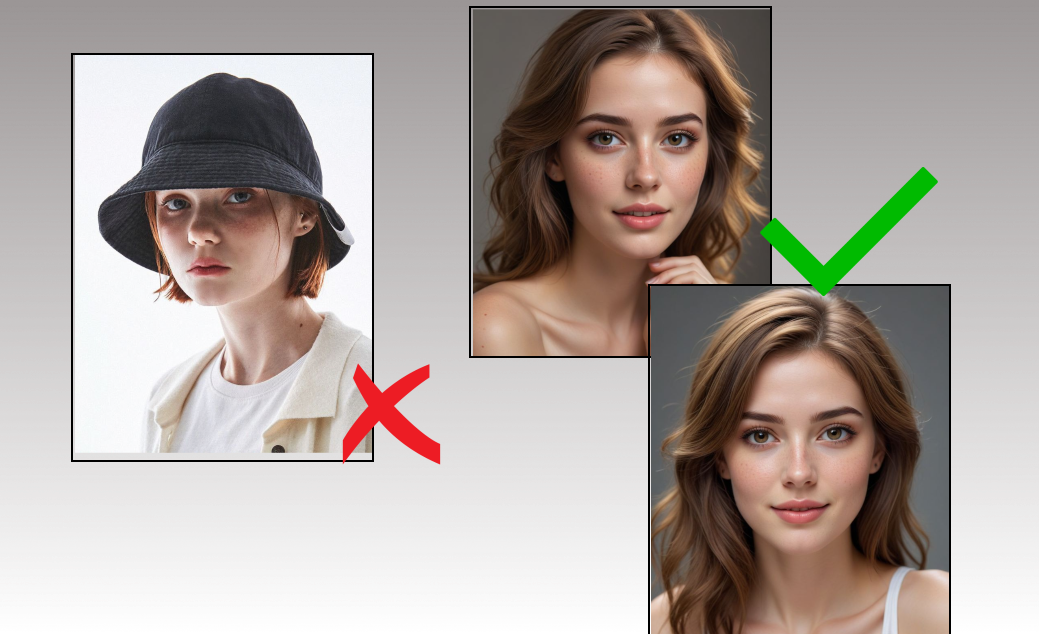
Who’s It For?
- Anyone thinking about a haircut or color change
- Students prepping for graduation photos
- Professionals updating headshots
- Stylists, influencers, and beauty brands testing looks before a shoot
Common Questions
Q: Really free? No catch?
Yep. No payment, no email needed. Try as many times as you want.
Q: Will my photo be public?
No. Your image is processed privately and not saved to any public gallery.
Q: How realistic are the results?
Pretty close! It matches your lighting and face shape. But of course, your stylist will adjust things like layering and texture in real life.
Q: Can I try different hair colors?
Definitely! From rich browns to icy blondes, bold reds, and jet black.
Q: Can I use it for my salon or shop?
Yes, brands can use the API to add virtual try-ons to their own website or app.
Try It Now
Go to try on hairstyles, upload a selfie, and explore a whole new you. It’s free, fun, and the easiest way to find your next signature look—without the scissors.