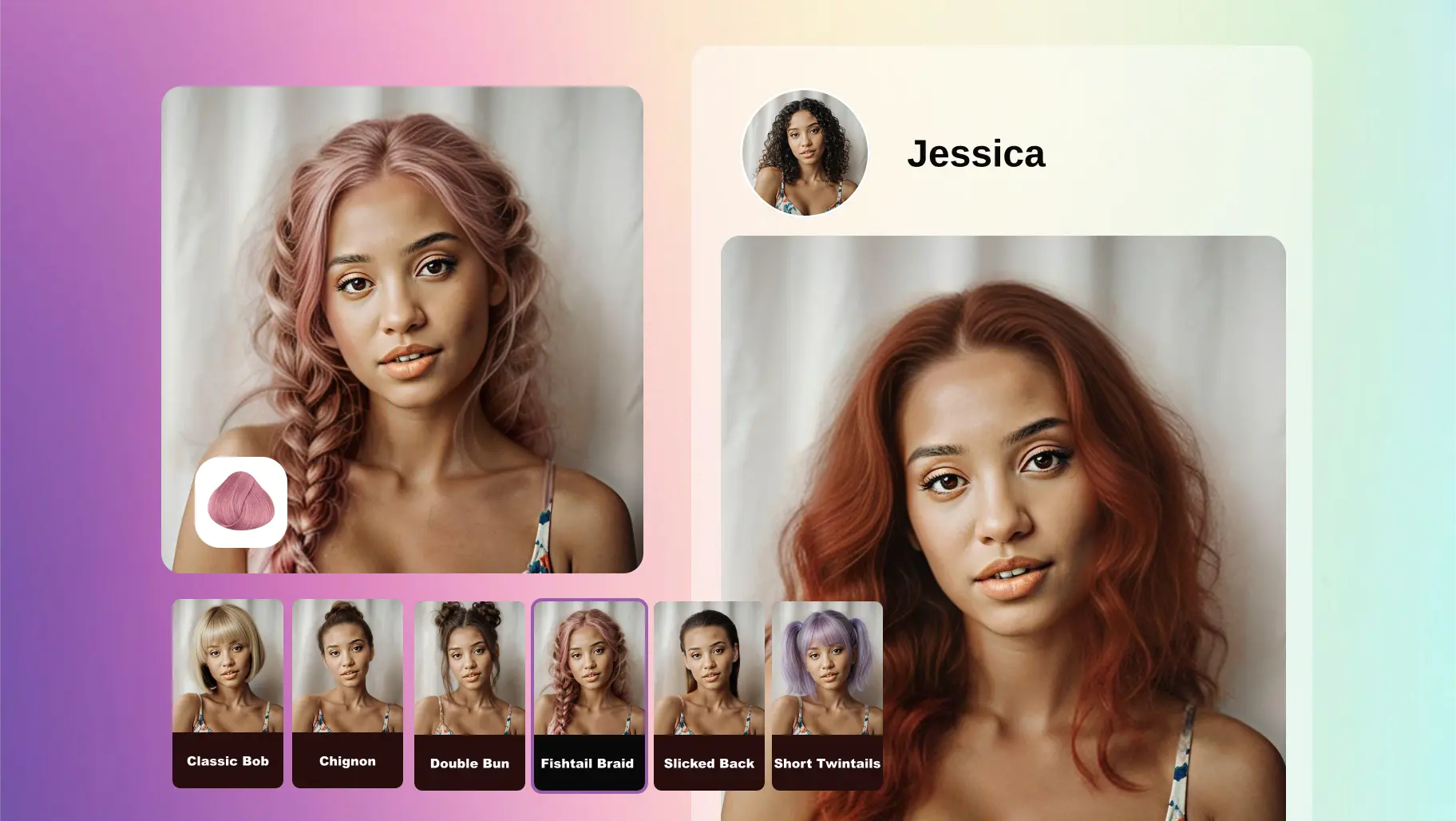
Hair salons don’t need another “fun filter.” They need a production-ready AI service that turns hairstyle previews into bookings: validation-first UX, async jobs, and CRM-ready outputs.
- Ship faster with an async AI API integration (submit → poll → compare).
- Reduce failures with photo validation before generation.
- Persist the selected result to your own storage/CDN for CRM and rebooking.
1) What hair salons really need (not “a filter”)
In the salon vertical, an AI Hairstyle Changer only matters if it supports conversion and consultation:
- Faster consultations: Replace vague descriptions (“shorter on the sides, more volume”) with side-by-side visual options.
- Higher booking confidence: “Preview before cut/dye” reduces hesitation and no-shows.
- Upsell-ready bundles: Haircut + color + fringe/texture variants naturally become packages.
- CRM-ready assets: Save the final chosen look as a “style card” for repeat visits and rebooking.
For product managers, the KPI is not “wow factor.” It’s time-to-decision, booking rate, upsell rate, and repeat rate.
For developers, the success metric is low failure rate, predictable latency/cost, and maintainable integration.
2) The winning product pattern: Catalog mode first, Reference mode as a power feature
Catalog mode (recommended default)
Users choose from a curated hairstyle library (optionally hair color). This works best in salons because it’s:
- controlled (bounded styles = easier QA and recommendation)
- monetizable (basic vs premium style packs)
- cacheable (same input + same style → reuse results)
Reference mode (advanced)
Users upload a reference hairstyle image (“I want this look”). It’s high-intent but more failure-prone (pose mismatch, occlusions, hairline differences). In salon products, reference mode should:
- be optional
- provide “similar catalog styles” suggestions
- offer a one-click fallback to catalog mode
3) A salon-ready AI Service solution (what to ship)
Think of Hairstyle Changer as an AI Service module inside salon software, not a standalone effect.
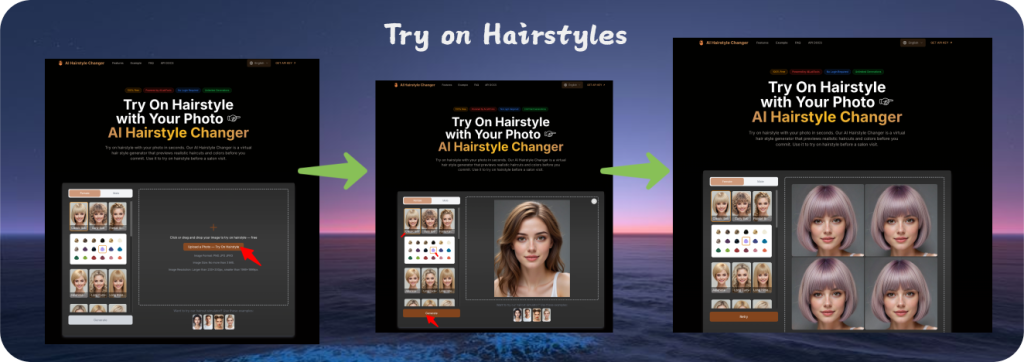
Module A — Online lead capture (Web/H5)
- upload photo
- pick style/color
- generate 1–4 candidates
- pick best
- book appointment / pay deposit
This funnel turns “try-on” into a booking engine.
Module B — In-store digital consultation (iPad/Desktop)
- stylist uses the same engine to quickly explore alternatives
- store the final look + notes (hair thickness, maintenance advice)
Module C — CRM retention
- save “style cards”: original + chosen result + parameters + notes
- send follow-ups: “refresh your style,” “seasonal color suggestions,” “rebook your cut”
4) The integration blueprint: how developers should wire AI APIs
Generative photo editing is compute-heavy. A production integration should follow four pillars:
Pillar 1 — Validate before generation (quality gate)
Fail fast before users wait. For salon try-on, basic checks dramatically improve completion rate:
- image format + size + resolution
- single face
- face big enough in frame
- minimal occlusion (hands/hat)
- roughly front-facing angle
Pillar 2 — Async jobs (task-based AI service)
Use an async workflow:
POSTsubmit → returnstask_id- poll results until done (or use webhooks if available)
- present multiple candidates for “pick best”
This is the standard way to keep UX stable and infrastructure scalable.
Pillar 3 — Persist outputs to your own storage/CDN
AI services often return temporary result URLs. For salon CRM and long-term history:
- download the selected result
- store it in your bucket (S3/R2/OSS)
- serve via your CDN
- apply retention rules based on your privacy policy and plans
Pillar 4 — Cost and reliability controls
- deduplicate by input hash + parameters
- rate limit per user/device
- retries with backoff for transient failures
- timeouts + graceful fallback (“try a different angle” / “use catalog mode”)
5) Implementation example: integrating a Hairstyle Changer AI API (Node.js)
Below is an example using AILabTools Hairstyle Editor Pro as a reference AI Service. It follows the salon-friendly pattern:
- async task submission
- polling for completion
- multiple candidate outputs (1–4) for comparison
5.1 Submit an async job (cURL)
curl --request POST
  --url https://www.ailabapi.com/api/portrait/effects/hairstyle-editor-pro
  --header 'Content-Type: multipart/form-data'
  --header 'ailabapi-api-key: <api-key>'
  --form task_type=async
  --form image='@./input.jpg'
  --form 'hair_style=TwoBlockHaircut'
  --form 'color=black'
--form 'image_size=4'5.2 Submit + poll results (Node.js)
import axios from "axios";
import FormData from "form-data";
import fs from "fs";

const API_KEY = process.env.AILABAPI_API_KEY;

async function submitHairstyleJob({ imagePath, hairStyle, color, imageSize = 4 }) {
  const form = new FormData();
  form.append("task_type", "async");
  form.append("image", fs.createReadStream(imagePath));
  form.append("hair_style", hairStyle);            // catalog style id
  if (color) form.append("color", color);          // optional
  form.append("image_size", String(imageSize));    // 1~4 candidates

  const res = await axios.post(
    "https://www.ailabapi.com/api/portrait/effects/hairstyle-editor-pro",
    form,
    {
      headers: { ...form.getHeaders(), "ailabapi-api-key": API_KEY },
      timeout: 60_000,
      maxBodyLength: Infinity,
    }
  );

  if (res.data?.error_code !== 0) {
    throw new Error(`Submit failed: ${res.data?.error_msg || "unknown error"}`);
  }
  return res.data.task_id;
}

async function pollAsyncResult(taskId) {
  const url = "https://www.ailabapi.com/api/common/query-async-task-result";

  while (true) {
    const res = await axios.get(url, {
      headers: { "ailabapi-api-key": API_KEY },
      params: { task_id: taskId },
      timeout: 30_000,
    });

    if (res.data?.error_code !== 0) {
      throw new Error(`Query failed: ${res.data?.error_msg || "unknown error"}`);
    }

    // 0 queued, 1 processing, 2 success
    if (res.data.task_status === 2) return res.data.data;

    // recommended polling cadence (adjust per your UX)
    await new Promise((r) => setTimeout(r, 5000));
  }
}

(async () => {
  const taskId = await submitHairstyleJob({
    imagePath: "./input.jpg",
    hairStyle: "TwoBlockHaircut",
    color: "black",
    imageSize: 4,
  });

  const result = await pollAsyncResult(taskId);
  console.log({ taskId, result });

  // Best practice: let user pick the best candidate,
  // then download & store the selected output to your own bucket/CDN.
})();
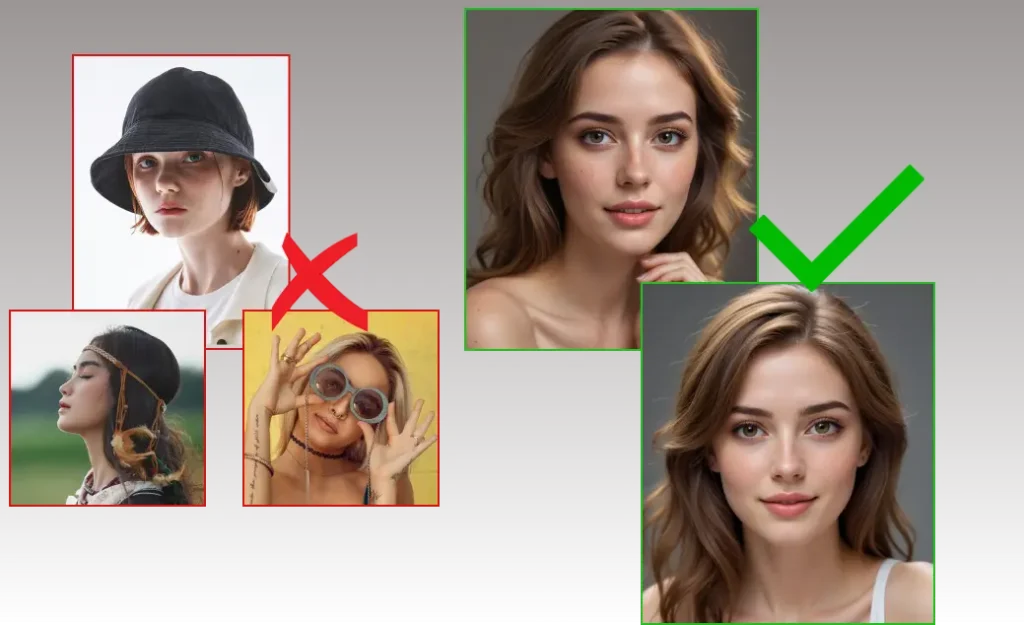
6) Salon-specific best practices (what makes this “production”)
- UX guardrails beat “more options”
Show clear photo tips (“face centered, good lighting, no hat”), and provide a crop tool when face is too small. - Make it a consultation tool, not a one-off effect
Add “Style Card” output: chosen image + style name + color + notes + suggested services. - Treat AI as an internal service
Wrap external AI APIs behind your own “AI Gateway” for logs, retries, quotas, storage, and vendor switching. - Control retention intentionally
If result URLs are temporary, store only what you need: either “selected final” only, or a short-lived candidate cache.
A practical reference you can plug into your salon AI service
If you’re building a generative photo-based hairstyle try-on for salons and want a ready-to-integrate AI API reference, see:
- Hairstyle Editor Pro docs:
https://www.ailabtools.com/docs/ai-portrait/effects/hairstyle-editor-pro
This is a straightforward way to validate the full workflow (validation → async job → multi-candidate → save), then decide whether you stay API-based long-term or hybridize with self-hosting later.