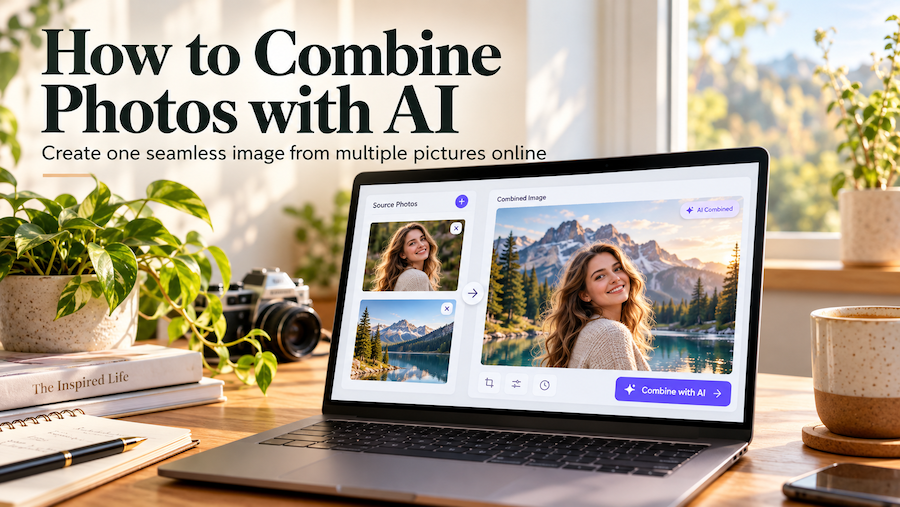
Combining two photos used to mean opening an image editor, cutting out objects, adjusting layers, and spending time matching lighting and shadows. Even a simple edit—such as placing a product in a different environment—could require considerable patience and technical knowledge.
AI image combining offers a more accessible approach. Instead of manually arranging every element, you can provide multiple source images and let AI create a composition based on the visual information they contain.
Whether you’re preparing product images for an online store, creating social media graphics, blending portraits with new backgrounds, or designing before-and-after comparisons, AI can simplify the creative process.
In this guide, we’ll explore how to combine images with AI, the difference between traditional photo merging and AI-powered compositing, practical applications, and tips for producing more convincing results.
What Does It Mean to Combine Images with AI?
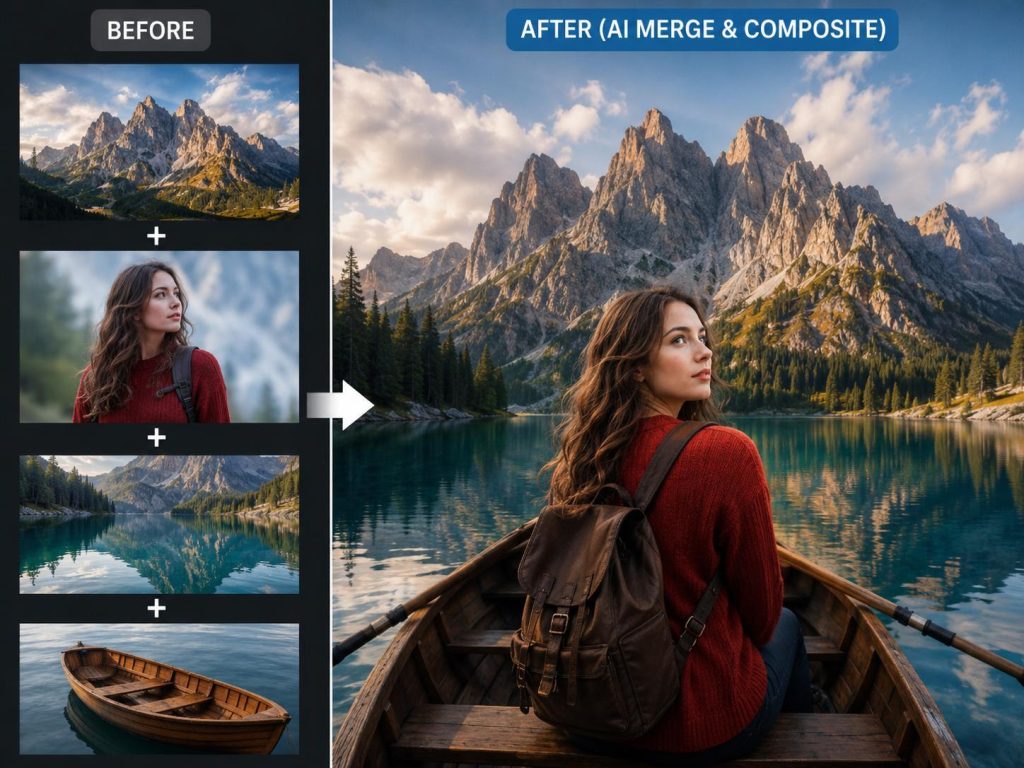
AI image combining is the process of using artificial intelligence to create a new image from two or more existing pictures.
Unlike basic photo stitching, which places images next to each other, AI-powered combining can analyze visual elements such as subjects, backgrounds, lighting, perspective, and composition.
Depending on the tool and editing mode, AI may help you:
- Blend objects or people into a different background.
- Combine multiple visual references into one composition.
- Arrange photos for side-by-side comparisons.
- Create before-and-after image layouts.
- Develop product lifestyle images.
- Combine creative elements into a unified scene.
For example, imagine having a photograph of a coffee mug and another image showing a kitchen countertop. Instead of manually removing the mug’s background, resizing it, and creating realistic shadows, you can use an AI image combiner to help bring the two images together.
The main advantage is not simply putting pictures together. It’s making the final composition look visually consistent.
AI Image Combining vs. Traditional Photo Merging
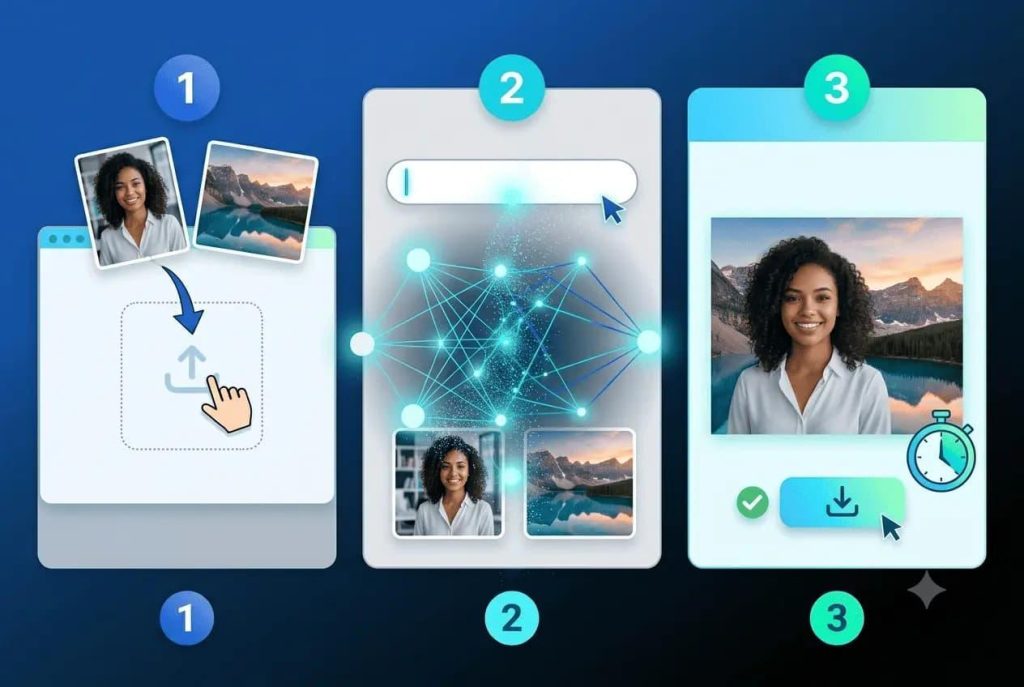
Before choosing a method, it helps to understand the difference between conventional image editing and AI-assisted combining.
Traditional Photo Merging
Traditional photo merging usually relies on layers, masks, cropping, and manual adjustments.
You might place two photographs side by side, overlay one image onto another, or remove a background before combining the subjects.
This approach works particularly well when exact placement and pixel-level control are important. However, creating a realistic composite may require experience with lighting, perspective, and image editing software.
AI-Powered Image Combining
AI-powered tools take a different approach.
Rather than requiring you to manually adjust every detail, an AI model interprets the visual information from your uploaded images and generates a new composition.
It can attempt to reconcile differences in scale, perspective, and lighting, making image merging more approachable for beginners.
However, generated details may not perfectly match the source images. Important characteristics such as facial features, product labels, or small design elements should always be checked.
Which Method Should You Choose?
| Editing Need | Recommended Approach |
|---|---|
| Place two photos side by side without changes | Traditional image editor |
| Blend a subject into a different environment | AI image combiner |
| Preserve exact product packaging and text | Manual compositing and verification |
| Create experimental visual concepts | AI image combiner |
| Produce pixel-accurate marketing assets | Professional image editor |
| Build a quick creative prototype | AI-assisted combining |
For many everyday creative tasks, AI offers a convenient starting point. Traditional editing remains valuable when precise, predictable control matters.
How to Combine Two or More Images with AI
You don’t need advanced Photoshop skills to begin experimenting with AI image merging.
Here’s a straightforward workflow.
Step 1: Choose Your Source Images
Start by selecting at least two images that serve different purposes.
For example:
Image 1: A product photographed against a simple background.
Image 2: A lifestyle setting where the product should appear.
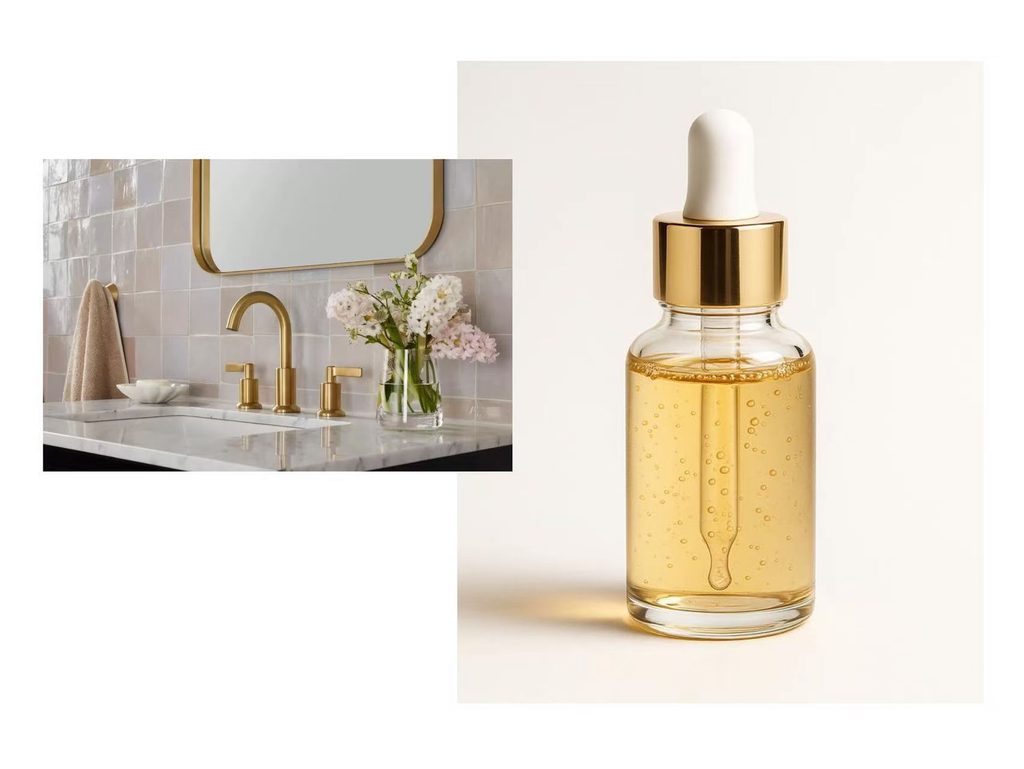
Choosing clear, high-resolution images generally improves the chances of a useful result.
If you’re combining a person with a background, pay attention to the direction of the light, camera angle, and subject proportions. Images with reasonably compatible perspectives are often easier to blend convincingly.
Step 2: Open an AI Image Combining Tool
Next, choose a tool designed for multi-image input.
One option is AILabTools AI Image Combiner, which supports uploading between two and nine JPG or PNG source images for an AI-assisted combining task.
The tool describes workflows for natural scene merging, product composites, people-and-scene combinations, comparison layouts, and creative collages. Available controls may vary according to the current interface.
When choosing any image combiner, look for the ability to upload multiple references, specify the desired result, and download the finished composition.
Step 3: Upload Your Images
Upload the photographs you want to combine.
For a basic example, two images are enough:
- A clearly visible main subject.
- A background or complementary scene.
For a more complex creative concept, you might also provide additional references for lighting, objects, colors, or other visual details.
More images don’t automatically produce better results. Each source should have a clear purpose.
Step 4: Select the Appropriate Combination Style
Choose a combination mode suited to the outcome you want.
A natural scene merge is useful when a subject needs to appear inside a different environment.
A comparison layout is more appropriate when both original images should remain visibly separate.
Product composites can help create lifestyle concepts, while collage-style arrangements are useful when multiple distinct images need to appear together.
The important question is whether you want the AI to blend your images into a unified scene or arrange them into a structured layout.
These are different creative goals, and selecting the wrong approach can produce an unsuitable result.
Step 5: Generate and Review the Result
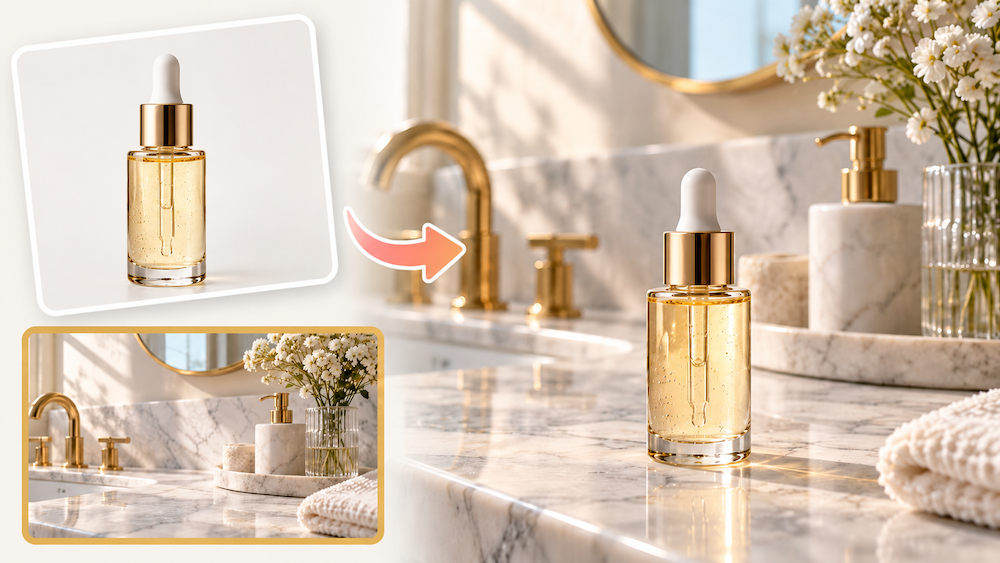
Once the source images and combination settings are ready, generate your new image.
Before using the output, review several details:
- Does the main subject still look recognizable?
- Are the proportions and perspective believable?
- Do the shadows match the surrounding environment?
- Are there any duplicated objects or unexpected additions?
- Have important textures, logos, or facial features changed?
If the result looks unnatural, try using source images with more compatible lighting or simpler backgrounds.
Step 6: Download and Make Final Adjustments
When you’re satisfied with the composition, save the generated image.
You can use the result directly for an appropriate creative project or make final refinements in another editing tool.
For commercial work, particularly e-commerce imagery, verify that product appearance, packaging, and other factual details match the real item before publishing.
6 Creative Ways to Combine Images with AI
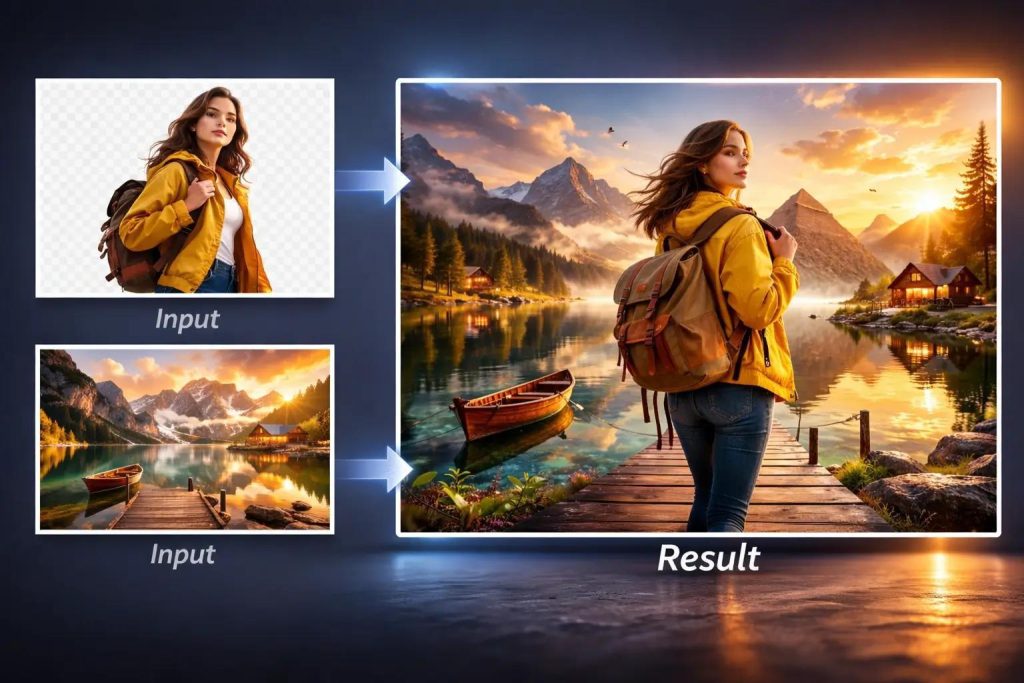
AI image combining isn’t limited to making artistic photo collages. It can also support practical workflows for creators, marketers, small businesses, and online sellers.
Here are six ways to put it to work.
1. Create Product Lifestyle Images
Product photography is one of the most useful applications of AI image combining.
Suppose you have a clean photograph of a skincare bottle, but you want to visualize it on a marble bathroom counter surrounded by soft morning light.
You can provide the product photograph and a suitable environment image as references.
AI can then help create a lifestyle composition that communicates the intended setting.
This approach is particularly useful for:
- Exploring product campaign concepts.
- Planning e-commerce listing visuals.
- Creating social media content.
- Testing seasonal backgrounds.
- Developing mood boards for advertising.
The key limitation is product accuracy. If the AI modifies a label, bottle shape, or other essential product detail, the result may require manual correction before commercial use.
2. Combine Portraits with Different Backgrounds
Another popular application is placing a person in a new setting.
For example, you might combine a portrait taken indoors with an outdoor urban environment to create a different visual mood.
This can be useful for personal creative projects, editorial concepts, profile imagery, and social media content.
For more convincing results, try matching the camera perspective and lighting direction between the portrait and the environment.
Also inspect identity-related details carefully. Generative AI may subtly change facial characteristics, hair, clothing, or accessories.
If preserving an individual’s exact appearance is essential, additional editing or a more controlled compositing method may be necessary.
3. Design Before-and-After Comparison Images
Before-and-after visuals are widely used in photography, home improvement, design, and image-editing demonstrations.
A comparison image might show:
Before: An old, faded photograph.
After: An enhanced version with improved clarity and color.
You can also create comparisons for background removal, lighting adjustments, hairstyle previews, or interior redesign concepts.
For accurate comparisons, the original and edited images should remain clearly distinguishable.
Avoid generating unrelated visual changes that could misrepresent what was actually edited.
For simple comparisons requiring exact preservation of both originals, a standard side-by-side layout tool may be more reliable than generative blending.
4. Create Social Media Visuals
Social media creators frequently need new content formats without spending hours on manual design.
Combining multiple images can help develop:
- Creative promotional graphics.
- Travel-inspired compositions.
- Fashion mood boards.
- Themed campaign visuals.
- Personal photography projects.
- Event and announcement artwork.
For example, a travel creator could combine a photograph of a person with a destination image to explore a promotional concept.
The result can then be adapted to the appropriate platform dimensions.
Keep in mind that generated images should not be presented as documentary photographs of events that never occurred.
5. Build Creative Collages and Mood Boards
Not every combined image needs to look photorealistic.
Designers and content creators also use multiple images to communicate a theme, visual direction, or creative concept.
Imagine combining references for a fashion campaign:
- A clothing photograph.
- An architectural backdrop.
- A color reference.
- A decorative object.
An AI model may help interpret those references into a cohesive visual direction.
This can make brainstorming faster, especially when developing early-stage campaign concepts.
However, if the precise appearance of every reference image matters, a traditional collage editor offers more predictable results.
6. Explore Interior and Architectural Concepts
AI image combining can also assist with early interior design visualization.
For example, you could use a photograph of a room and a separate image of a furniture item to explore how they might look together.
The resulting image may help communicate an idea before purchasing furniture or preparing a detailed design.
This is best treated as concept visualization rather than an exact representation of dimensions, materials, or structural feasibility.
For real renovations or purchasing decisions, verify measurements and specifications independently.
How to Get More Natural AI Image Combining Results
Although AI can simplify image merging, the quality of the final composition still depends heavily on the images you provide.
The following practices can make a meaningful difference.
Use Clear, High-Quality Source Images
Blurry or low-resolution images provide less reliable visual information.
For the best starting point, choose photographs with a clearly visible subject, reasonable detail, and minimal compression artifacts.
Match the Direction of Lighting
Lighting inconsistencies are among the easiest ways to recognize an unnatural composite.
If your subject is strongly illuminated from the left while the new background suggests light coming from the right, the result may look unconvincing.
Choose compatible images whenever possible.
Pay Attention to Camera Perspective
Perspective is equally important.
A product photographed directly from above may not blend naturally into an eye-level scene.
Try selecting photographs taken from similar viewing angles, especially when realism is the goal.
Keep the Main Subject Easy to Identify
A busy background can make it difficult for an AI model to distinguish between important and secondary objects.
Source images with a well-defined subject often provide a cleaner starting point.
Avoid Unnecessary Reference Images
While multi-image tools can accept several sources, including unrelated references can make the intended result ambiguous.
Use additional images only when they contribute something specific.
Review Fine Details
AI-generated composites sometimes struggle with text, reflections, transparent materials, small accessories, and repeated patterns.
Look closely at these areas before publishing the final output.
Common AI Image Combining Problems and How to Fix Them
Even a good image combiner may produce results that require another attempt.
Here are a few common issues.
Problem: The subject looks pasted onto the background.
Possible solution: Choose images with similar lighting, perspective, and color temperature. Review contact shadows and subject scale.
Problem: The product looks different from the original.
Possible solution: Use a clearer product photo and simplify the composition. For packaging, text, and product-specific features, consider manual compositing.
Problem: The AI adds unwanted objects.
Possible solution: Reduce unnecessary source images and use simpler references. If the tool supports instructions, explicitly describe which objects should appear.
Problem: The overall image looks too artificial.
Possible solution: Try a more realistic source environment and avoid mixing incompatible photography styles.
Problem: One of the reference images seems to be ignored.
Possible solution: Clarify the purpose of each reference, simplify the task, or use a combination mode designed to display all sources separately.
AI image combining often works best as an iterative process rather than a guaranteed one-click result.
Is AI Better Than Photoshop for Combining Photos?
Neither approach is universally better.
Traditional editing software such as Adobe Photoshop provides detailed control over masking, positioning, blending, and color correction.
This makes it particularly valuable for professional retouching, product imagery, and projects requiring precise visual consistency.
Ai combine two images combiners are useful when speed, experimentation, and accessibility matter more than exact pixel-level control.
For many creators, the most practical workflow combines both approaches:
- Use AI to explore a composition.
- Select the most promising result.
- Refine important details manually.
- Verify that the final image meets the project’s requirements.
This approach can reduce repetitive work while preserving creative control.
Frequently Asked Questions
Can I combine two photos into one with AI?
Yes. AI image combining tools can use two photographs as references to generate a new composition. Depending on the tool, you may be able to create a natural blend, a creative composite, or a structured comparison.
Can AI combine more than two images?
Yes. Some tools support multiple input images. For example, AILabTools describes support for two to nine source images in a single combining task. However, the number of uploaded images doesn’t guarantee that every reference will be visibly represented in the final output.
Do I need Photoshop to merge images?
No. Browser-based AI tools can help combine images without traditional layer editing. Photoshop remains useful when you need exact positioning, masking, or control over individual details.
Can AI merge a person with a different background?
Yes. AI image combining can be used to create a composition featuring a person and a different environment. Check the resulting image carefully for changes to identity, proportions, clothing, and lighting.
Can I combine images for product photography?
AI can help create product photography concepts and lifestyle compositions. For actual product listings, verify that the final image accurately represents the item and doesn’t introduce misleading features.
What’s the difference between merging images and making a collage?
Merging typically aims to create a connected composition, while a collage intentionally arranges multiple distinct images within one layout. AI tools may support either approach, depending on their design.
Can AI image combining preserve the original photos exactly?
Not always. Generative AI may reinterpret visual details when creating a new image. If exact preservation is required, consider using traditional compositing or a non-generative layout tool.
What kinds of images work best for AI combining?
Clear, high-resolution images with recognizable subjects and reasonably compatible lighting and perspective are good starting points. Simple backgrounds and focused visual references can also make the task easier.
Final Thoughts
AI image combining is changing how people approach everyday visual creation.
What once required manual cutouts, layer adjustments, and careful blending can now begin with just a few source images.
For content creators, AI offers a faster way to explore new ideas. For marketers and online sellers, it can support product visualization and promotional concepts. For casual users, it makes creative photo editing more approachable.
The most important thing is to choose the right combining method for your project.
Use generative AI when you want to explore a new visual scene, and use precise layout or manual editing tools when preserving the source images is essential.
With thoughtful source selection, clear creative goals, and careful review, combining multiple images can become a practical part of almost any visual workflow.