We look at our faces every day, but most of us are not particularly good at noticing small changes over time.
A little more redness around the cheeks. Pores that suddenly seem more visible around the nose. A dark spot that you are not sure was there a few months ago. Fine lines that look stronger under certain lighting.
Usually, these observations stay vague.
That is one reason photo-based AI skin analysis has become so interesting.
Instead of simply looking at a selfie and thinking, “My skin seems different today,” an AI tool can organise visible facial features into categories that are easier to inspect.
I recently spent some time looking at how an AI Skin Analyzer works, what information a normal selfie can realistically provide, and where the limits of photo-based skin analysis begin.
The result was more useful than I expected, but not because AI somehow “knows” everything about your skin.
The real value is much simpler:
it helps turn a casual selfie into a more structured view of what is visibly happening on the surface.
What Is AI Skin Analysis?
The phrase “AI skin analysis” can sound more clinical than the technology actually is.
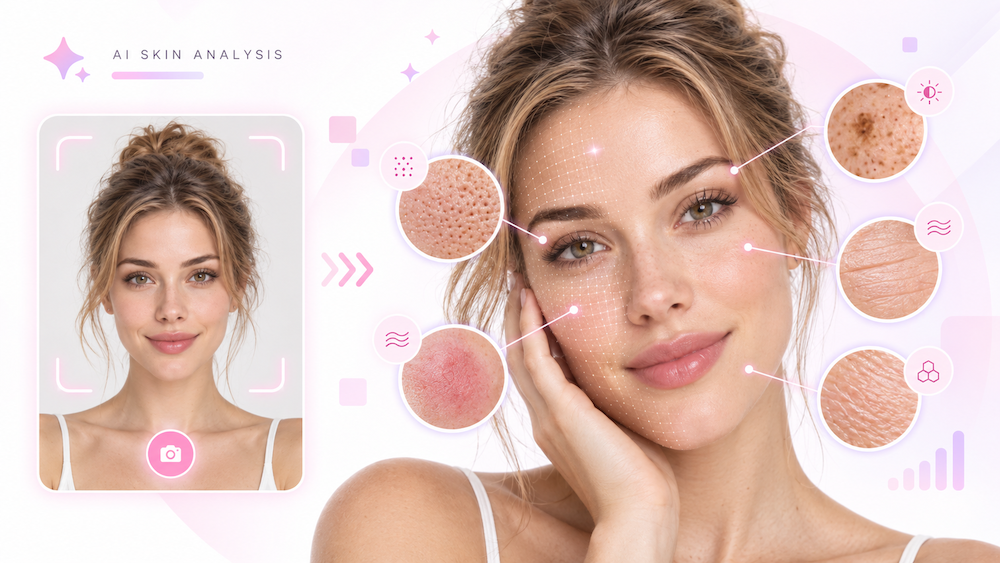
At its core, a photo-based system uses computer vision and machine-learning models to examine visible patterns in a facial image.
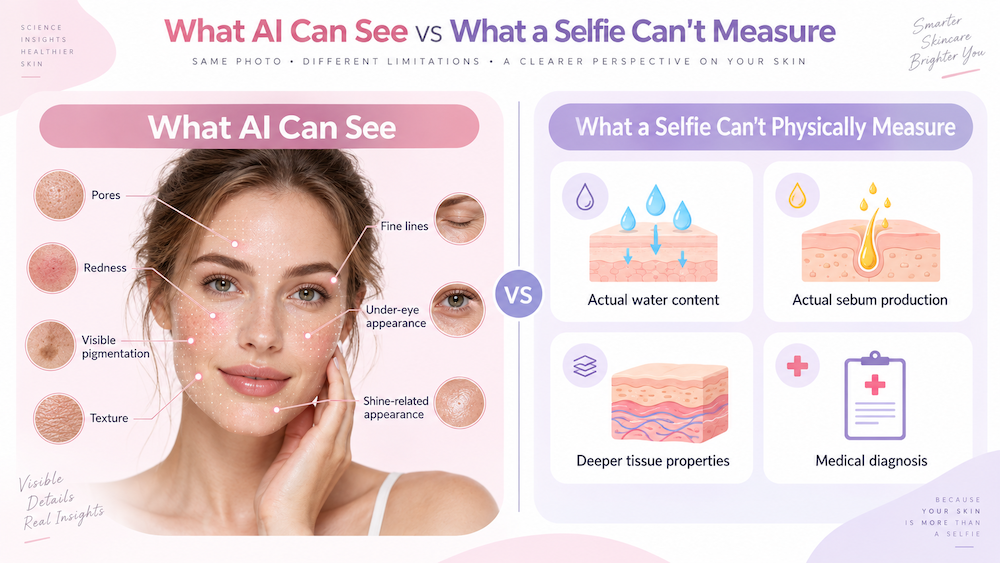
Depending on the tool, that can include things such as:
- visible pores;
- uneven tone;
- pigmentation;
- blemish-like areas;
- redness;
- fine lines;
- wrinkles;
- under-eye appearance;
- surface texture;
- shine or dryness-related appearance.
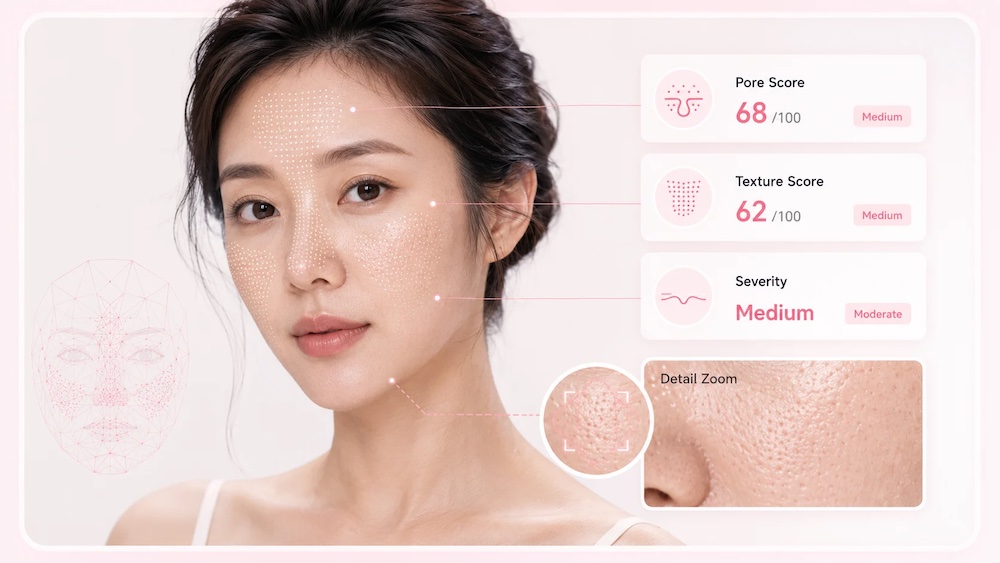
The Basic version of AILabTools’ AI Skin Analyzer is designed as a quick visible skin assessment based on a facial photo.
The important word here is visible.
A normal selfie contains visual information such as colour, texture, contrast, brightness and facial structure.
It does not physically measure what is happening inside the skin.
That distinction matters because it changes how you should read almost every result.
What It Was Like to Use the Basic AI Skin Analyzer
The process itself is straightforward.
On AILabTools, you choose the Basic analysis version, upload a clear face photo or use one of the sample images, then generate the analysis.
There is no special camera or physical skin sensor involved.
You start with a photograph.
That simplicity is part of the appeal, but it also means the photo itself matters.
The workflow can be reduced to three steps.
1. Upload a clear face photo
Use a sharp, front-facing image where the face is easy to see.
2. Run the photo-based analysis
The AI reviews visible surface patterns supported by the selected analysis version.
3. Read the report as an appearance-based assessment
The result can help organise visible concerns into categories rather than leaving you with a vague impression such as:
“My skin looks a little different today.”
Instead, you can ask more specific questions:
- Are my pores more noticeable around the T-zone?
- Does one cheek look redder than the other?
- Are dark areas concentrated in one region?
- Are fine lines only appearing when I change expression?
- Does the same pattern show up when I repeat the photo under similar lighting?
That is where the tool becomes useful.
A Skin Analysis Report Is Not the Same as a Medical Diagnosis
This is worth making clear early.
An AI skin analyzer can identify and organise visible appearance patterns in a photograph.
It cannot determine the medical cause of those patterns.
If a photo shows redness, the system may highlight the redness.
That does not mean it can tell you whether the redness comes from sensitivity, irritation, rosacea, lighting, recent exercise or something else.
If it detects a dark area, it may identify visible pigmentation.
That does not establish what caused the pigmentation.
If it highlights blemish-like regions, that is still an image-based observation.
For that reason, the most accurate way to describe tools like this is:
visible skin analysis
or
appearance-based skin assessment
rather than medical diagnosis.
That wording may sound less dramatic, but it is actually more useful because it gives users a clearer idea of what the result really means.
Your Selfie Can Change the Result More Than You Think
When people discuss AI accuracy, they usually focus on the model.
But the image going into the model matters too.
A selfie can be affected by:
- lighting;
- shadows;
- camera processing;
- smoothing;
- colour balance;
- exposure;
- image compression;
- facial expression;
- angle.
Two photos of the same person can make the skin look surprisingly different.
A bright window can make texture less visible.
Side lighting can make lines look deeper.
A beauty filter can smooth away pores.
Warm indoor lighting can change the appearance of redness or pigmentation.
That means a useful AI skin analysis starts before you press “Generate.”
It starts with the photograph.
How to Take a Better Photo for AI Skin Analysis
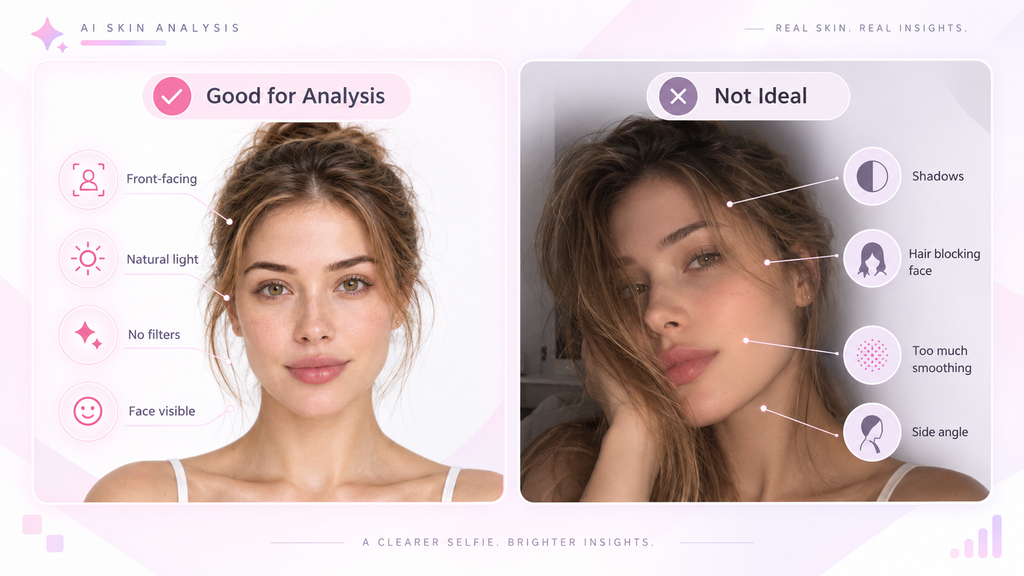
If I wanted a more consistent result from an online AI skin analysis, I would try to make the photo as neutral as possible.
Use soft, even lighting
Natural daylight is usually easier to work with than harsh directional light.
Strong shadows may exaggerate texture, fine lines and under-eye darkness.
Face the camera directly
A straight-on image gives the system a more consistent view of both sides of the face.
Avoid beauty filters
Skin-smoothing filters can remove exactly the type of visible surface detail the AI is trying to analyse.
Keep your face unobstructed
Try to move hair away from your cheeks and forehead.
If possible, remove glasses when they cover areas you want to inspect.
Use minimal makeup
Foundation and concealer can change the appearance of redness, pigmentation, blemishes and texture.
Keep your expression neutral
A big smile changes the shape of the face and creates temporary expression lines.
If you want to compare results over time, consistency matters.
What Can an AI Skin Analyzer Actually See?
This is the part that is easiest to misunderstand.
A standard selfie gives AI access to surface appearance information.
It does not provide a direct physical measurement of the skin.
Here is what that means in practice.
Pores
AI can identify regions where pores appear more visible in the image.
That does not mean visible pores are unhealthy.
Pores are a normal part of skin.
Redness
The system can detect areas that appear redder than surrounding skin.
But it cannot determine the medical reason for that redness from the image alone.
Pigmentation and dark spots
The model can recognise visible differences in colour and tone.
It may help highlight areas worth comparing over time.
It does not explain the underlying cause.
Blemish-like areas
The AI may identify visible spots or acne-like patterns.
These should be understood as appearance-based detections rather than medical classifications.
Fine lines and wrinkles
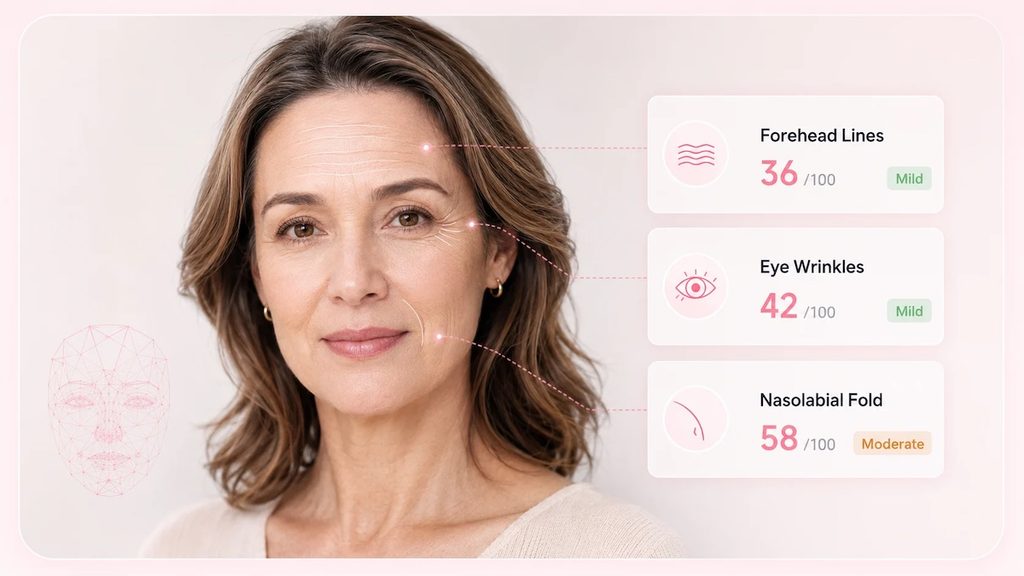
Visible line patterns can be detected around areas such as the forehead and eyes.
Their appearance can change considerably with lighting and expression.
Under-eye appearance
The system can review visible darkness, lines or tonal differences around the eye area.
Again, shadows and camera exposure can strongly affect how this looks.
Texture
Small variations in surface appearance can help the system identify areas that look smoother or rougher.
But camera sharpening and smoothing can also change perceived texture.
What About Skin Type, Oiliness and Hydration?
This is where careful wording becomes especially important.
A photo may contain visual cues associated with things like shine, dryness or overall skin appearance.
For example:
- a shiny forehead may look more oily;
- flaky or dull-looking areas may appear dry;
- some regions may visually suggest more or less moisture-related appearance.
But these are appearance-based observations.
They are not direct physical measurements.
A standard phone camera does not measure actual sebum output.
It does not measure actual skin water content.
It does not physically test elasticity or deeper tissue.
So instead of saying:
“AI measures hydration”
a more accurate description is:
“AI can assess hydration-related appearance signals visible in the photo.”
Instead of:
“AI measures oil production”
it is better to say:
“AI may identify shine-related or oiliness-related visual patterns.”
This wording keeps the result useful without overstating what an ordinary image can provide.
How Should You Read the Results?
Imagine the report highlights visible pores around the nose.
There are two ways to interpret that.
The first is:
“There is something wrong with my pores.”
The second is:
“The pores in this area appear more visible in this photo.”
The second interpretation is much more useful.
The same applies to every other category.
| Report shows | Better interpretation | What it does not prove |
|---|---|---|
| Visible pores | Pores appear more noticeable in this region | That your pores are unhealthy |
| Redness | Some areas appear redder | A medical skin condition |
| Dark spots | Colour differences are visible | The medical cause |
| Fine lines | Line patterns are visible | Your biological age |
| Shine | Some areas appear shinier | Actual sebum production |
| Dry-looking areas | The surface appears less smooth or more dry | Actual hydration level |
| Blemish-like areas | Visible spots are present | A diagnosis |
This is why I would treat the report as a visual reference, not a verdict.
Why “Appearance-Based Assessment” Is a Better Way to Think About It
The phrase may sound less exciting than “AI dermatology,” but it is much more accurate.
A dermatologist can combine many different types of information:
- physical examination;
- symptoms;
- medical history;
- duration;
- changes over time;
- touch;
- specialised imaging;
- laboratory tests when necessary.
A selfie-based tool has one main source of information:
the image.
That does not make it useless.
It simply defines its role.
An AI skin analyzer can help you notice visible patterns.
It can help you compare photos.
It can help structure observations.
It can help you ask better questions.
That is already valuable.
It does not need to pretend to do more.
The Most Useful Part May Be Comparing Changes Over Time
For me, this is where photo-based AI skin analysis becomes much more interesting.
Imagine taking a clear photo today.
Then, several weeks later, you take another one under similar conditions.
Same room.
Same camera.
Similar lighting.
Similar distance.
Neutral expression.
Minimal makeup.
Now you are not asking:
“Is my skin perfect?”
You are asking:
“Does this visible feature look different from before?”
That is a much more realistic use case.
AI can help organise those comparisons.
Human memory is not very good at noticing gradual visual change.
Photos are better.
And a structured analysis can make those comparisons easier to understand.
What a Selfie Cannot Physically Measure
This boundary is important enough to make explicit.
A normal facial photo cannot directly measure:
Actual skin hydration
Physical hydration measurements require appropriate measurement equipment.
A selfie can only show visible appearance associated with dryness or moisture.
Actual sebum production
Shine may be visible.
Sebum output itself is not physically measured by the camera.
Deeper tissue properties
A normal image does not measure collagen, elasticity or deeper structural changes.
Medical conditions
A photo-based tool should not be treated as a substitute for medical evaluation.
Persistent, painful, rapidly changing or concerning skin issues should still be assessed by an appropriate healthcare professional.
Normal Skin Should Not Be Treated Like a List of Problems
There is one more reason to use these tools carefully.
Real skin has texture.
Real skin has pores.
Real skin has lines.
Real skin has colour variation.
None of those things automatically mean something is wrong.
An AI report may highlight these features because that is what the system is designed to detect.
But a highlighted region is not necessarily a problem that needs fixing.
That distinction matters.
A useful skin-analysis tool should help people observe their skin more clearly.
It should not make normal skin feel abnormal.
Is an AI Skin Analyzer Worth Trying?
I think it can be — if you use it with realistic expectations.
An AI skin analyzer is not a dermatologist in your browser.
It is not a laboratory instrument.
It does not physically measure every property of your skin.
What it can do is take an ordinary selfie and organise visible skin information into a more structured format.
If you are curious, the AI skin analyzer online on AILabTools offers a Basic version designed to review common visible skin characteristics from a facial photo.
The most useful way to approach the result is simple:
Take a clear photo.
Use consistent conditions.
Look for patterns rather than chasing perfect scores.
Repeat the analysis if you want to compare visible changes over time.
And treat the output as an appearance-based skin check, not a medical diagnosis.
Used that way, AI skin analysis can be both interesting and genuinely practical.