If you’ve ever tried to make “your own stickers,” you know the frustrating part: each image comes out slightly different. The face shifts, the style drifts, and the final pack feels inconsistent. A photo-to-emoji grid fixes that by generating a set of emojis from one image while keeping identity consistent—then exporting everything in one neat grid you can save, crop, and share.
What is a Photo to Emoji Grid?
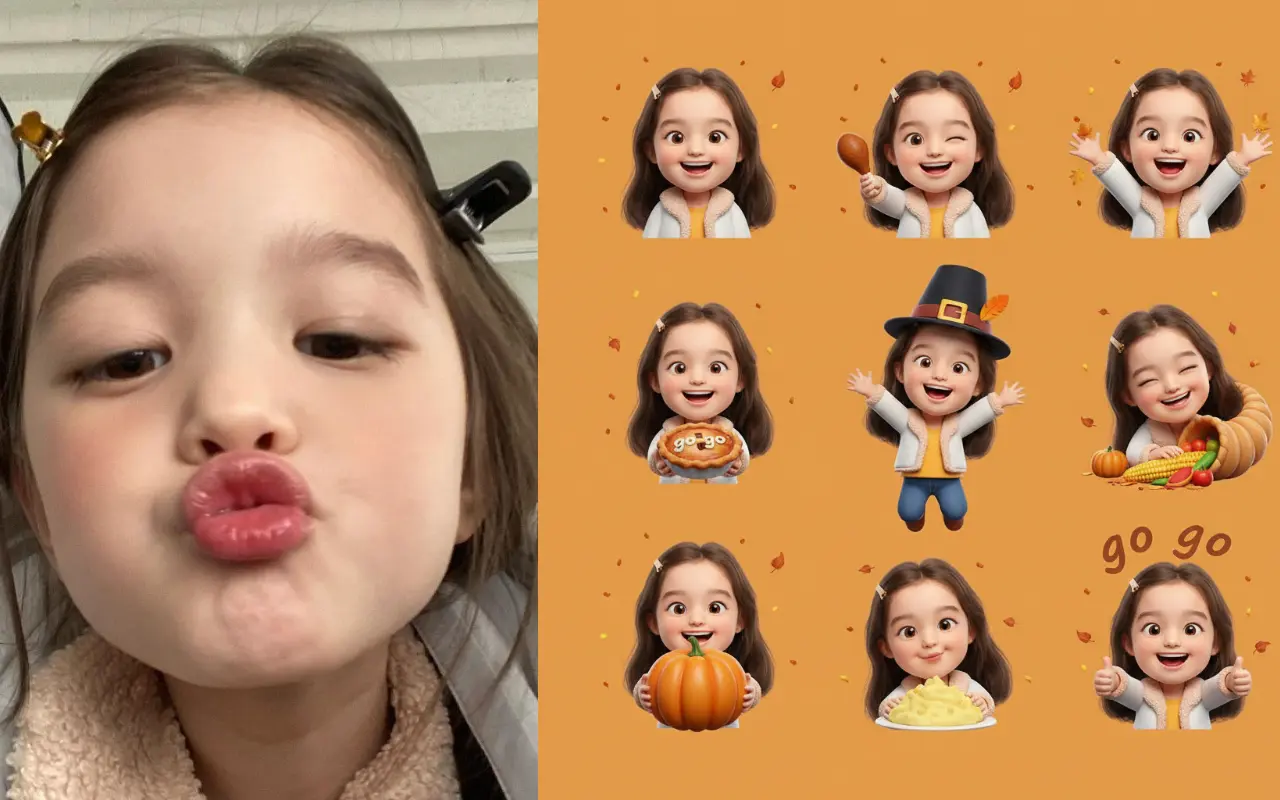
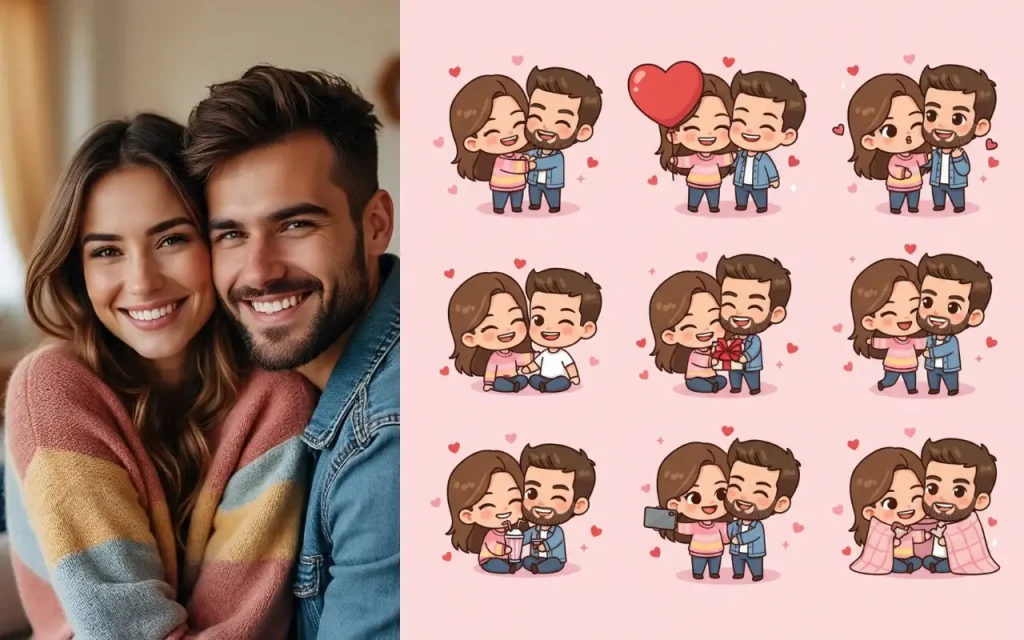
A photo to emoji grid tool takes one photo (selfie, portrait, or pet photo) and generates multiple emoji variations—different expressions, styles, and (optionally) themes—then places them into a single grid sheet. Instead of downloading a bunch of separate files and organizing them yourself, you get one clean “pack sheet” that works as your master asset.
Why people use it (real-life C-end scenarios)
1) A personal emoji pack for chat apps
Make a “reaction set” that feels like you—happy, shocked, crying-laughing, annoyed, sleepy—so your messages land without extra typing.
2) Couples, friends, and group chats
Create matching packs (same style, different faces) for birthdays, trips, inside jokes, or just to make the group chat feel like its own world.
3) Pet emoji packs
Cats and dogs are perfect for stickers. One clear pet photo can become a full set of expressive reactions for daily use.
4) Social content and thumbnails
Creators often want reusable “reaction faces” for overlays. A grid makes it easier to keep a consistent look across posts and videos.
5) Holiday and event themes
Switch the theme to fit a moment—New Year, Halloween, wedding, baby shower—without having to “redraw” anything.
How it works (simple workflow)
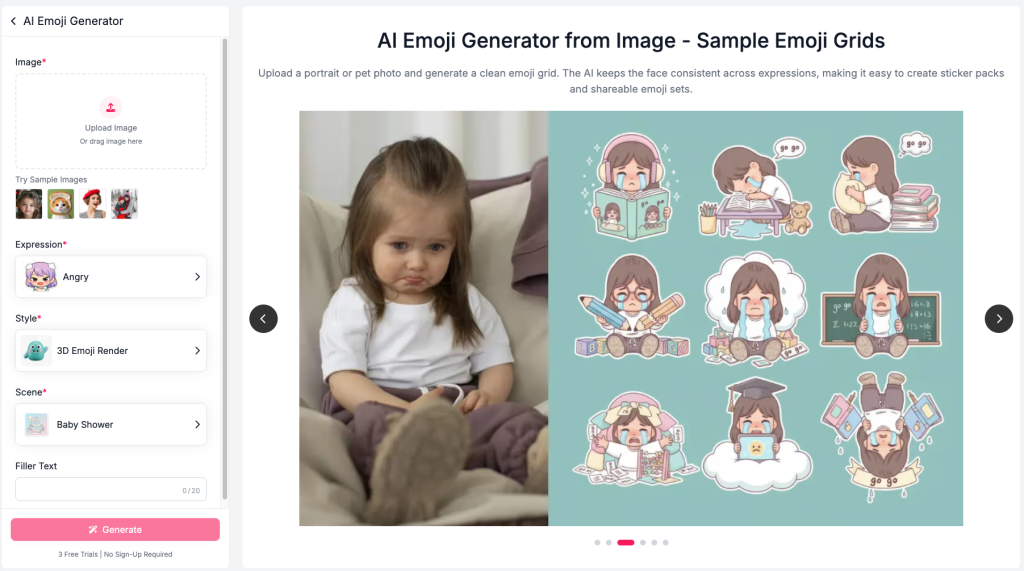
Step 1: Upload a clear photo
Front-facing, good lighting, no heavy filters. The cleaner the input, the more “you” the output feels.
Step 2: Pick an expression set
Choose emotions you actually use in chat. Aim for variety, not quantity: laugh, side-eye, surprised, angry, tired, etc.
Step 3: Choose a style (the vibe of your pack)
Popular options include:
- Chibi / Super Deformed: cute, big head energy
- 3D Emoji Render: smooth, modern, app-like
- Sticker Cutout: bold outlines, printable feel
- Pixel Art: retro and playful
- Comic / Anime: expressive and dramatic
Tip: If you want the pack to look good everywhere, start with a clean Sticker or 3D style—they’re the most universally readable.
Step 4: Add a scene/theme (optional)
Themes are best for “seasonal” packs (holiday, party, celebration). For everyday reactions, you can skip this.
Step 5: Generate and download the grid
Save the grid sheet as your master file. You can keep it in your camera roll, cloud drive, or a shared folder with friends.
Tips for better-looking emoji packs
- Use a high-resolution photo (sharp eyes and mouth matter most).
- Avoid harsh shadows; even lighting wins.
- Keep the face unobstructed (hands, sunglasses, heavy bangs can confuse expressions).
- If the result feels “off,” try a different style before changing the photo.
- Build two packs: a Daily Reactions pack + a Holiday pack.
A “starter pack” that covers 90% of chats
- Big smile / happy
- Laughing / tears of joy
- Surprised / wow
- Side-eye / suspicious
- Angry / annoyed
- Sad / about to cry
- Love / heart-eyes
- Sleepy / tired
- Thumbs-up / approval (or “OK”)
Cropping the grid into individual emojis (fast ways)
If you need individual sticker files, treat the grid as your source sheet:
- Use any built-in editor to crop each cell (quick but manual).
- Or use an “image grid splitter” tool/app to auto-slice the sheet into equal tiles (fast for 9/12/16 grids).
- Keep naming simple:
happy.png,wow.png,side-eye.png—you’ll thank yourself later.
Privacy notes (important for face photos)
When you upload a face photo, you deserve clear handling rules. Prefer tools that explain retention (how long uploads are stored) and whether images are used for model training. If privacy is a concern, choose services with explicit “not used for training” policies and short retention windows.
Try it: Photo to Emoji Grid
If you want a fast way to turn one photo into a consistent emoji pack—without design work—use AILabTools’ Photo to Emoji Grid and generate a ready-to-share grid in minutes.