> ## Documentation Index
> Fetch the complete documentation index at: https://ailabtools.mintlify.site/llms.txt
> Use this file to discover all available pages before exploring further.
# Get API KEY
Follow the steps below to create and retrieve your API Key.
***
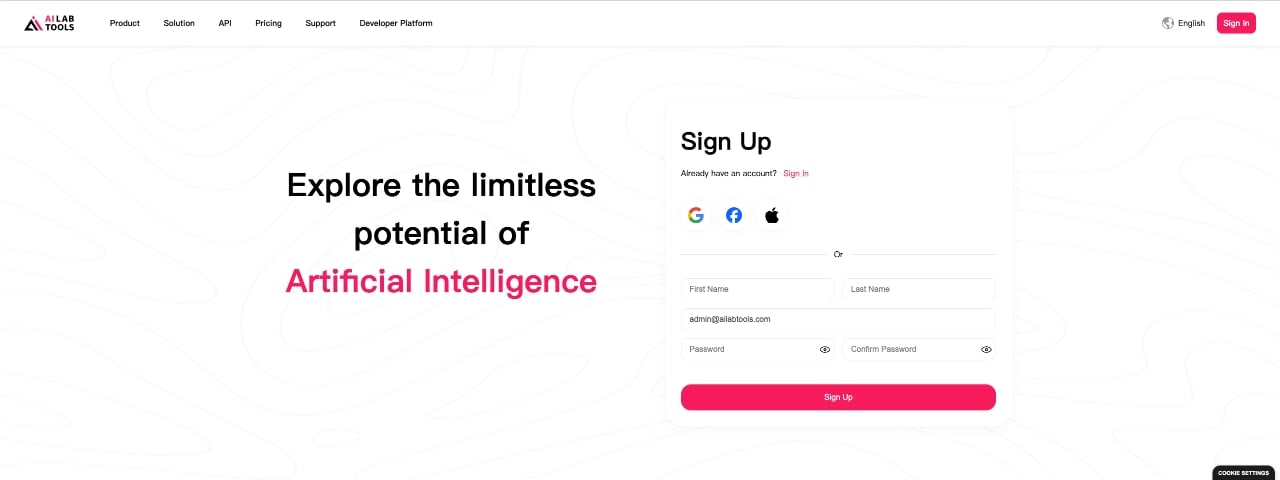
## Step 1 — Create an Account
Create Account
Create an AILabTools account to access the developer platform and API services.
If you already have an account, you can skip this step.
 ***
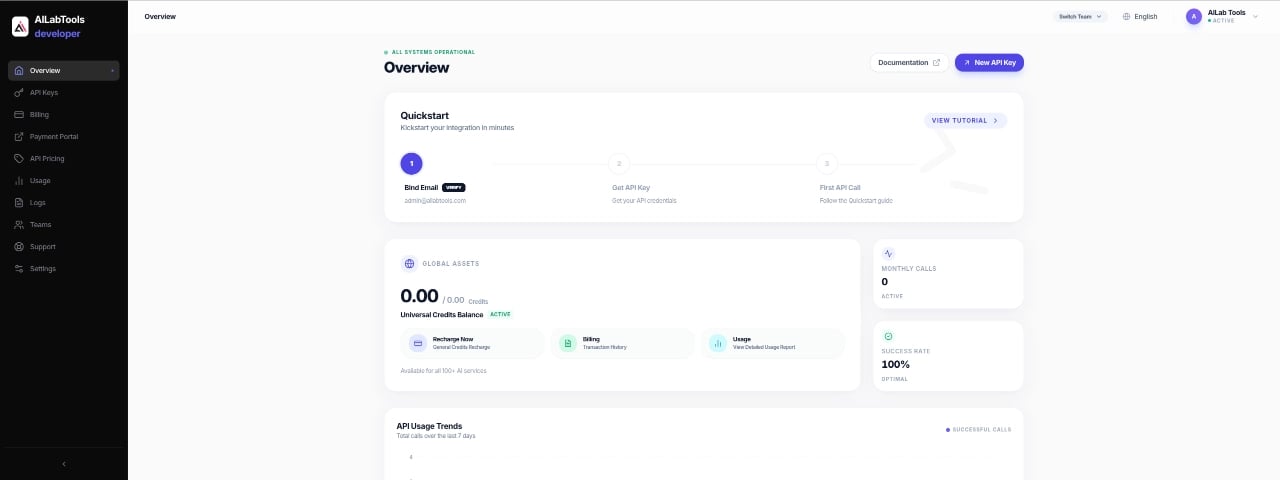
## Step 2 — Sign In to Developer Platform
Open Developer Platform
Sign in to the developer platform to access API services and developer features.
> APIs do not require separate activation or approval and can be used immediately after obtaining an API Key.
***
## Step 2 — Sign In to Developer Platform
Open Developer Platform
Sign in to the developer platform to access API services and developer features.
> APIs do not require separate activation or approval and can be used immediately after obtaining an API Key.
 ***
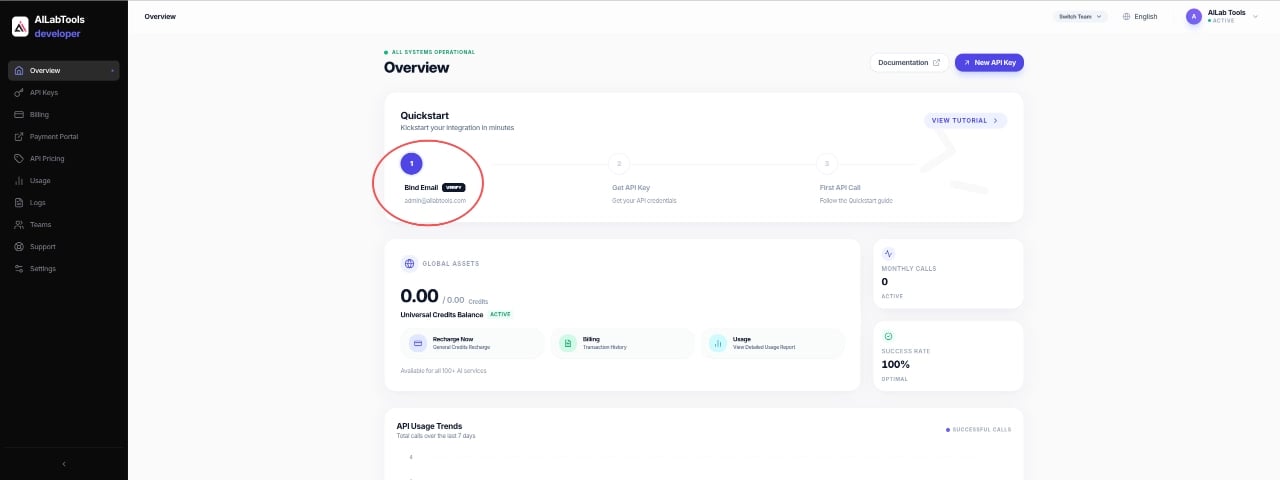
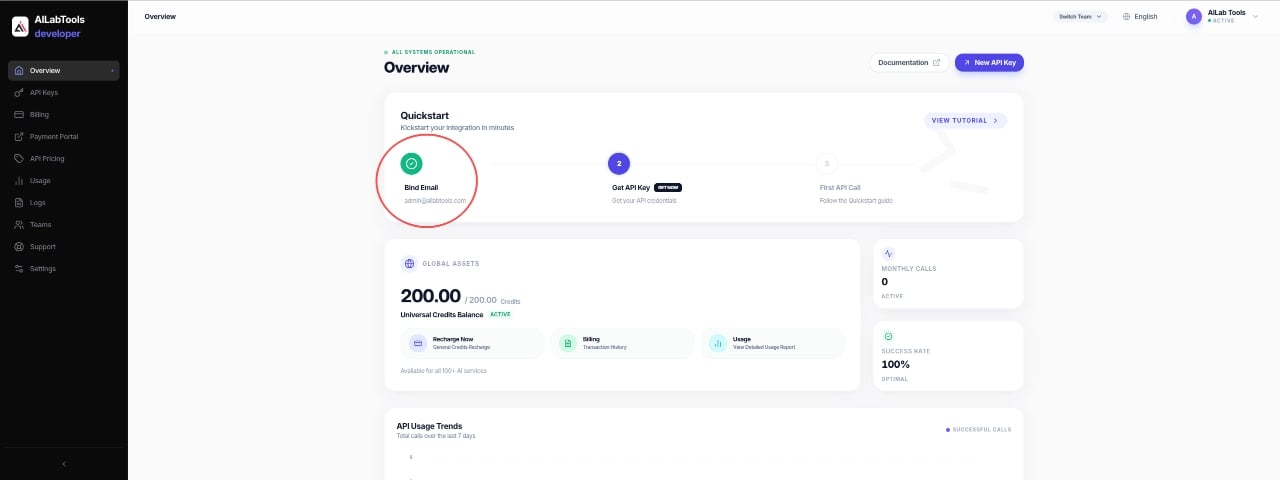
## Step 3 — Complete Email Verification
Complete email verification before creating API Keys.
> You must complete email verification before receiving free API credits or creating API Keys.
***
## Step 3 — Complete Email Verification
Complete email verification before creating API Keys.
> You must complete email verification before receiving free API credits or creating API Keys.
 ***
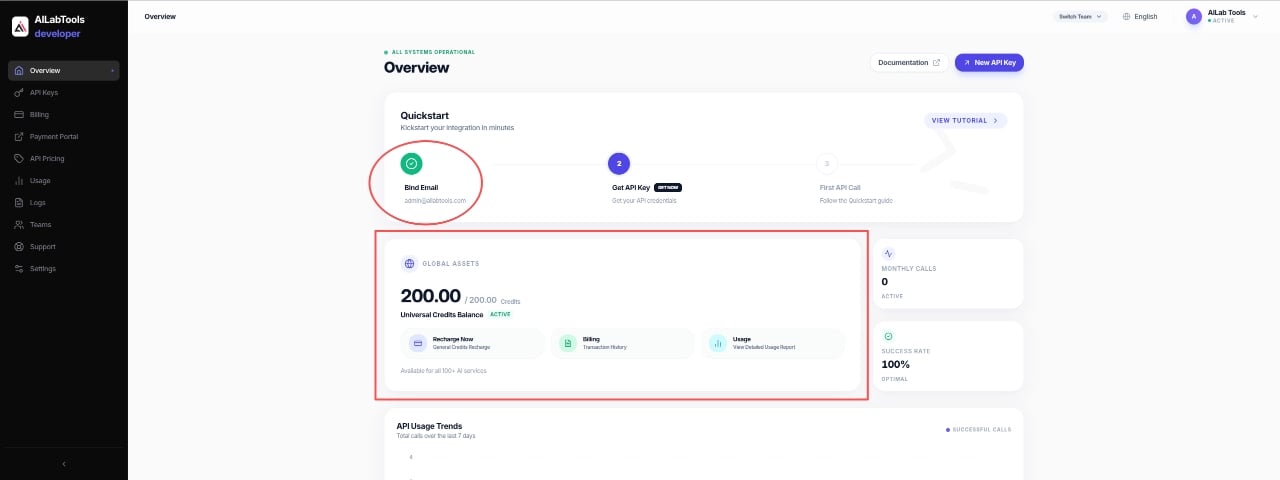
## Step 4 — Receive Free API Credits
After successfully completing email verification, free API credits will be automatically granted to your account for testing supported APIs.
***
## Step 4 — Receive Free API Credits
After successfully completing email verification, free API credits will be automatically granted to your account for testing supported APIs.
 ***
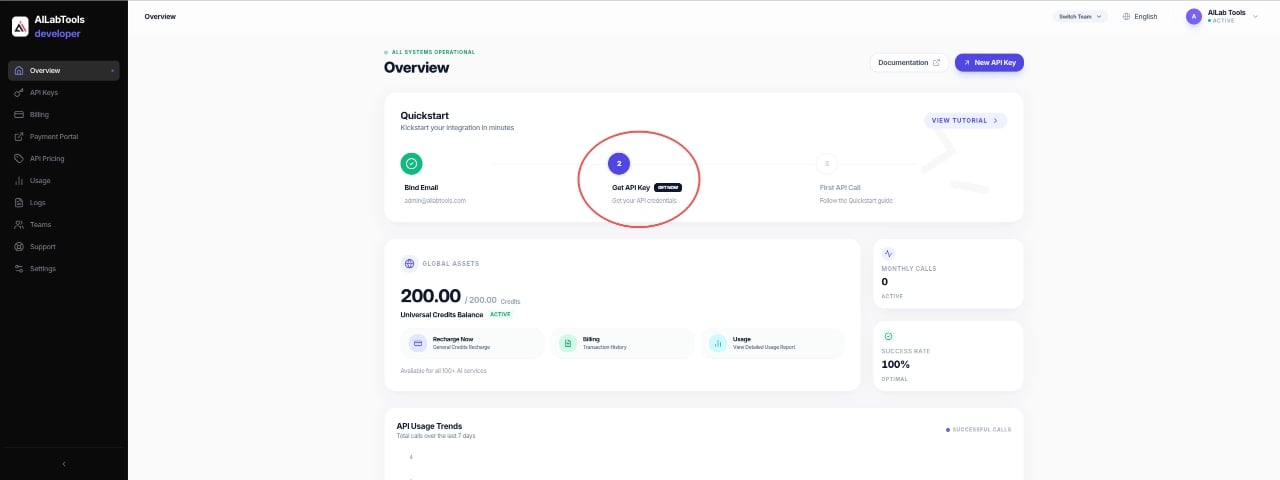
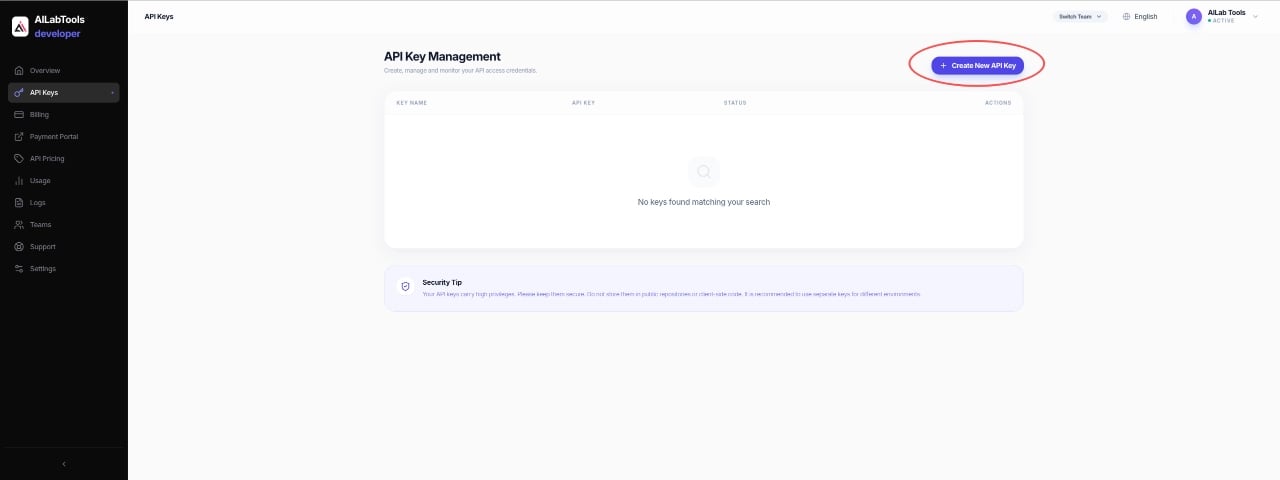
## Step 5 — Create API Key
Open API Keys Page
Create a new API Key for your application or project.
You can create different API Keys for different environments, such as:
* Production
* Development
* Testing
***
## Step 5 — Create API Key
Open API Keys Page
Create a new API Key for your application or project.
You can create different API Keys for different environments, such as:
* Production
* Development
* Testing
 ***
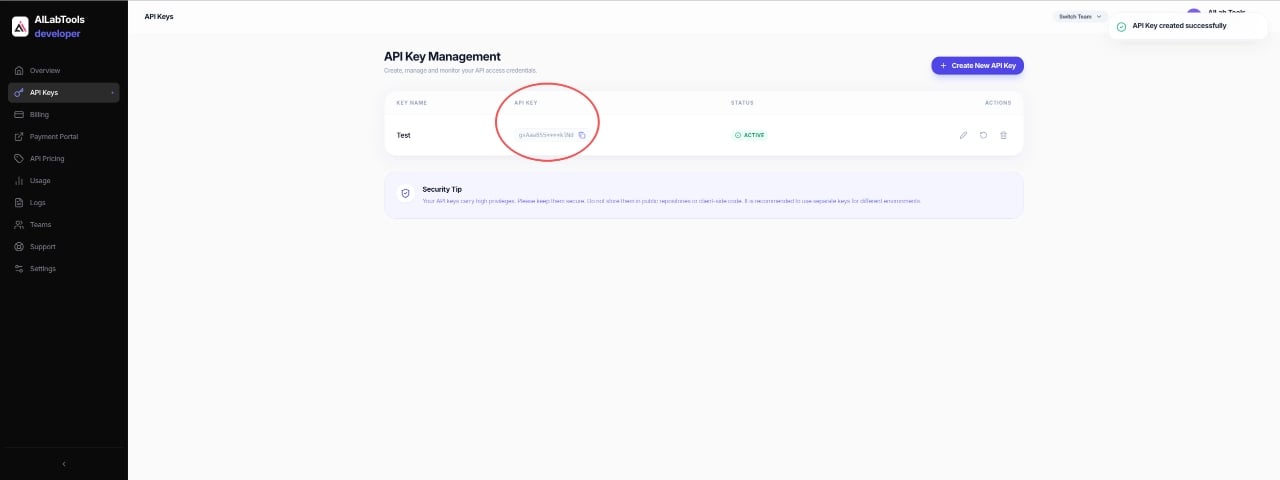
## Step 6 — Get API Key
After the API Key is created, copy and securely store your API Key.
***
## Step 6 — Get API Key
After the API Key is created, copy and securely store your API Key.