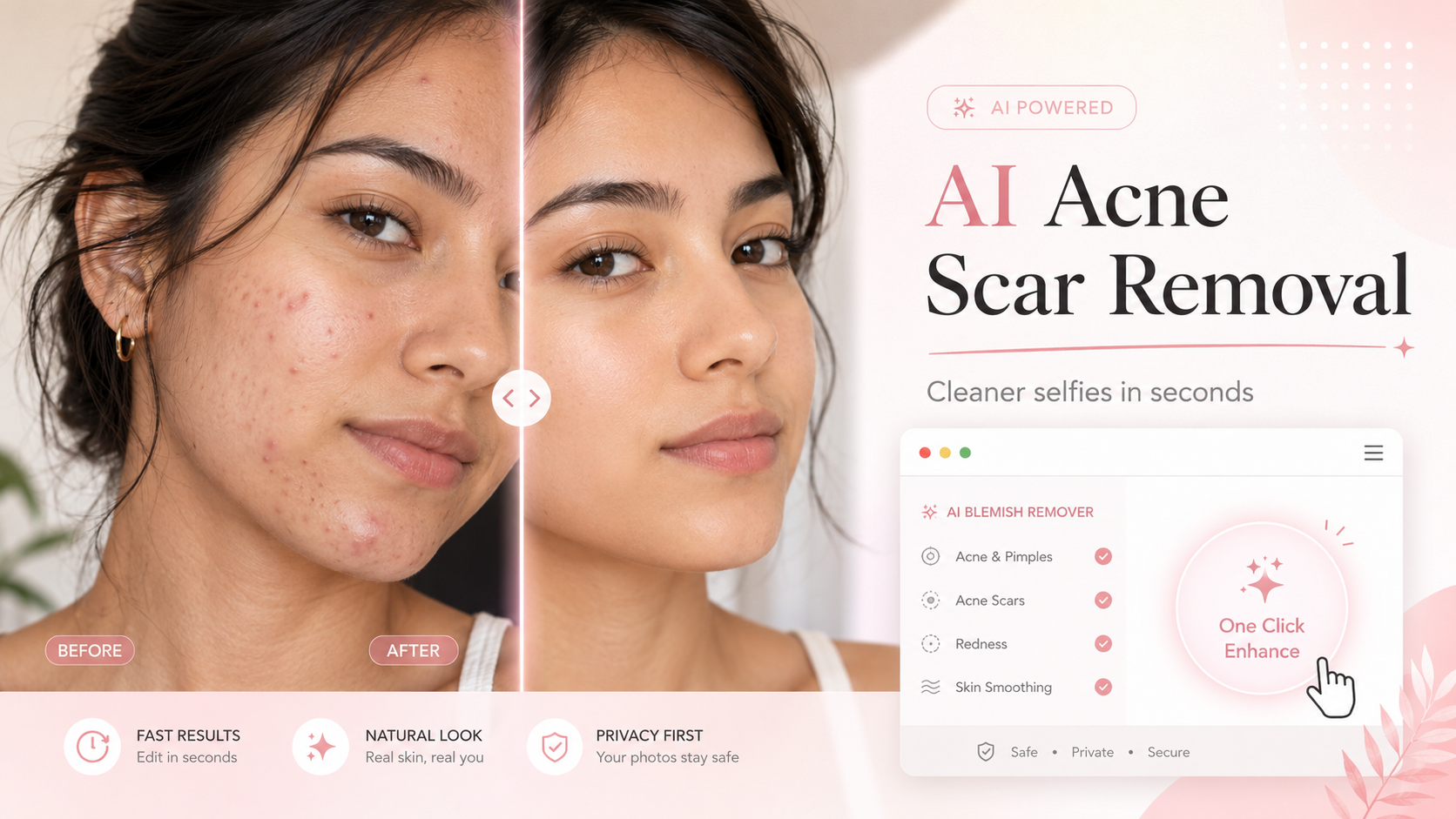
Some days my skin looks fine in the mirror, but the moment I take a photo, every little mark seems to show up. A tiny zit near the chin. A red spot from last week. A small acne scar that catches the light in the worst way. The photo itself may be good, but one blemish can easily pull all the attention.
I do not always want to wear heavy makeup just for a quick selfie. I also do not want to spend twenty minutes fixing every spot by hand in a complicated editing app. That is why I started looking for a simple beauty editing tool that could clean up small skin marks without making my face look fake.
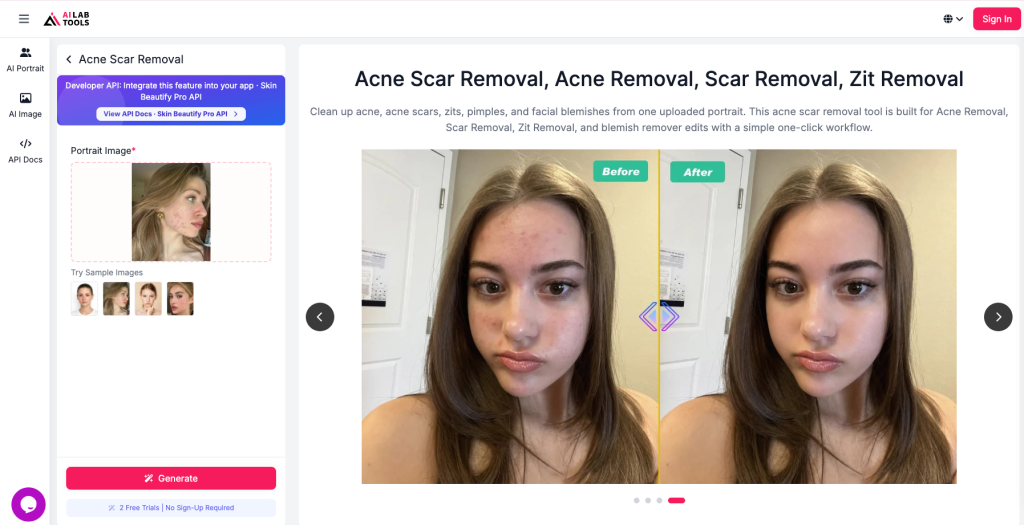
One tool I found useful is AILab Tools Acne Scar Removal. It is made for quick portrait cleanup, especially for acne marks, zits, pimples, scars, and small blemishes. You upload a face photo, let the AI process it, and download a cleaner-looking version.
This is not skincare advice, of course. It does not treat acne or heal real scars. But for photos, profile pictures, beauty posts, thumbnails, and everyday selfies, it can be a handy little tool to keep bookmarked.
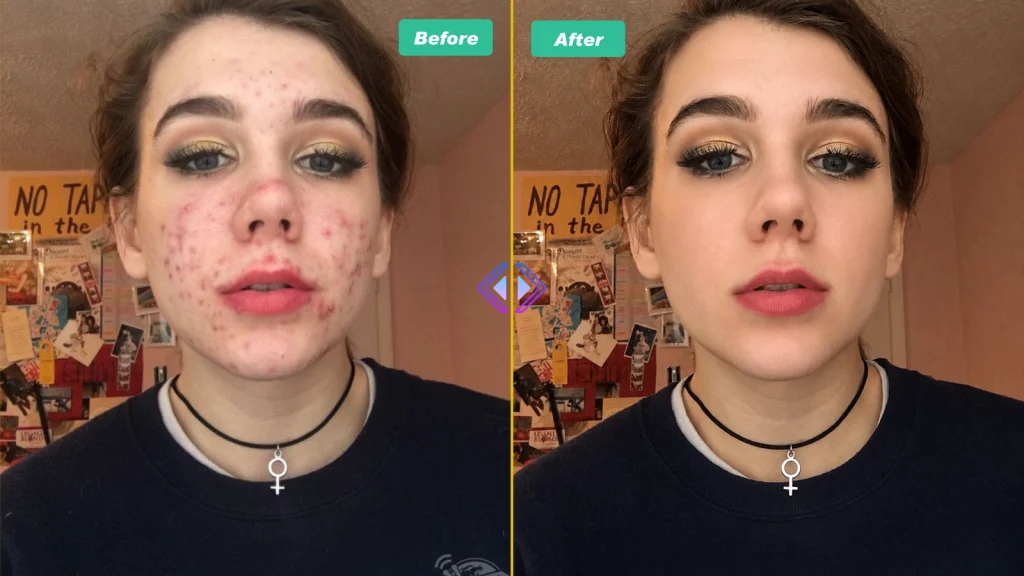
Why I Prefer a Focused Acne Scar Removal Tool
I like beauty edits that still look like me. Some apps smooth the skin so much that the whole face starts to look plastic. The pores disappear, the cheeks look blurred, and the photo feels obviously edited.
That is not the look I want.
For me, a good Acne Scar Removal tool should not change the whole face. It should focus on the distracting areas first, such as acne spots, pimple marks, zits, mild scars, and uneven red patches. The goal is not to create perfect glass skin. The goal is to make the photo look cleaner while keeping the face natural.
That is why I prefer a focused acne remover over a heavy beauty filter. If I already like my photo, I do not need bigger eyes, a sharper jawline, or a completely different skin texture. I only need to remove the small details that distract from the overall image.
This is especially useful when the photo is already worth saving. Maybe the lighting is nice. Maybe your hair looks good. Maybe your makeup turned out better than expected. But one breakout or acne mark makes you hesitate to post it. In that situation, a simple Acne Removal tool can be much easier than starting over.
What This AI Tool Can Help With
The tool is designed for face photo cleanup. It can help reduce the look of acne, acne scars, zits, pimples, small blemishes, and visible marks in portrait images. It can also work as a simple Scar Removal tool when you want to make a photo look smoother and more polished.
The process is very beginner-friendly:
- Upload a clear portrait photo.
- Let the AI clean up visible acne, scars, zits, and blemishes.
- Download the improved image.
What I like most is that it does not require manual editing. If you have ever used traditional retouching tools, you know how annoying blemish removal can be. You zoom in, tap one spot, adjust the edges, undo, try again, and still end up with a weird patch of skin.
With an AI-based tool, the process feels much faster. You do not need to paint over every single mark by hand. For everyday beauty photos, that saves a lot of time.
Best Photos to Use for Better Results
Like most AI portrait tools, the result depends a lot on the photo you upload. A clear, well-lit photo usually gives a more natural result. A dark or blurry photo may not work as well because the AI has less detail to read.
For better results, I would recommend using:
A front-facing or slightly angled portrait
Soft, even lighting
A photo without heavy filters
A clear view of the acne, scar, or zit area
A face that is not too small in the image
A natural photo with visible skin texture
Avoid uploading photos where the face is covered by hair, sunglasses, masks, strong shadows, or heavy makeup filters. The more clearly the tool can see the skin area, the better the final edit will usually look.
This does not mean your original photo has to be perfect. It just needs to be clear enough for the AI to understand what should be cleaned up.
When I Would Use It
I would use this type of Zit Removal tool when a photo is already good, but one or two skin marks are too distracting.
For example, it works well for:
Profile photos
Beauty blog images
Instagram selfies
Dating app photos
Makeup before-and-after posts
Creator thumbnails
Skincare content images
Personal branding portraits
Simple photo cleanup before posting online
It is especially useful for people who create content often. If you are a beauty blogger, skincare reviewer, makeup creator, hairstyle creator, or lifestyle blogger, you probably take a lot of face photos. Even with good lighting and a decent camera, breakouts happen.
A quick AI acne scar removal tool can make your photo look cleaner without needing professional editing skills.
I also like it for casual use. Sometimes you just want a nice selfie for your profile picture, but a random pimple appears at the worst time. Instead of deleting the photo, you can clean it up and still keep the image natural.
Why It Looks More Natural Than Heavy Filters
Heavy beauty filters can be fun, but they are not always helpful. Some filters blur the entire face, change the skin tone too much, or make the photo look overly processed. That can be a problem if you want your image to feel real.
A focused Acne Scar Removal tool gives a softer kind of edit. It is more about removing distractions than changing your appearance. The best result is the kind where people do not immediately think, “This photo is edited.” They simply see a cleaner, fresher-looking portrait.
This matters for beauty content. If I am posting about a lipstick, hairstyle, skincare product, or makeup look, I want people to notice the actual content. I do not want one small blemish to become the first thing they see.
The same applies to profile photos. A clean portrait can look more polished, but it should still look like you. That balance is important.
Acne Removal Is Not the Same as Skincare
It is worth saying clearly: AI Acne Removal is only for photo editing. It does not treat acne, fade real scars, or replace a proper skincare routine. If you have serious acne, painful breakouts, or long-term scarring, it is better to speak with a skincare professional or dermatologist.
But I also think it is normal to edit a photo a little before posting it. People already use good lighting, flattering angles, concealer, and cropping. A blemish remover is just another photo editing option.
The key is not to overdo it. I would not use this kind of tool to erase every bit of skin texture. Real skin has texture. Real skin has pores. The goal is simply to clean up temporary marks or distracting spots so the photo looks closer to how you want it to look.
My Simple Editing Routine
If I were using this tool for a beauty blog image, my process would be simple.
First, I would take the photo in natural light. Window light usually works well because it is soft and flattering. I would avoid harsh overhead lighting because it can make bumps, acne marks, and uneven texture look stronger.
Next, I would choose a clear photo where my face looks relaxed. I would avoid screenshots, low-quality crops, or images that already have a heavy filter.
Then I would upload the photo and let the AI clean up the visible acne marks, zits, scars, and blemishes. After downloading the result, I would check the skin, lips, eyes, and face edges to make sure everything still looks natural.
If the edit looks too strong, I would choose another photo or keep the original. A good beauty edit should improve the image, not make it look artificial.
After that, I might adjust the brightness or crop the photo, but I would not do too much else. The point is to keep the final image clean, simple, and believable.
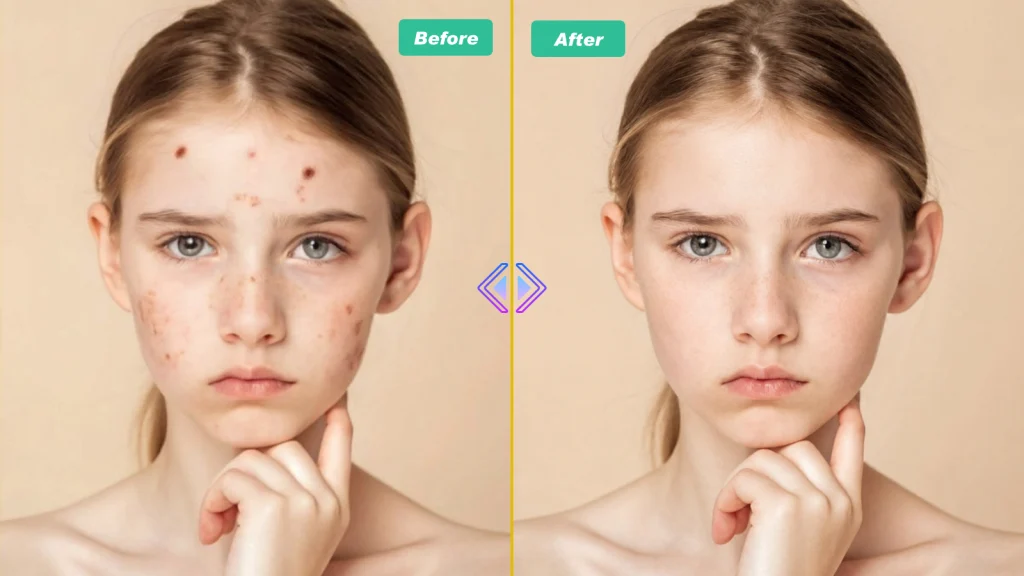
Who I Think This Tool Is Best For
I would recommend this tool to anyone who wants quick photo cleanup without learning complicated editing software.
It is a good fit for:
Beauty bloggers
Skincare creators
Makeup reviewers
Students updating profile photos
Professionals creating clean headshots
Social media users
Lifestyle creators
Anyone who wants simple Zit Removal or Scar Removal in a portrait photo
It can also be useful when you feel unsure about posting a photo because of one visible breakout. Sometimes you like everything about a photo except one small mark. A quick edit can make the photo usable again.
That does not mean every photo needs to be edited. It just means you have the option when you want it.
Final Thoughts
After trying different beauty editing tools, I think the most useful ones are the tools that solve one clear problem. This one focuses on acne scars, acne marks, zits, pimples, scars, and small face blemishes. It does not try to change your whole appearance, which is exactly why I like it.
For everyday beauty content, it feels practical. It is simple enough for beginners, fast enough for casual selfies, and focused enough to avoid the heavy-filter look.
If you want to clean up a portrait without spending too much time on manual editing, you can remove acne scars and zits from photos with AILab Tools and see whether the result fits your style.
Just remember to start with a clear photo, keep the edit natural, and use it as a photo cleanup tool rather than a replacement for real skincare.