There are some style changes you can undo in five minutes. Changing your shirt, swapping glasses, trying a different haircut in a photo app — easy.
Shaving off a beard is not quite like that.
If you have had facial hair for months or years, your face can feel almost unfamiliar without it. Maybe your jawline looks sharper. Maybe your face looks younger. Maybe you suddenly look like your old college ID photo. That is why more people are using a no beard filter before making the real decision.
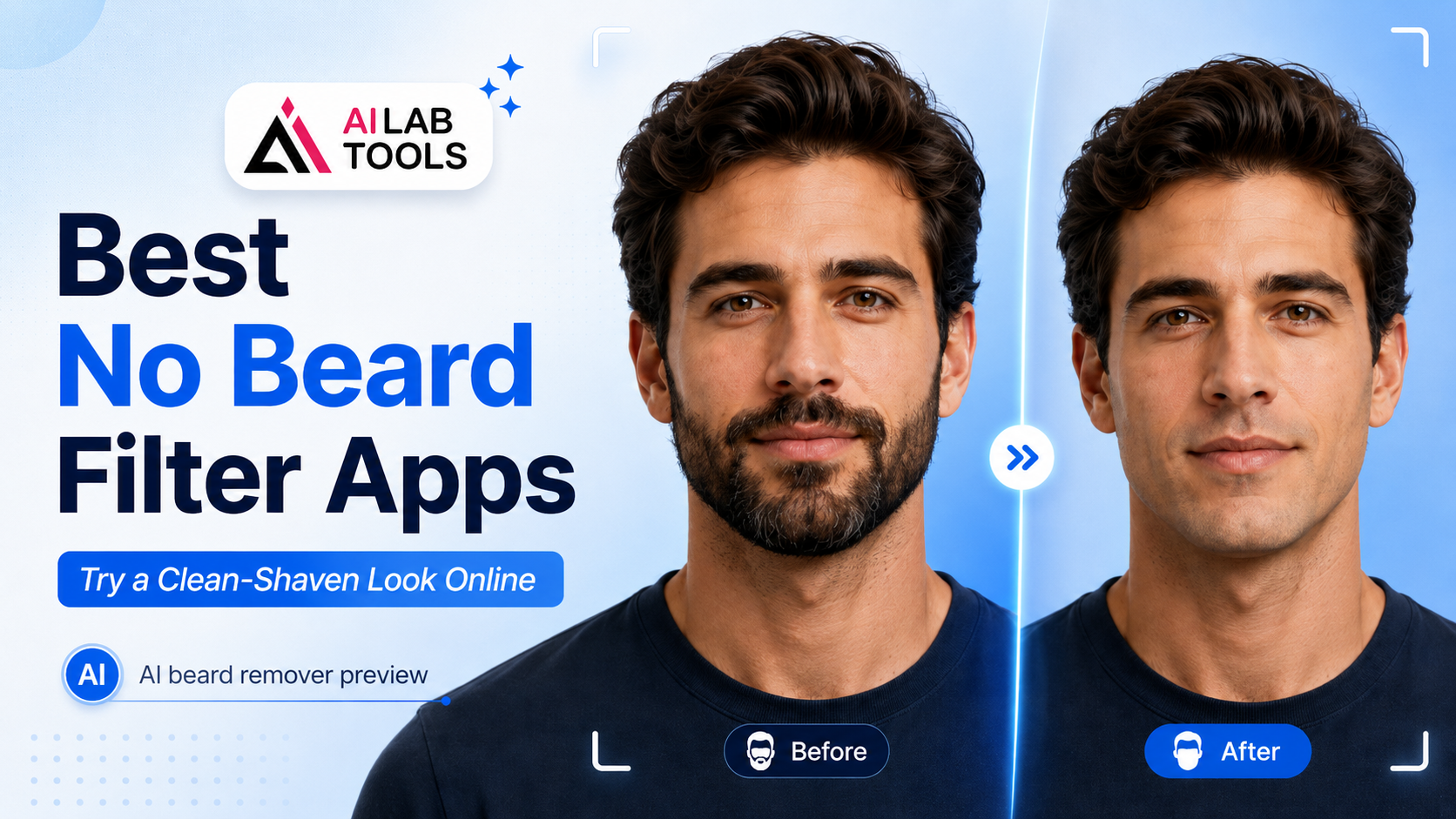
Instead of guessing, you can use an AI beard remover to preview a clean-shaven version of yourself online. It is a simple way to see the difference before picking up a razor.
What Is a No Beard Filter?
A no beard filter is an AI photo tool that removes facial hair from a portrait and creates a clean-shaven preview. It is designed for people who want to see how they might look without a beard, moustache, goatee, or heavy stubble.
Unlike basic photo editing, a good AI beard remover does more than blur the beard area. It looks at the face shape, skin tone, lighting, and facial hair area, then rebuilds the lower part of the face in a more natural way.
Of course, no online filter can promise a perfect real-life match. Lighting, photo angle, beard thickness, and image quality all affect the result. Still, for a quick visual test, it is much easier than manually editing every hair in Photoshop.
Why Try a Clean-Shaven Preview First?
A beard can change the whole balance of a face. It can make someone look older, stronger, softer, more mature, or more casual. Removing it can feel surprisingly dramatic.
That is why a no beard filter is useful in a few everyday situations.
You may want to shave for a job interview, a wedding, a profile photo, or just because you are tired of the same look. But if you are not sure whether a clean face suits you, testing it in a photo first makes sense.
It is also helpful if friends keep saying, “You should shave,” but you are not convinced. A preview gives you something better than opinions. You can actually compare the before-and-after result and decide for yourself.
How to Choose the Best No Beard Filter
The best no beard filter should feel simple, fast, and realistic enough to help you make a decision. You should not need editing skills, and you should not have to download a heavy app just to test one photo.
Here are the main things to look for.
Natural Skin Texture
The beard area should not look overly smooth, muddy, or painted. A decent tool should keep the skin tone close to the original photo and avoid strange patches around the mouth or chin.
Face Shape Preservation
Some low-quality filters change the jawline too much. That defeats the purpose. You want to preview yourself without a beard, not a completely different person.
Easy Online Use
For most people, the best option is something that works directly in the browser. Upload a portrait, run the filter, and check the result. No complicated software. No long learning curve.
Clear Before-and-After Comparison
A good clean-shaven preview should make it easy to compare your original beard photo with the edited version. That side-by-side comparison is usually what helps people decide.
Best No Beard Filter Tools for Clean-Shaven Photo Previews
There are now quite a few AI face editing tools online. Some focus on beauty edits, some focus on profile photos, and some are built for quick style previews. Below are a few options worth knowing.
1. AILabTools No Beard Filter
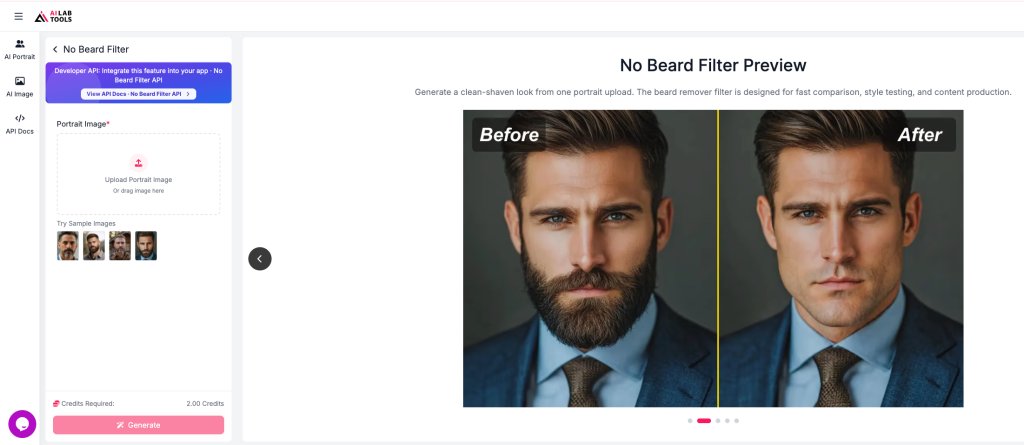
If you want a simple browser-based option, AILabTools No Beard Filter is a practical place to start. It is made for users who want to preview a clean-shaven face without using Photoshop or spending time on manual retouching.
The tool is especially useful if you want to test whether shaving your beard would make your face look cleaner, younger, or more formal. You upload a portrait, generate the result, and compare the new version with your original photo.
It works best with a clear front-facing image, good lighting, and a visible beard area. That may sound basic, but photo quality really matters with this kind of AI edit. A sharp selfie will usually give you a much better preview than a dark, blurry picture.
This makes it a strong choice for anyone looking for the best no beard filter for quick personal style testing.
2. YouCam AI Beard Remover
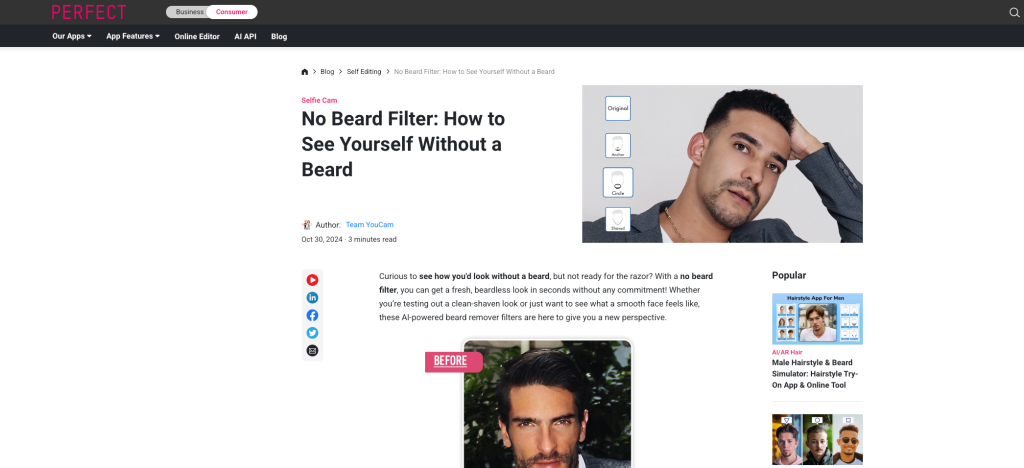
YouCam is already well known in the beauty and selfie editing space, so its beard remover option fits naturally into that category. It is useful for people who already like mobile-style beauty tools and want a polished social media look.
The main advantage is that it sits inside a broader editing environment. You can test a clean-shaven face and then adjust other parts of the image if needed. That said, some users may find it more app-like than necessary if they only want a quick beard removal preview.
3. Pixelbin No Beard Filter
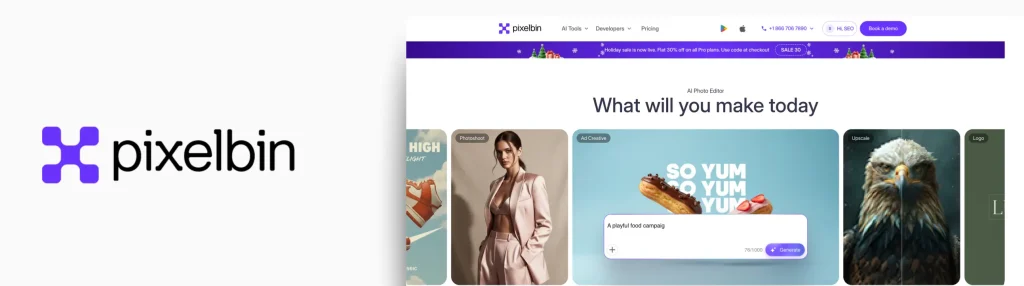
Pixelbin offers an online no beard filter that focuses on quick image editing. It is a good reference point if you want a direct tool-based experience rather than a full beauty app.
It can be useful for people who want to remove facial hair from a photo without learning professional editing software. Like most tools in this category, the final result depends heavily on the original image quality.
4. Media.io No Beard Filter
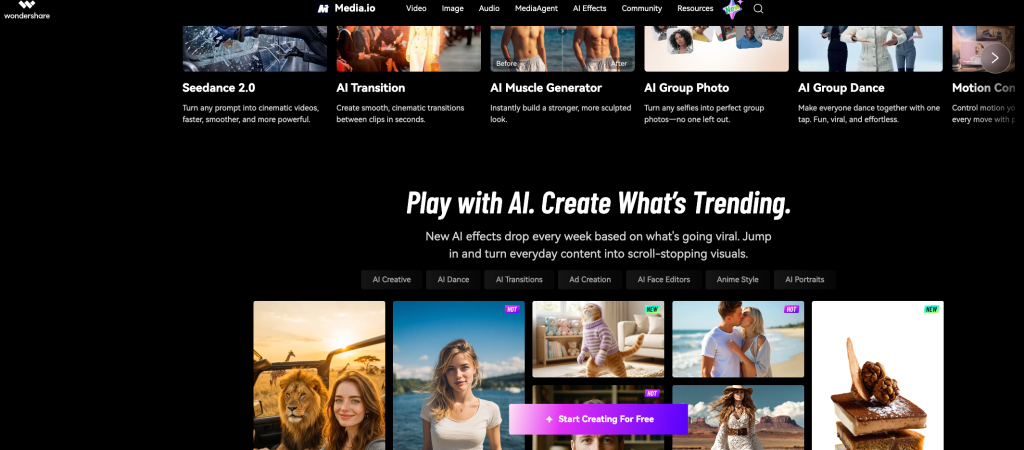
Media.io is another online image editing platform with an AI no beard filter. It is a convenient choice for casual users who prefer web-based tools and do not want to install anything.
The platform has several AI media features, so it may suit users who edit photos and videos regularly. For a one-time clean-shaven preview, it is still worth testing if you want to compare results across different tools.
How to Remove Beard from Photo Online
Using an AI beard remover is usually simple, but a few small details can improve the result.
Step 1: Choose a Clear Portrait
Start with a photo where your face is easy to see. A front-facing or slightly angled portrait works best. Avoid heavy shadows, sunglasses, hands covering the face, or very low-resolution selfies.
If the beard blends into dark shadows, the AI may have a harder time detecting the edges.
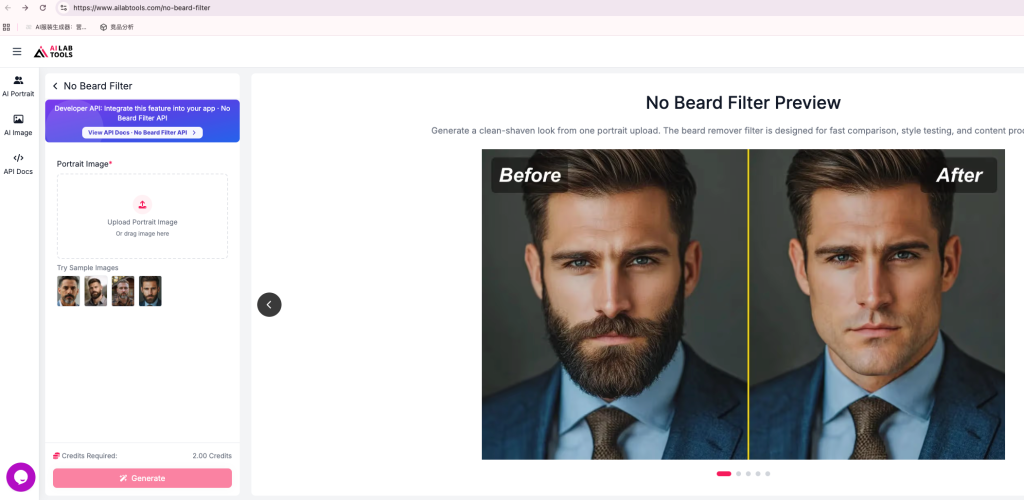
Step 2: Upload Your Image
Next, upload the photo to your chosen no beard filter tool. A browser-based tool is convenient because you can try it on a laptop or phone without installing a separate app.
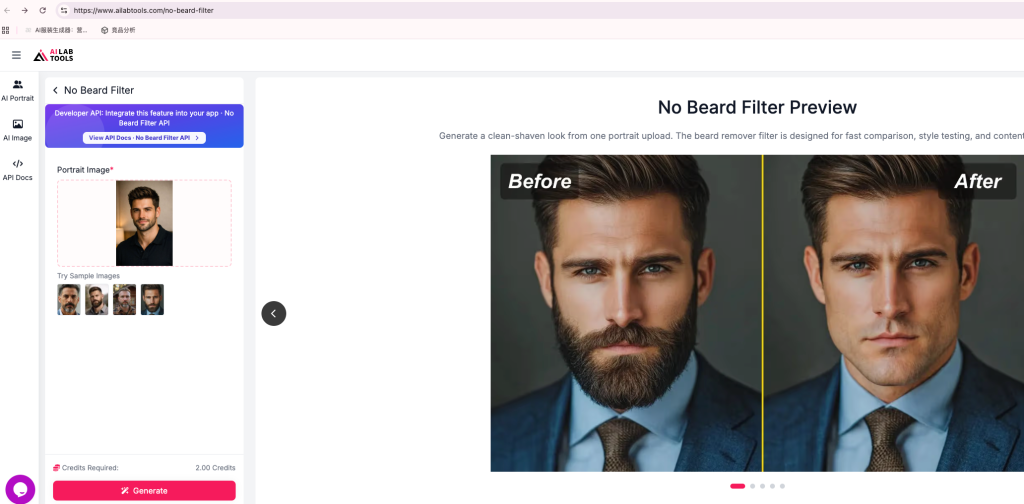
Step 3: Generate the Clean-Shaven Preview
Once the image is uploaded, the AI will process the beard area and create a version of the face without facial hair. This usually takes a short amount of time, depending on the image and tool.
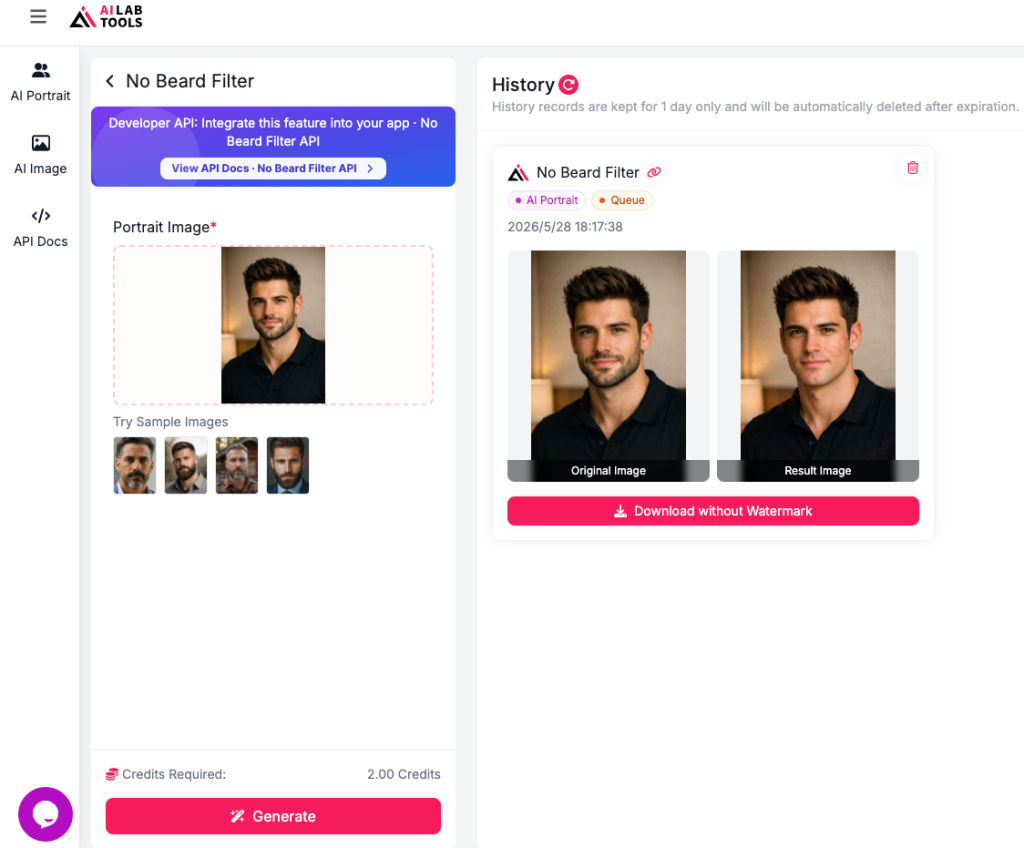
Step 4: Compare the Before and After
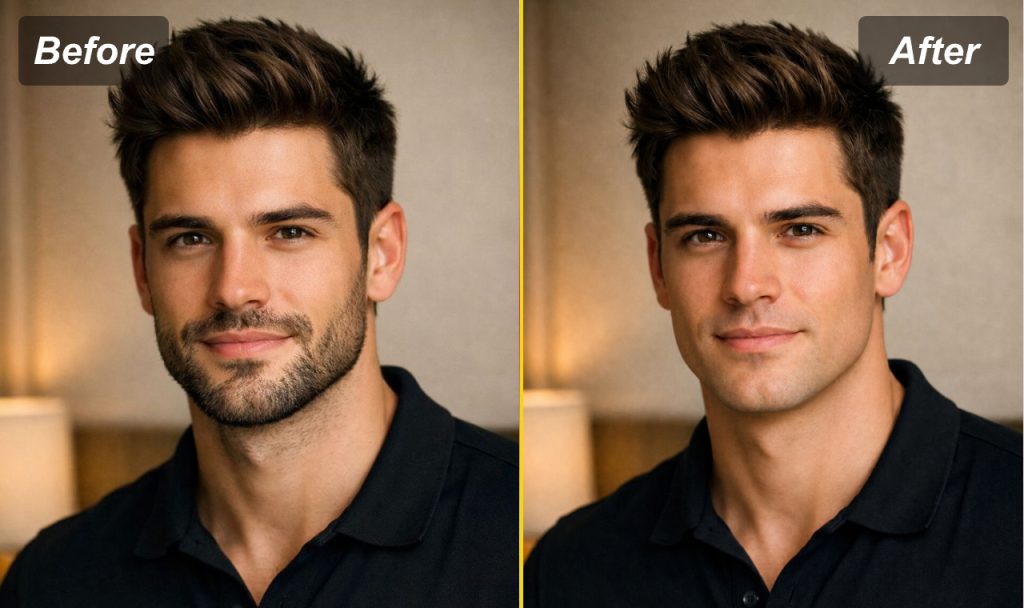
Do not just look at the edited photo by itself. Compare it with the original. Look at your jawline, chin, mouth area, and overall face shape.
Ask yourself a few simple questions:
Do I look fresher without a beard?
Does my face look too young?
Would this work for a profile photo?
Would I actually want to shave, or do I prefer the beard?
That comparison is the real value of the filter.
No Beard Filter vs Photoshop
Photoshop can absolutely remove facial hair from a photo, but it takes skill. You need to clone skin texture, adjust lighting, blend edges, and make the lower face look natural. For a professional retoucher, that is possible. For an everyday user, it can be slow and frustrating.
A no beard filter is not meant to replace professional retouching for high-end work. It is meant to give regular users a quick preview.
For personal style testing, that is usually enough.
| Method | Best For | Difficulty | Speed |
|---|---|---|---|
| No beard filter | Quick clean-shaven preview | Easy | Fast |
| Photoshop | Professional retouching | Hard | Slow |
| Mobile beauty apps | Social media edits | Easy | Medium |
| Manual retouching | Detailed control | Hard | Slow |
If you only want to see whether a clean-shaven look suits you, an online filter is the easier choice.
Tips for a Better No Beard Filter Result
A no beard filter works better when the input photo is clean. Before uploading your image, try these quick tips.
Use natural lighting if possible. Window light usually works better than harsh bathroom lighting.
Keep your face visible. Avoid scarves, high collars, hands, or anything covering the chin and mouth area.
Do not use a photo with strong beauty filters. Heavy filters can make the skin texture look unnatural after editing.
Try more than one photo. One image may look odd, while another looks much more accurate. Testing two or three photos gives you a better sense of the real result.
Use a recent picture. If your face shape, weight, or hairstyle has changed, an old photo may not give you a useful preview.
Who Should Use a No Beard Filter?
A no beard filter is useful for more people than you might think.
It is great for someone who has had a beard for years and cannot imagine their face without it anymore. It also helps if you are preparing for a new job, refreshing your LinkedIn photo, planning a wedding look, or just considering a cleaner style.
It can also be fun. Sometimes the result confirms what you already knew. Sometimes it surprises you.
You may discover that the beard really does suit you better. Or you may realise that a clean-shaven face makes you look fresher than expected.
Either way, it is better to test the look first than regret shaving later.
Common Questions About No Beard Filters
What is the best no beard filter?
The best no beard filter is one that creates a natural-looking clean-shaven preview, keeps your face shape recognisable, and does not require complicated editing skills. Browser-based tools are usually the easiest for beginners.
Can AI really remove a beard from a photo?
Yes. An AI beard remover can detect the facial hair area and generate a version of the face without the beard. The result depends on the photo quality, beard thickness, lighting, and the AI model used.
Do I need Photoshop to remove beard from photo?
No. You can remove beard from photo online with an AI tool instead of editing manually in Photoshop. This is much faster for casual previews and personal style testing.
Is a no beard filter realistic?
It can be realistic enough for a preview, especially if you use a clear portrait. However, it should be treated as a visual guide rather than a guaranteed real-life result.
Can I use a no beard filter for profile photos?
Yes, many people use no beard filters to test cleaner-looking profile pictures for LinkedIn, resumes, dating apps, and social media. Just make sure the final image still looks like you.
Final Thoughts
Shaving a beard sounds simple until you remember how much it can change your face. If you are not sure whether a clean-shaven look will suit you, there is no need to guess.
Try a no beard filter first. Compare the before-and-after result. Look at your jawline, face shape, and overall style. Then decide whether you want to make the change in real life.
For a quick online test, you can use AILabTools to remove beard from photo and preview your clean-shaven look before shaving.