Shaving your head sounds simple until you actually think about doing it. A bald look can make your face appear sharper, older, cleaner, stronger, or sometimes completely different from what you expected. That is why more people now use an online Bald Filter before making the decision.
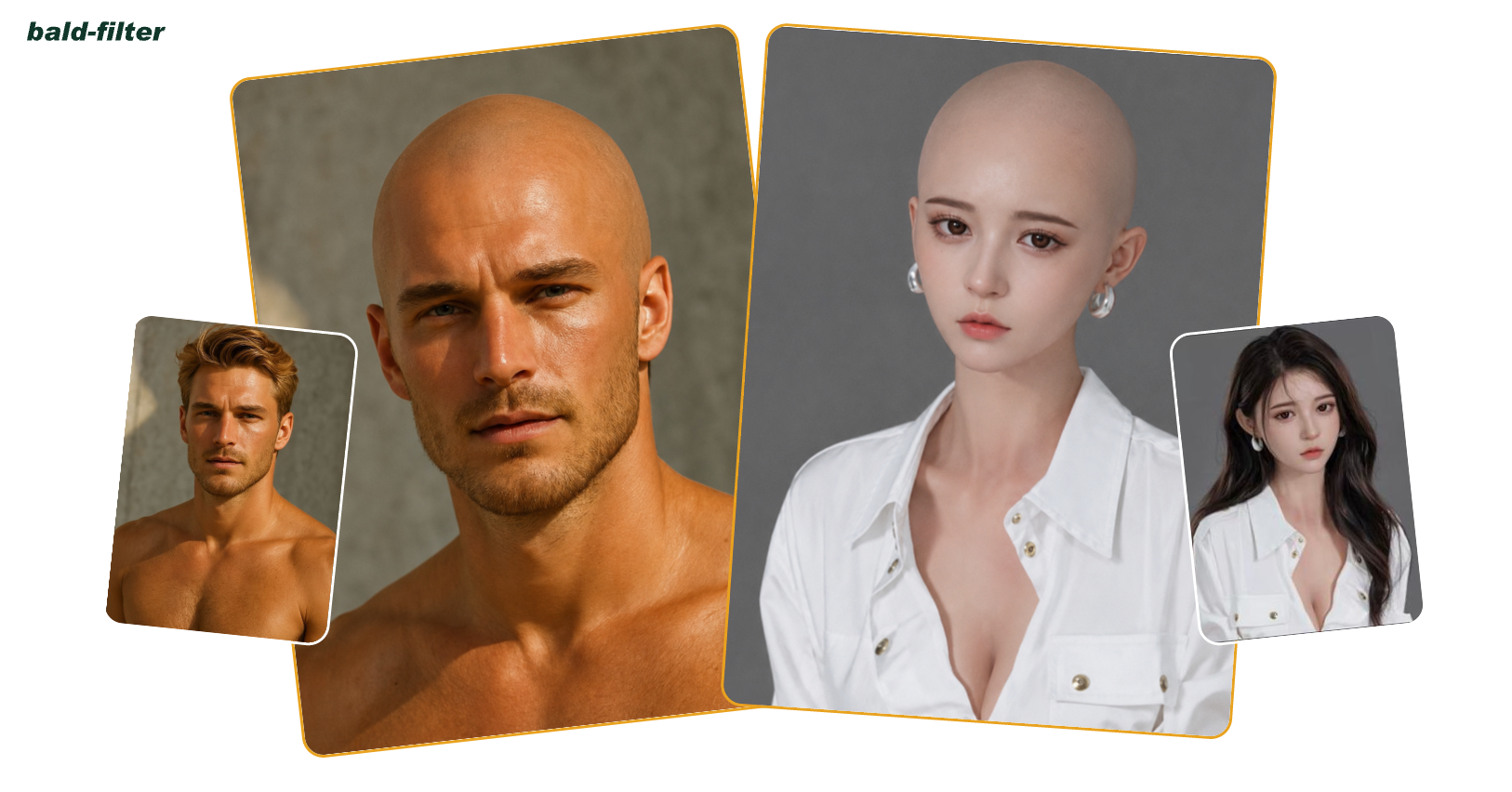
Instead of guessing in the mirror or asking friends, you can upload one portrait and preview a realistic bald version of yourself in seconds. A tool like AILabTools Bald Filter makes the process easy for anyone who wants to test a shaved-head look without touching their real hair.
Why Try a Bald Filter First?
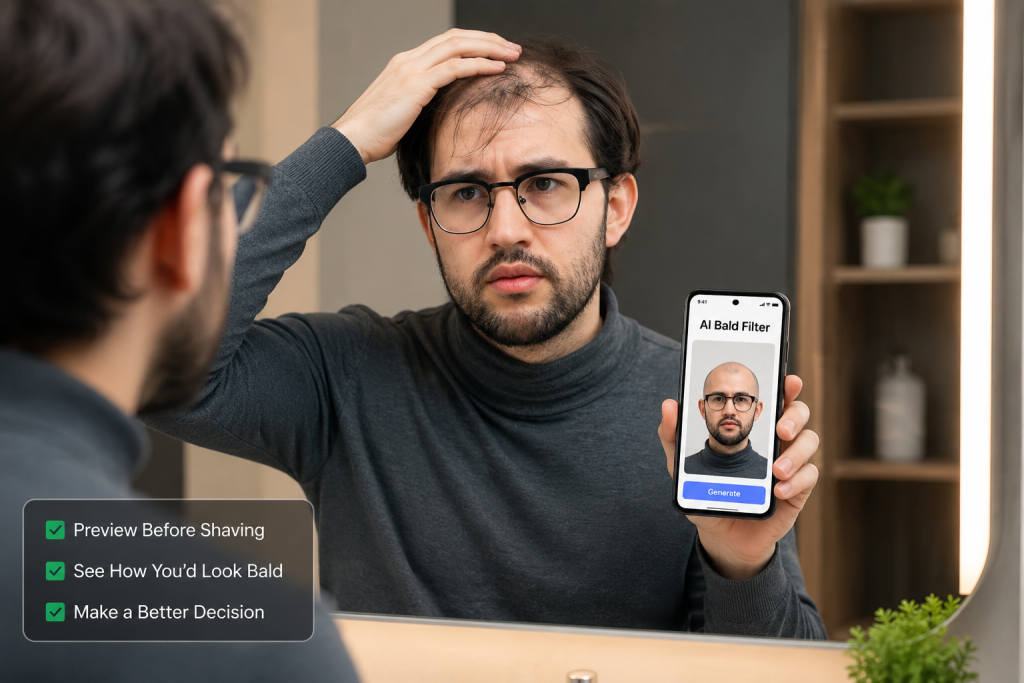
Going bald is not like changing your hair color for a weekend. Once you shave, there is no quick undo button. Your head shape, forehead, jawline, beard, eyebrows, and even clothing style can all affect whether the bald look suits you.
A balding filter gives you a visual preview before you commit. It is useful if you are:
- Thinking about shaving your head
- Dealing with thinning hair
- Curious about a cleaner, sharper look
- Planning a funny social media post
- Comparing bald, buzz cut, and short-hair styles
- Preparing for a barber visit
- Testing how facial hair looks with a bald head
For many people, the biggest problem is not the haircut itself. It is uncertainty. An ai bald filter helps reduce that uncertainty by turning one normal portrait into a clear before-and-after preview.
How AILabTools Bald Filter Works
The AILabTools Bald Filter is designed for a simple one-photo workflow. You do not need to upload a second hairstyle reference or adjust complicated settings. Just upload a clear portrait, let the tool apply the bald transformation, and download the result.
You can try it here: Bald Filter
The basic process is:
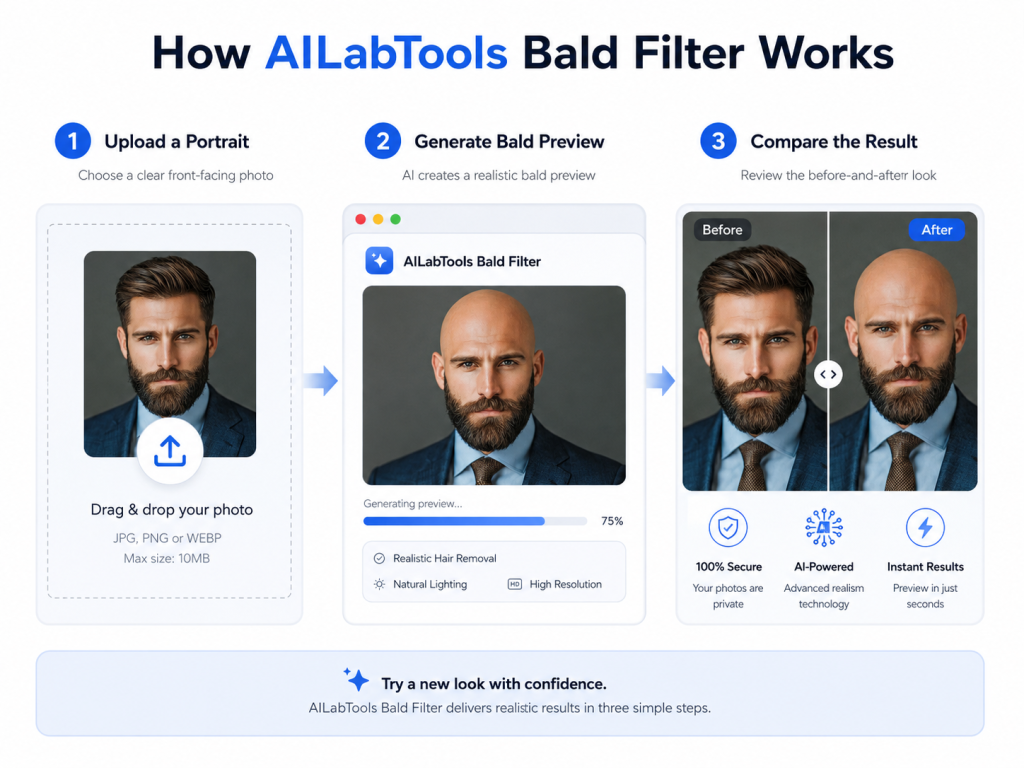
1. Upload a clear portrait
Choose a front-facing photo where your forehead, hairline, and face shape are easy to see. Good lighting usually gives a cleaner result.
2. Generate the bald preview
The tool automatically applies the bald look to the hair and scalp area while keeping the main facial features natural.
3. Compare the result
Look at the before-and-after image. Pay attention to your head shape, jawline, beard style, eyebrows, and overall expression.
4. Use it for your decision
You can use the result as a personal style reference, a social post, or even a simple image to show your barber before making a real change.
Who Should Use an AI Bald Filter?
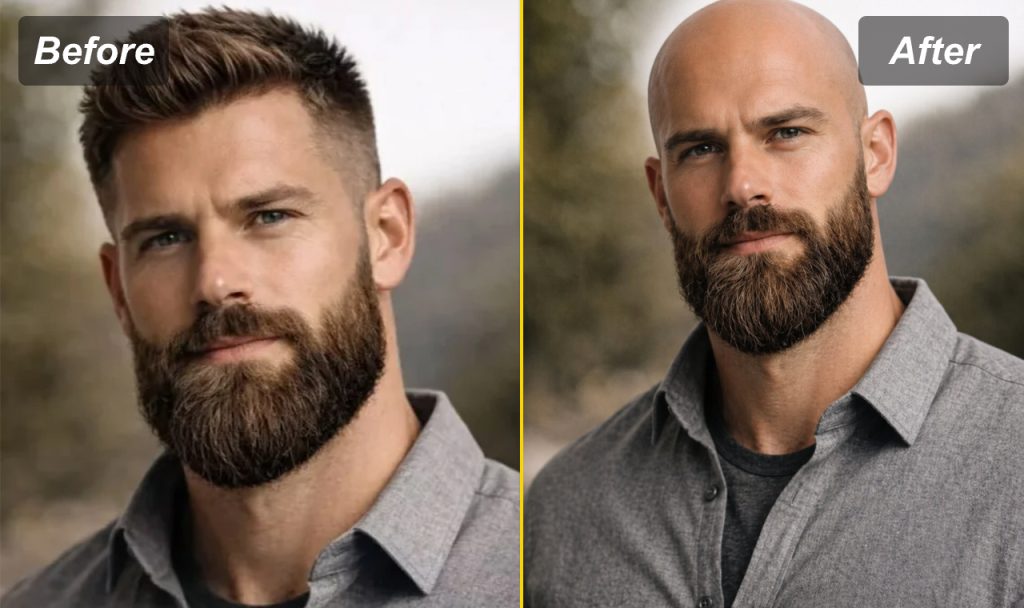
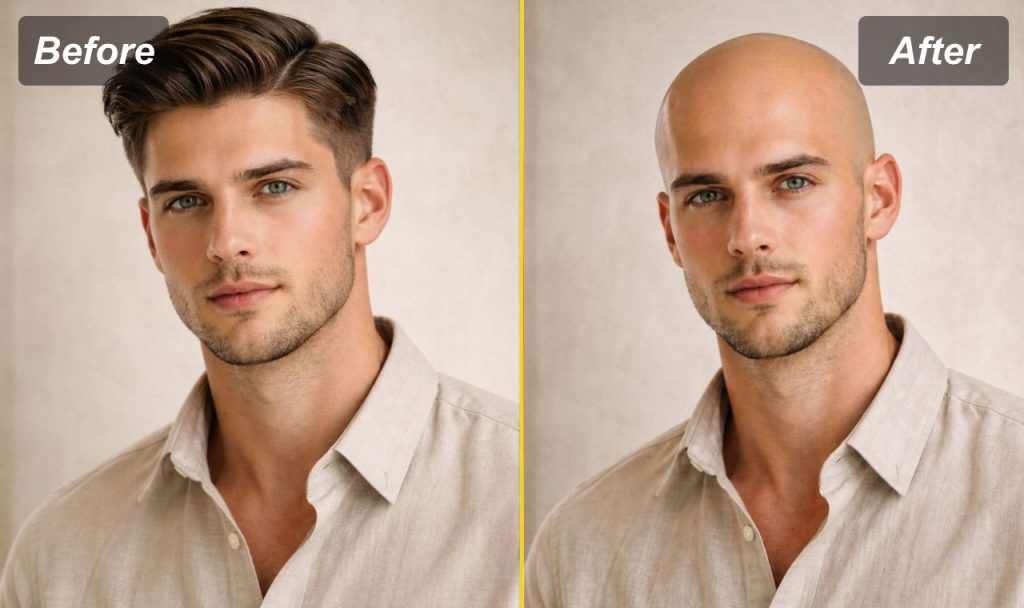
A bald preview is not only for people who want to shave their head immediately. It can also help different groups of users.
For men with thinning hair
If your hairline is changing, a balding filter can help you compare two options: holding on to your current hair or going for a cleaner shaved look.
For people planning a bold style change
Some people look better bald than they expect. Others may realise they prefer a buzz cut or short crop instead. A preview gives you room to decide without pressure.
For content creators
The bald look can be funny, surprising, or dramatic. An ai bald filter is useful for reaction videos, profile experiments, memes, and before-after posts.
For barbers and style consultants
A visual preview can make conversations easier. Instead of saying “I might want to go bald,” the client can show an image and discuss whether the look fits their face.
For app and website developers
AILabTools also provides a Bald Filter API, which can be useful for apps, virtual styling tools, consultation platforms, and other image-editing products.
Tips for Getting a Better Bald Filter Result
The photo you upload matters. A weak input photo can make the result look less natural, even if the AI tool is strong.
For better results, use a photo with:
- Clear face visibility
- Front-facing angle
- Good lighting
- Visible forehead and hairline
- Minimal hats, sunglasses, or hair covering the face
- A simple background
- Natural expression
Avoid photos where your head is turned too far to the side, your hairline is hidden, or the lighting is too dark. The clearer the portrait, the easier it is for the tool to create a believable bald preview.
Bald Filter vs Balding Filter: What Is the Difference?
People often use these terms in similar ways, but there is a small difference.
A Bald Filter usually means a tool that shows you with a fully shaved or bald head.
A balding filter may suggest thinning hair, receding hairline, or hair-loss simulation.
AILabTools’ Bald Filter focuses on creating a bald-look preview from one portrait. If you want to see a clean shaved-head version of yourself, this is the right kind of tool to try.
Why Use AILabTools Bald Filter?
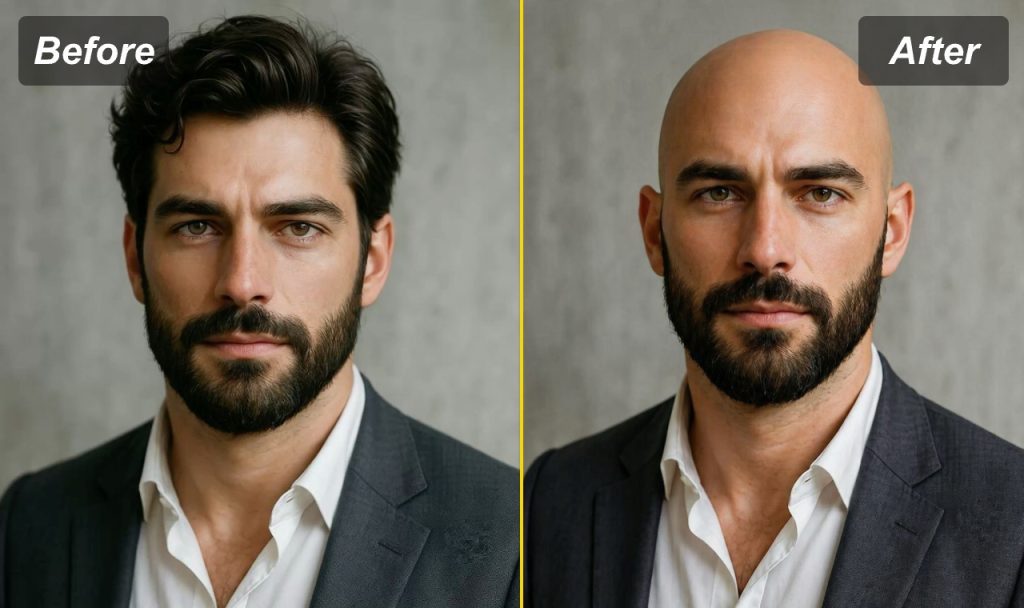
There are many face apps online, but AILabTools is useful because it keeps the workflow simple. You do not need design skills, manual editing, or complicated prompt writing.
Main benefits include:
- Browser-based use
- One-photo upload
- Fast bald look preview
- Natural face identity retention
- Simple before-and-after comparison
- Useful for personal styling and social content
- API option for developers and businesses
Try it here: ai bald filter
Is a Bald Filter Accurate?
A bald filter is a visual simulation, not a perfect prediction. Real-life appearance can still change depending on lighting, head shape, skin texture, barber technique, beard style, and personal confidence.
However, it is still much better than guessing. Seeing a preview gives you a practical starting point. You can decide whether the bald look feels right, whether you need facial hair to balance it, or whether a shorter hairstyle might suit you better.
Before You Shave, Preview It First
Going bald can be a strong style move, but it is also a personal decision. Before shaving everything off, it makes sense to preview the look first.
With AILabTools Bald Filter, you can upload one portrait and see a realistic bald version of yourself online. Whether you are curious, nervous, planning a haircut, or creating social content, an AI-powered bald preview gives you a quick way to test the look before making a real change.
FAQ
What is a Bald Filter?
A Bald Filter is an online tool that edits your portrait to show how you might look with a bald or shaved head.
Is the AILabTools Bald Filter free to try?
You can open the tool online and test the workflow from the AILabTools Bald Filter page. Availability may depend on the current site settings.
Do I need to upload two images?
No. The tool is designed around a one-photo workflow. You upload a portrait, and the bald look is generated automatically.
Can I use the result on social media?
Yes. Many people use bald filter images for profile experiments, funny posts, style comparisons, or reaction content.
Is this a medical hair-loss tool?
No. It is a visual style preview tool. It does not diagnose hair loss or provide medical advice.