If you’re searching for long hair ai (or longhair ai), you’re probably looking for a fast way to preview a long-hair look from a single photo—without complicated editing. This guide is a Long Hair AI styles collection you can use to pick the best long hairstyle for your portrait and get a realistic result.
Try Long Hair AI Now → Long Hair AI hairstyle changer
What is Long Hair AI (and why “longhair ai” is trending)?
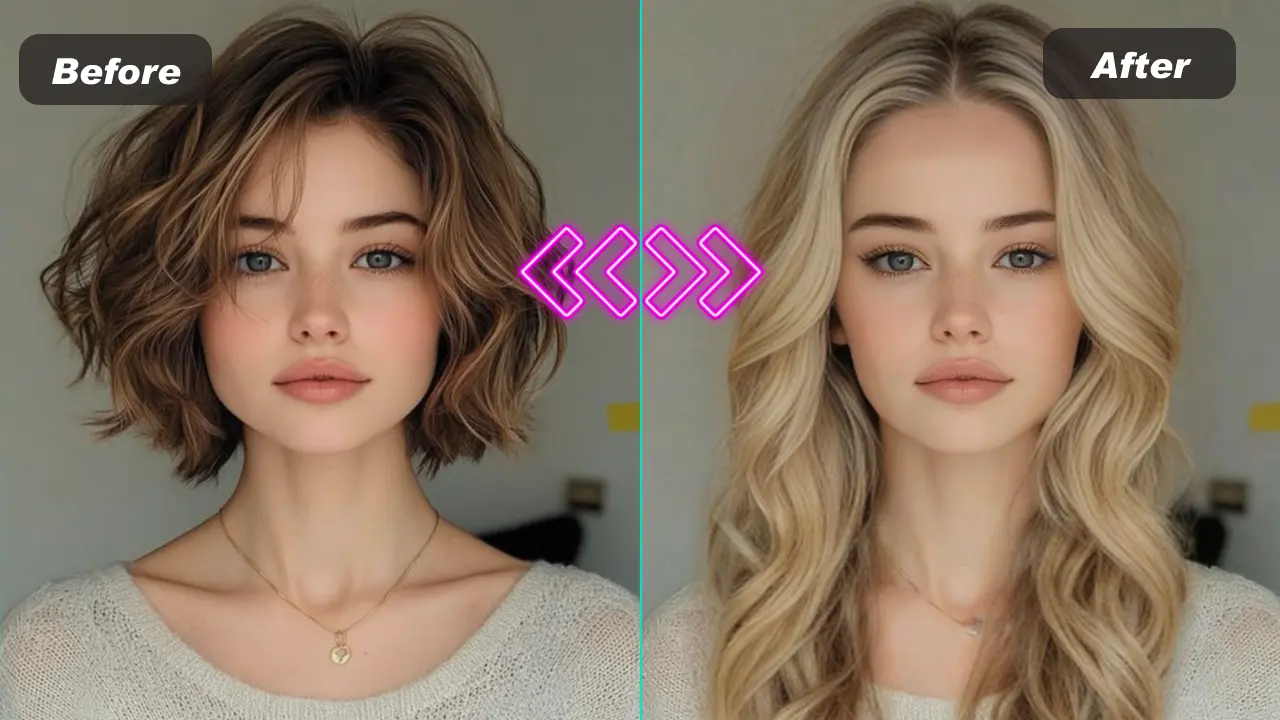
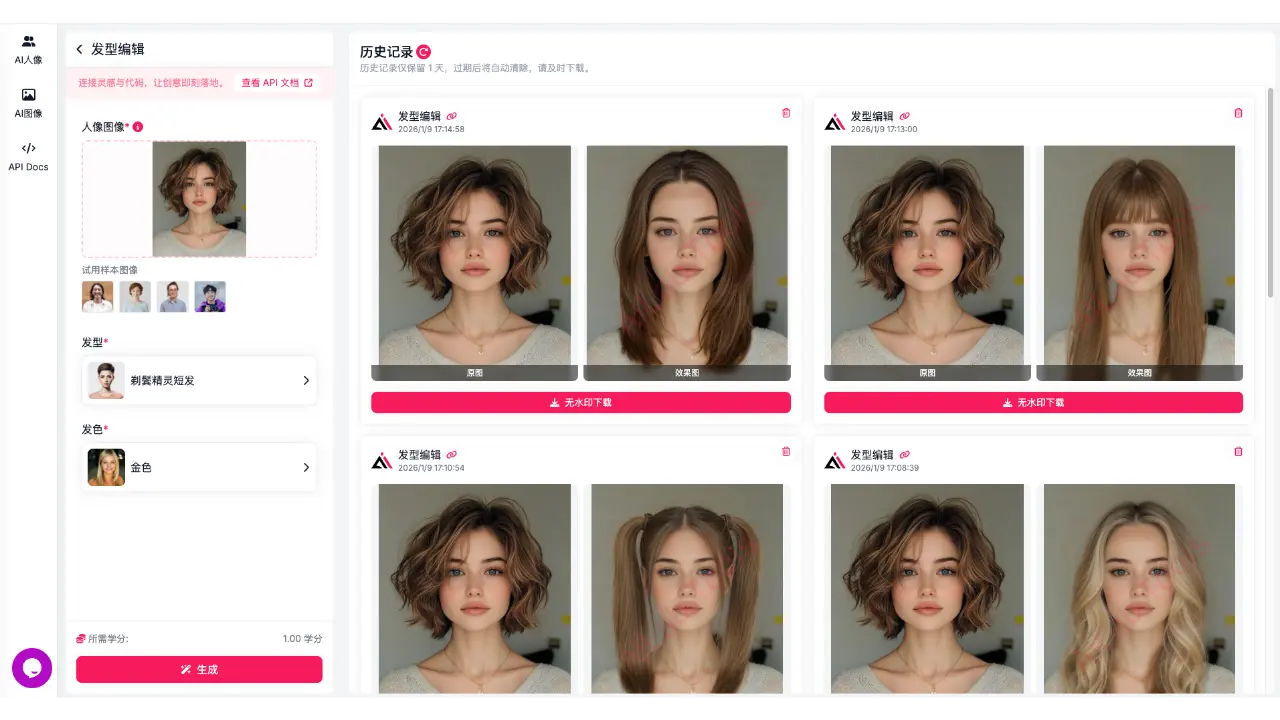
Long Hair AI is an AI-powered way to try long hairstyles from a photo—often by making hair appear longer or by applying different long-hair styles (straight, wavy, curly, layered, bangs, etc.). Unlike manual retouching, Long Hair AI works more like a virtual try-on: you upload a portrait and preview long-hair looks in seconds.
If your intent is photo hair editor online free, Long Hair AI is one of the most popular edits because it’s simple, quick, and the visual change is obvious even on a casual selfie.
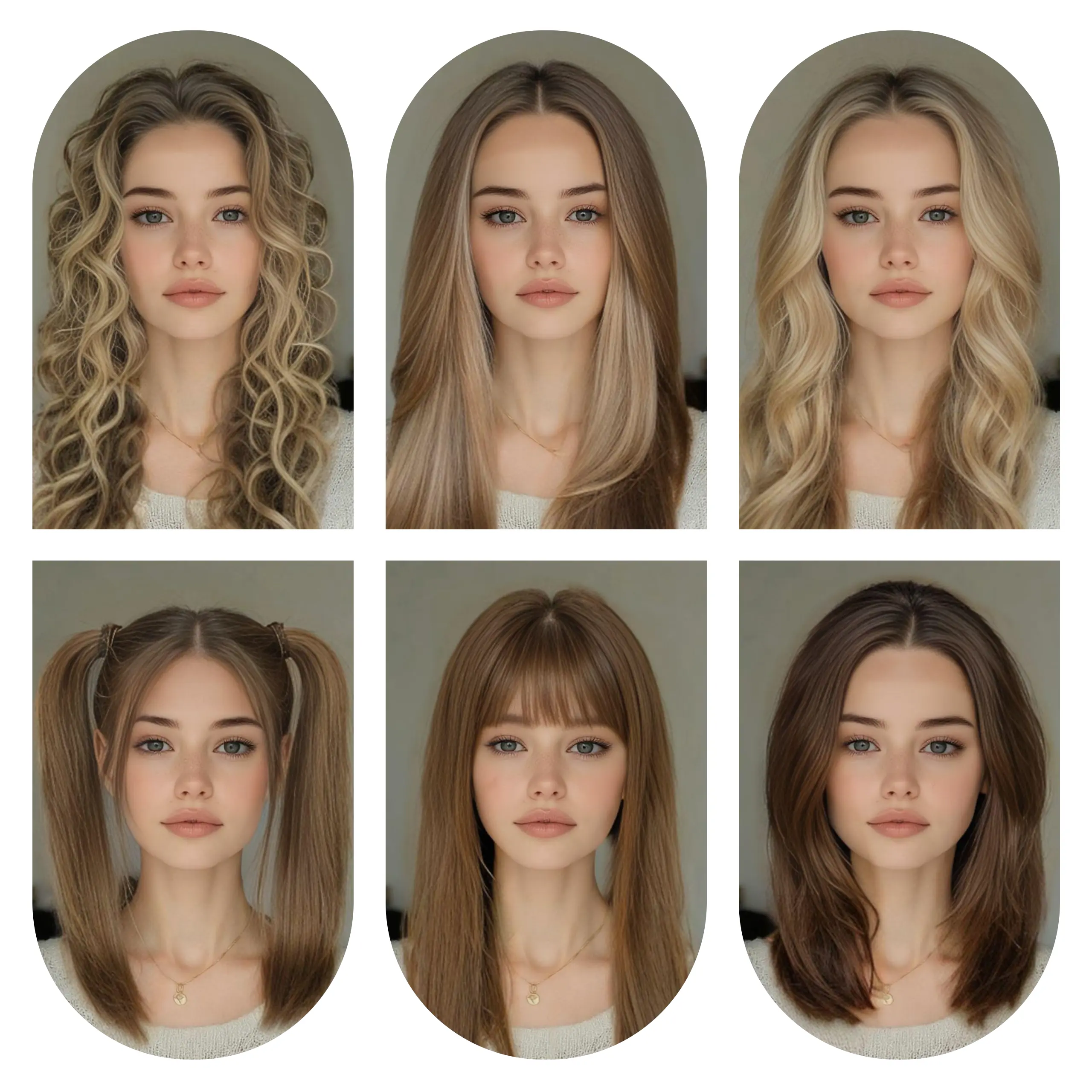
Long Hair AI Styles Collection: pick the best long hairstyle for your photo
Use this section as a “style menu.” Start with a style close to your current hair volume and lighting for the most natural blend.
1) Natural Long Straight Hair
Best for: clean everyday looks, professional portraits, “looks like it naturally grew out.”
Tip: If you want the most consistent result, start with long straight hair and refine from there.
Try it here: AI long hair try-on
2) Long Wavy Hair
Best for: soft aesthetic looks with noticeable change that still feels natural.
Tip: Wavy styles blend best when the background is simple and hair edges are clear.
Preview styles using our free online photo hair editor
3) Long Curly Hair
Best for: bold transformations and social profile photos.
Tip: Even lighting on the face makes curls look cleaner and more consistent.
4) Long Layered Hair (more volume & shape)
Best for: face-framing volume and a “salon blowout” vibe.
Tip: Layered long hair often creates a natural “smaller-face effect,” especially in front-facing portraits.
5) Long Hair with Bangs
Best for: the fastest “new vibe” change—cute, trendy, or edgy depending on the bangs.
Tip: Choose the bangs type first (air bangs, blunt bangs, curtain bangs), then choose your long length.
6) Long Ponytail / Half-Up Long Hair
Best for: sporty, neat styles that look clean and intentional.
Tip: Front-facing or 3/4 angle portraits usually work best.
 Start Free Long Hair Try-On → try long hairstyles from a photo
Photo Hair Editor Online Free: 3 steps for a realistic long-hair result
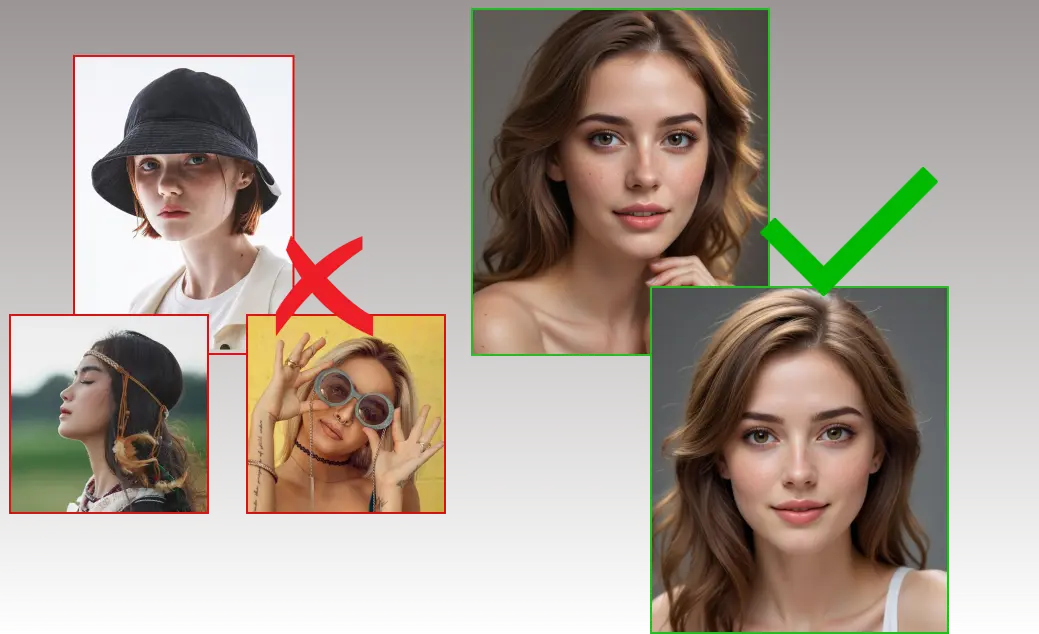
If you want a natural result (not “obviously edited”), your input photo matters more than most people think.
Step 1: Upload a clear portrait
Use a front-facing or 3/4 portrait. Avoid heavy filters, very low light, and motion blur.
Step 2: Choose a long-hair category first, then refine
Start broad (straight / wavy / curly / layers / bangs). Once you find a direction, test nearby variants.
Step 3: If edges look off, switch styles instead of forcing one
If the blend isn’t perfect, try a style closer to your original hair volume and lighting—it often fixes the result immediately.
Best photo tips for Long Hair AI (quick checklist)
To get a more realistic “grown-out” look:
-
Simple background = better blending (plain wall or indoor lighting is ideal)
-
Keep shoulders and neck visible (long hair needs a natural “drop” area)
-
Avoid strong backlight and blown-out hair edges
-
Choose photos where the hairline and outline are sharp, not fuzzy
-
Slight 3/4 angles are fine, but avoid extreme side profiles
-
Minimize heavy occlusions (large hats, thick scarves, big accessories)
FAQ: Long Hair AI / longhair ai
Is there a difference between “long hair ai” and “longhair ai”?
Usually not—people type both, and they generally mean the same thing: AI long-hair try-on from a photo.
Long Hair AI vs a general hairstyle changer—what’s the difference?
Long Hair AI focuses on long-hair realism—length, volume, and hair “fall” (where it naturally rests on shoulders/neck). A general hairstyle changer supports more categories, but long hair needs special attention to look natural.
Why does Long Hair AI look better on some photos than others?
Lighting, hair-edge clarity, and background simplicity affect blending. Clean portraits with even lighting tend to produce the most natural long-hair results.
Is this a free online photo hair editor?
Add your real policy here (example): “You can try it online without login; HD downloads or extended usage may require credits.”
Try Long Hair AI now
If you want to test long-hair looks using Long Hair AI (longhair ai), start here:
Try Long Hair AI Free → long hair filter online
Optional (copy/share link)
Tool link: https://www.ailabtools.com/hairstyle-changer