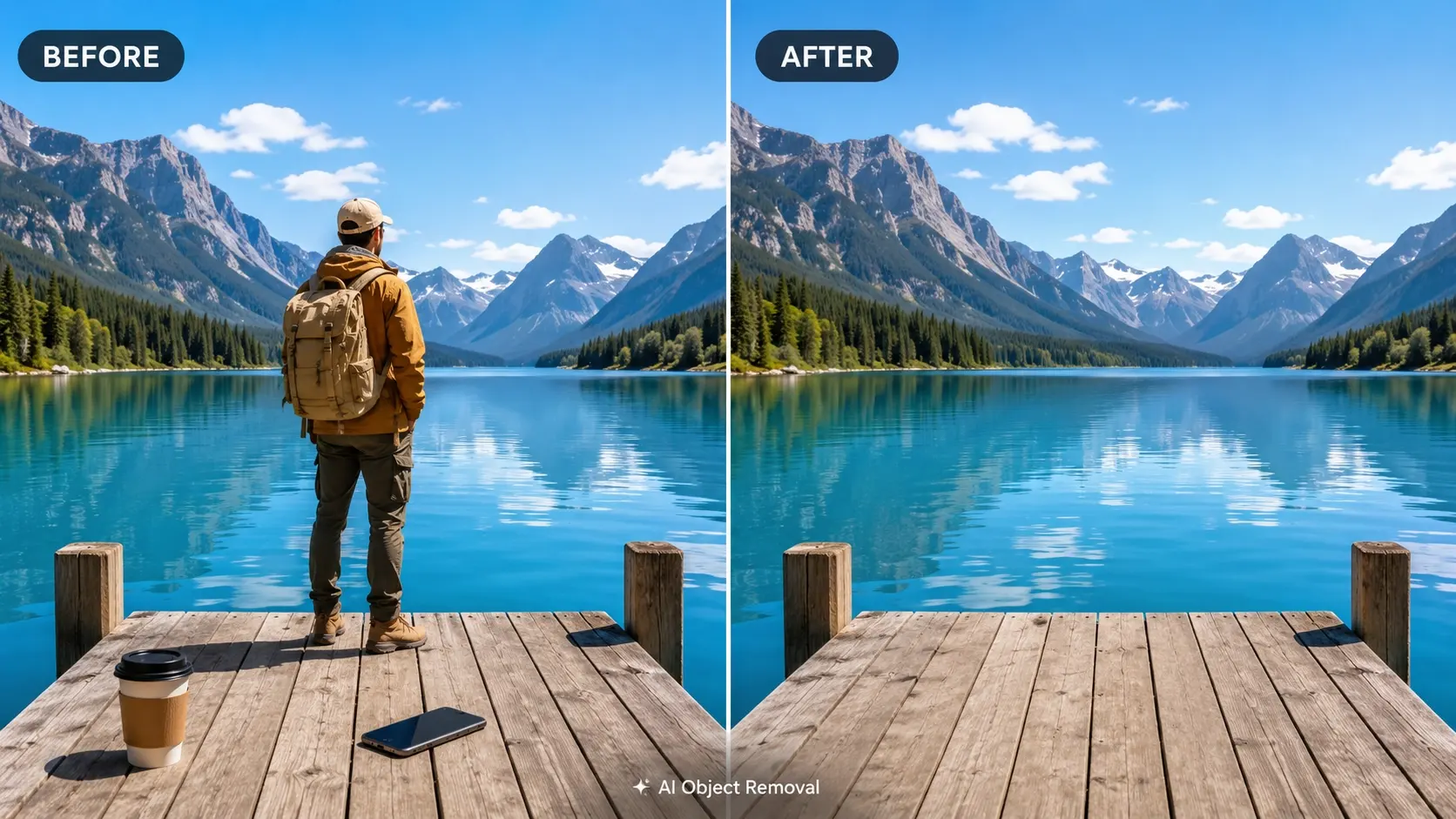
Sometimes, a photo is almost perfect — except for one small thing.
It could be a stranger walking through the background, a trash can near the edge of the frame, a random object on a table, a piece of text you forgot to remove, or a product label that makes the whole image look less polished.
A few years ago, fixing these problems usually meant opening Photoshop, learning the clone stamp tool, and spending time carefully rebuilding the background. That still works, but it is not always realistic for everyday users. Most people do not want a complicated editing workflow just to clean up one photo.
That is why AI object removal tools have become so useful. With the right online editor, you can upload an image, mark the area you want to erase, and let AI rebuild the missing background automatically.
For bloggers, online sellers, photographers, travel creators, and social media users, this can save a lot of time. Instead of deleting a good photo because of one unwanted object, you can clean it up and make it ready to publish.
Below are five AI online photo editors worth trying in 2026 if you want to remove object from image, clean up product photos, erase background distractions, or create better visuals without using professional software.
1. AILabTools Image Erasure
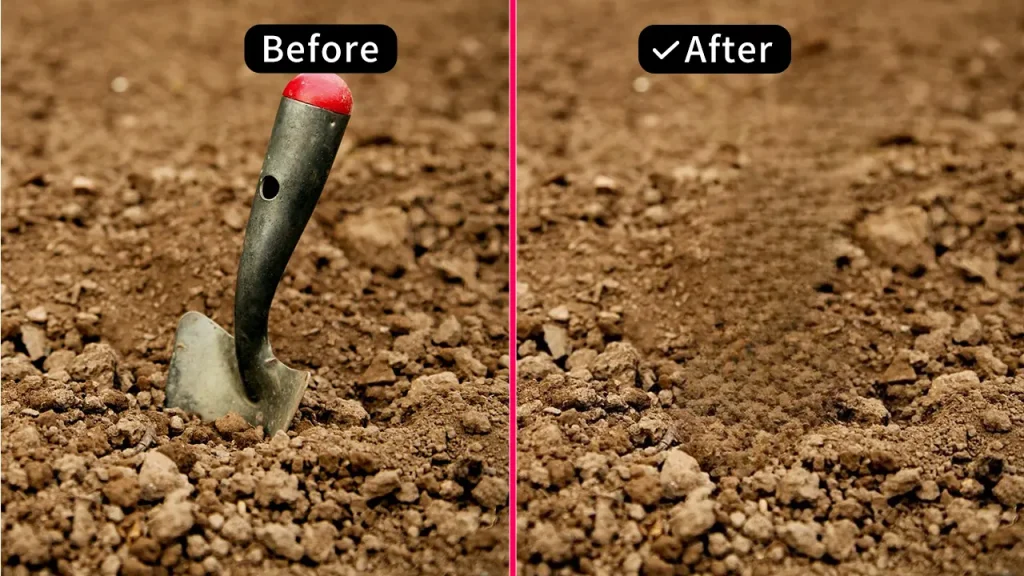
AILabTools Image Erasure is a strong first choice if you want a simple online tool for removing unwanted objects from photos. It is browser-based, easy to understand, and made for people who want fast image cleanup without opening heavy editing software.
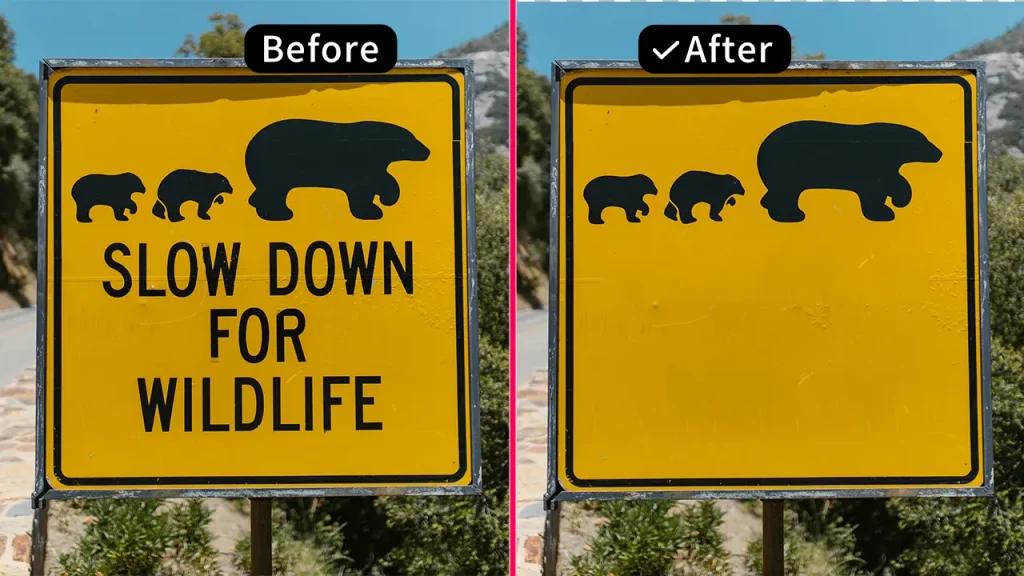
The workflow is straightforward. Upload your photo, select the unwanted area, and let AI generate a cleaner version. It can be used to remove people, text, small objects, pets, vehicles, background clutter, and other distracting elements from an image.
This makes it useful in many real-life situations.
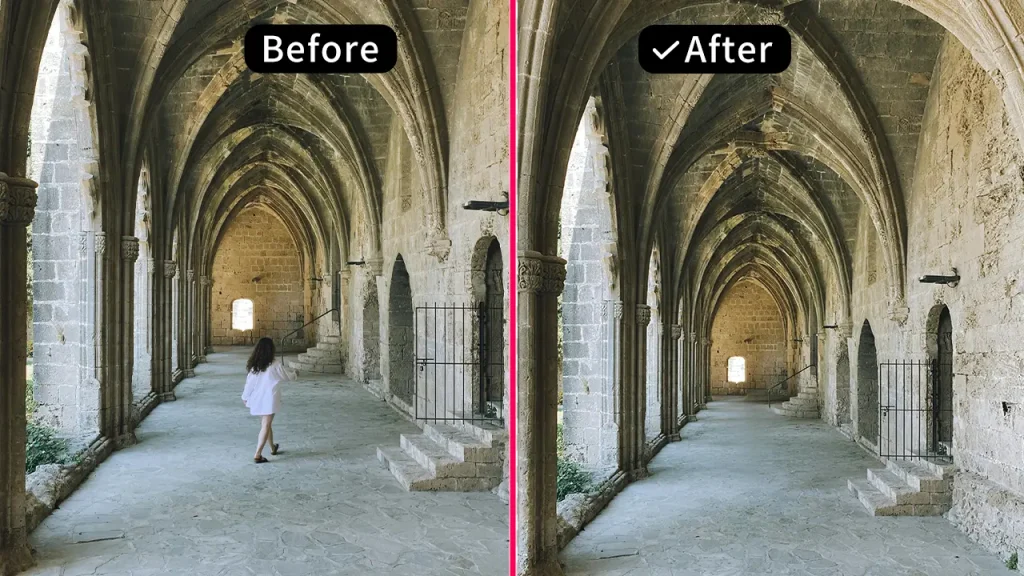
If you are editing a travel photo, you can remove a person who walked into the background. If you are preparing a product image, you can clean up the table or remove small visual distractions. If you are creating a blog image, YouTube thumbnail, or social media post, you can erase unwanted text, marks, or background objects that make the image look messy.
For anyone who needs to quickly remove object from image, AILabTools Image Erasure is much easier than starting a full Photoshop project.
Another practical point is control. Some objects are obvious, such as a person in the background or a vehicle near the edge of the image. Other distractions are smaller, such as a logo, a line of text, a cable, or a small item on a desk. A good object removal tool should let you target the exact area you want to fix, and that is where AILabTools feels useful for everyday editing.
It is especially helpful for:
- Travel photos with unwanted people in the background
- Product images with cluttered surfaces
- Blog graphics that need a cleaner look
- Social media covers and thumbnails
- Simple photo edits without Photoshop
- Users who want an easy online object remover
AILabTools Image Erasure is also a good fit for small business owners and content creators. Many product photos are taken quickly, especially for online shops, personal brands, or social media stores. The lighting may be good, the product may look clear, but the background may still contain small distractions. Using AI to clean up those details can make the final image look more professional.
For casual users, the tool is easy enough to try without a learning curve. For creators who edit images often, it can become part of a simple publishing workflow.
2. LightPDF AI Object Remover
LightPDF AI Object Remover is another online option for basic photo cleanup. It is designed to help users remove unwanted objects from images without needing advanced editing skills.
The process is similar to many modern AI tools. You upload a picture, select the object or area you want to remove, and let the tool process the image. This makes it suitable for quick edits, especially when the unwanted object is small and the background is not too complicated.
LightPDF can be useful for removing simple distractions such as marks, small items, background clutter, or unwanted text. It works best when the background is relatively clean, such as a wall, sky, grass, table, or simple floor texture.
Like most AI object removal tools, it may struggle when the background is very detailed. For example, busy streets, crowded scenes, patterned clothing, or complex architecture can be harder to rebuild naturally. In those cases, you may need to use a smaller selection area or try more than one result.
LightPDF is a good choice for users who want something quick and simple. If you only need to fix a photo once in a while, it can be enough. If you want more flexibility or need to clean up different types of photos regularly, it is worth comparing the results with AILabTools Image Erasure.
The best way to use tools like this is to start small. Instead of marking a very large area at once, select only the part you really want to erase. This gives the AI more surrounding detail to work with and usually creates a more natural result.
3. Spyne Object Remover
Spyne Object Remover is especially useful for people working with product images and commercial visuals. Its main value is in helping users create cleaner images for online selling, marketing, and product presentation.
Product photos need to look focused. If there is clutter in the background, extra objects on the table, or anything that distracts from the product, the image can feel less professional. This matters for e-commerce because customers often make quick decisions based on visuals.
Spyne can help remove unwanted elements from product photos and make the subject stand out more clearly. It can be useful for car images, fashion photos, accessories, furniture, and other sales-related visuals.
That said, product images need careful checking after editing. When you remove an object from a product photo, zoom in and look at the edges. Check whether the background looks natural. Look at shadows, reflections, and outlines. If these details look strange, the image may feel edited.
For casual blog images or social media posts, a small flaw may not matter much. But for product pages or paid ads, it is better to generate a few versions and choose the cleanest one.
Spyne is a good fit for users who mainly care about sales images and business visuals. If your main goal is everyday image cleanup, a more general tool may feel simpler. But if you regularly prepare product photos, Spyne is worth testing.
4. VeryUtils Free Photo Object Remover
VeryUtils Free Photo Object Remover is a straightforward tool for users who want to test photo object removal without a complicated setup. It focuses on removing unwanted people, objects, text, and other distractions from images.
This type of tool is useful if you are trying AI object removal for the first time. You can upload a photo, mark the unwanted part, and see how the tool repairs the background. It gives you a simple way to understand what AI image cleanup can do.
VeryUtils is best for smaller objects and simpler backgrounds. Removing a tiny object from a table, a mark from a wall, or a small distraction from a travel photo is usually easier than removing a large person from a crowded street.
Like many free or simple object removal tools, the result depends heavily on the image. If the background has a repeating pattern or clean texture, the edit may look natural. If the background is crowded or detailed, the repaired area may need more attention.
A useful tip is to avoid selecting too much at once. Large selections give AI less visual information to work with. Smaller selections often produce cleaner results.
VeryUtils is a good option for basic edits and quick tests. For more polished blog images, product photos, or marketing visuals, it is still a good idea to compare the result with other tools before publishing.
5. HitPaw Object Remover
HitPaw is a helpful option for users who work with both photos and videos. Many creators today do not only edit still images. They also create YouTube thumbnails, TikTok videos, product demos, ads, and short-form content.
That is why people often search for how to easily remove an object from a video. Video object removal is more difficult than photo cleanup because the background has to stay consistent across many frames. If the result is not stable, the edited area can flicker, stretch, or look unnatural.
HitPaw is worth considering if your workflow includes video editing as well as image cleanup. It is useful for creators who need to remove objects, text, or background distractions from moving footage.
However, for many content creators, there is a simpler solution. If you are only making a video cover, thumbnail, blog image, or promotional graphic, you do not always need to edit the entire video. You can take one still frame from the video and clean it up as an image.
For example, you can use an AI tool to remove object from photo, then turn that cleaned image into a thumbnail, cover image, or blog visual. This is often faster and easier than processing a full video file.
HitPaw is a good option for users who want to explore video object removal. But for everyday photo cleanup, a browser-based image eraser is usually faster and easier.
What Makes a Good AI Object Remover?
Not all object removal tools give the same result. Before choosing one, it helps to look at a few practical details.
First, check whether the repaired background looks natural. Removing the object is only half the job. The edited area should blend into the rest of the photo.
Second, pay attention to ease of use. A good tool should not require a long tutorial. For most people, the workflow should be simple: upload, select, erase, and download.
Third, manual selection is important. AI detection can be helpful, but it is not always perfect. A brush or selection tool gives you more control over exactly what gets removed.
Fourth, think about your main use case. A travel photo, product image, blog graphic, thumbnail, and social media post all have different needs. The best tool is the one that fits your actual editing workflow.
Fifth, check the final image before publishing. AI can save time, but it is not magic. Zoom in, look at the edges, and make sure the repaired area does not look blurry, stretched, or artificial.
Finally, consider privacy. If you are uploading personal photos, client materials, or product images, choose tools that clearly explain how files are handled.
Which AI Object Remover Should You Try First?
If you want a simple, practical, and browser-based object remover, AILabTools Image Erasure is a strong option to try first. It works well for many common photo cleanup tasks, including removing people, objects, text, pets, vehicles, and small background distractions.
LightPDF and VeryUtils are useful for quick basic edits. Spyne is a better fit for product and e-commerce images. HitPaw is worth considering if your workflow also includes video. But for everyday image cleanup in the browser, AILabTools Image Erasure offers a good balance of simplicity, control, and flexibility.
AI object removal is not perfect. Complex backgrounds may still need careful checking, and some images may require more than one attempt. But for many real-world photos, these tools can save a lot of time.
Instead of giving up on a good image because of one unwanted object, you can clean it up in a few minutes and make it ready for your blog, online store, social media post, product page, or personal album.
In 2026, object removal is no longer just a professional editing feature. It has become a normal part of everyday photo editing. Whether you are fixing a travel photo, improving a product image, or preparing a clean visual for a post, a good AI object removal tool can help keep the focus where it belongs.