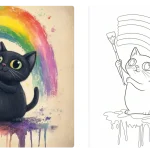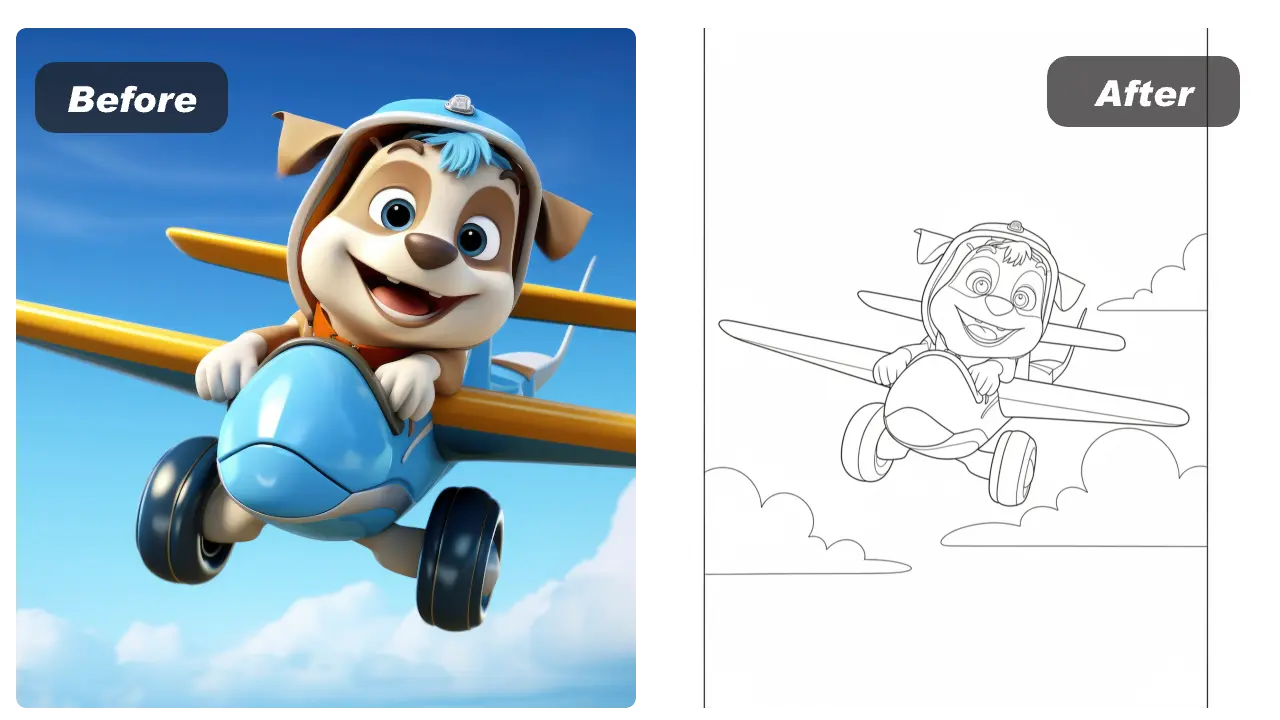
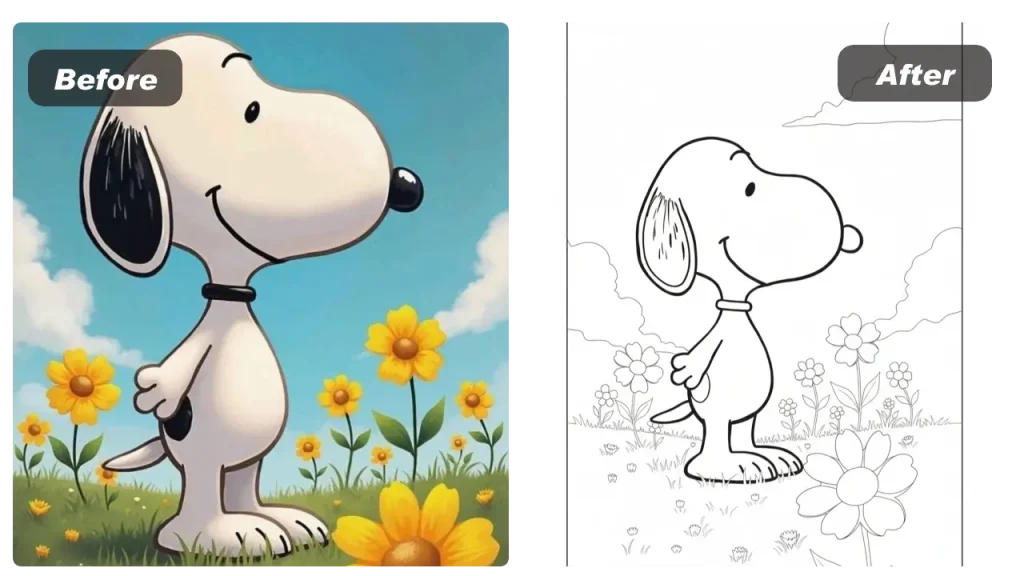
A “photo to line art” tool does one thing really well: it converts a real photo into clean outlines you can print, color, trace, cut, or use as a stencil template. Instead of spending time manually tracing in Photoshop or Illustrator, you upload an image, choose an output ratio (like A4), and generate a printable result in minutes.
This is especially useful when you want:
- Printable coloring pages for kids, classrooms, or family activities
- Stencil-style templates for crafts, cutting, engraving, or tattoo sketch references (concept use)
- A quick way to create consistent outline assets for events, campaigns, and digital downloads
What makes “good” line art from a photo?
Great coloring-page line art usually has:
- Clean contours (recognizable edges)
- Less background noise (no messy textures)
- Readable shapes (areas that are easy to fill with color)
A good generator will simplify shadows and tiny details so the final output stays coloring-friendly and printer-friendly.
Step-by-step: make an A4 coloring page from a photo
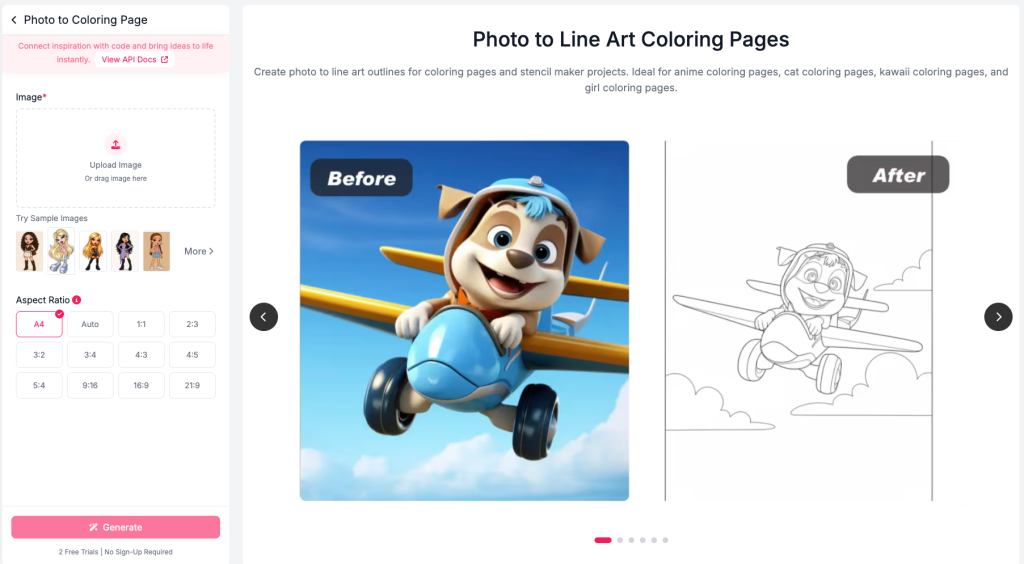
- Pick a good photo
Choose a clear photo where the subject stands out from the background (good lighting helps). - Upload + choose A4
Select A4 (or another aspect ratio) so your output fits the page without awkward cropping. The tool supports A4, auto, and common ratios like 1:1, 3:4, 9:16, 16:9, etc. - Generate line art
The tool produces a clean outline result designed for coloring pages and templates. - Download + print
Print on standard paper, or use the file as a template for craft projects.
Photo tips that dramatically improve line-art results
If users complain “my outlines look messy,” it’s usually an input issue. Here are the highest-impact tips:
- Prefer a simple background (plain walls, sky, clean indoor scenes)
- Avoid heavy shadows across the face/object (they turn into noisy lines)
- Use a higher-resolution image when possible (but stay within limits)
- Keep the subject large in frame (tiny subjects create fragile lines)
For API use, image requirements include common formats (JPEG/JPG/PNG/WEBP), file size ≤ 10MB, and resolution < 4096×4096.
Optional: steer the output with a prompt (for style or detail)
If you want to influence the look (e.g., “clean outline, minimal details, bold contours”), you can pass a prompt. Note: the prompt is English-only, max 3000 characters (extra text is truncated).
For developers: Photo to Line Art API workflow
If you’re building a coloring page app, a printable-download site, or a classroom activity generator, you’ll usually want:
- POST to start a generation job (returns
task_id) - GET to poll async task status until it’s done (recommended every ~5 seconds)
- Retrieve the final output once processing is successful (results are valid for 24 hours)
1) Start a job (POST)
Endpoint: https://www.ailabapi.com/api/image/effects/photo-to-line-art
Content-Type: multipart/form-data
cURL
curl --request POST
  --url https://www.ailabapi.com/api/image/effects/photo-to-line-art
  --header 'Content-Type: multipart/form-data'
  --header 'ailabapi-api-key: <api-key>'
  --form image='@example-file'
  --form 'prompt=<string>'
  --form image_size=A4
The API returns an async task:
task_type: "async"task_id: "<id>"
2) Poll task status (GET)
Endpoint: https://www.ailabapi.com/api/common/query-async-task-result
Query param: task_id
cURL
curl --request GET
  --url "https://www.ailabapi.com/api/common/query-async-task-result?task_id=<task-id>"
  --header 'ailabapi-api-key: <api-key>'
Task status values:
0: queued1: processing2: success
3) Billing + retention notes (important for product UX)
- Each successful request consumes 15 credits; failed requests are not billed.
- Uploaded files and response files are deleted within 24 hours.
These two lines are great to include in your UI as “trust + cost transparency.”
FAQ
Can I print the result as a standard coloring page?
Yes—choose an output ratio like A4 so it fits common printing workflows.
What image formats work best?
JPEG/JPG/PNG/WEBP are supported (≤10MB, <4096×4096).
Can I use this as a stencil maker for crafts?
Yes—line-art output is designed to be clean and traceable for templates.
Is there an API for batch generation?
Yes—POST creates an async task (task_id), and you can poll status with the async task results API.
Try It Now / Build with the API
If you want printable A4 coloring pages, clean stencil templates, or batch generation for your product, you can start in the browser—or integrate the API.
- Try photo into coloring page now (Web tool): https://www.ailabtools.com/photo-to-line-art
Generate line art instantly and download a print-ready result. - View the API docs: https://www.ailabtools.com/docs/ai-image/effects/photo-to-line-art/api
Async workflow withtask_id, English-only prompt support, and flexible output sizes (A4, 1:1, 16:9, etc.).