Buying clothes online has become incredibly easy.
Figuring out whether those clothes will actually look good on you has not.
A product photo can tell you what a jacket looks like on a model. A size chart can tell you whether your measurements fall somewhere around a medium. Reviews might tell you whether the fabric runs small.
But none of those things answer the question I usually care about most:
What will this actually look like on me?
That is where AI virtual try-on becomes interesting.
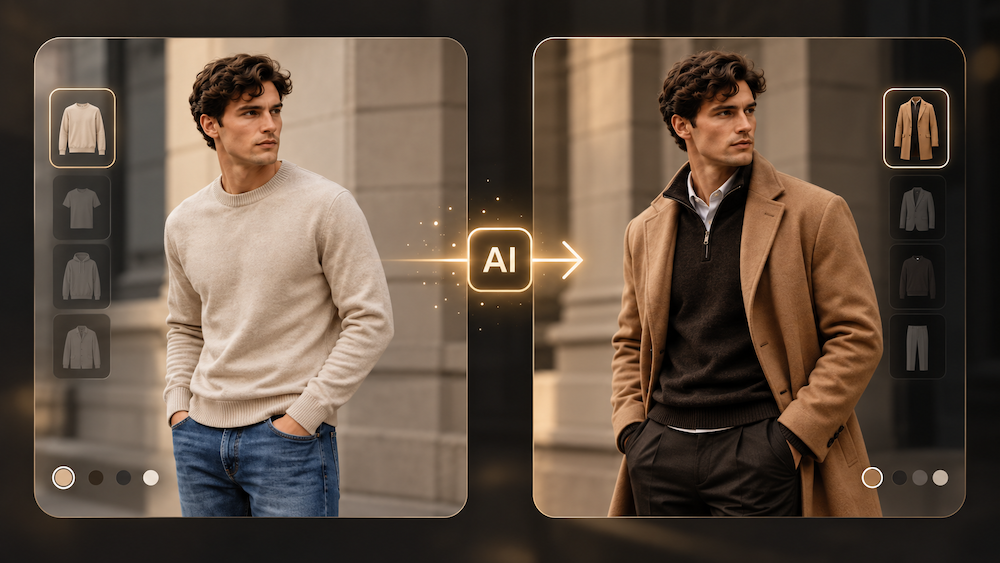
Modern virtual fitting tools are moving beyond the old “paste a shirt over a photo” effect. Instead, they attempt to rebuild the clothing around a person’s pose, proportions and the visual information contained in both images.
I recently took a closer look at the Basic workflow behind AILabTools’ virtual try on clothes tool. What interested me was not whether AI could create a perfect digital fitting room—it cannot—but whether it could remove some of the guesswork from choosing a style.
The answer is more nuanced, and more useful, than I expected.
Virtual Try-On Solves a Different Problem Than a Size Chart
Before trying one of these tools, it helps to understand what virtual try-on is actually supposed to do.
A traditional size chart answers a measurement question:
Which size should I order?
Virtual try-on answers more of a visual question:
Does this style make sense on me?
Those are not the same thing.
Shopify’s guide to virtual fitting rooms makes a similar distinction between technologies that help users visualize products and AI systems that attempt to make fit or size recommendations. Different systems use different combinations of AI, augmented reality and 3D technology.
That distinction matters because a generated photo should not be treated as a measurement tool.
If I am deciding between size 6 and size 8 jeans, I still want the retailer’s measurements.
But if I am wondering whether wide-leg trousers work with my proportions, whether a pale blue top suits me better than black, or whether a dress feels too formal for the look I want, a visual preview can be genuinely useful.
That is where AI try-on starts earning its place.
What Using an AI Clothes Changer Actually Looks Like
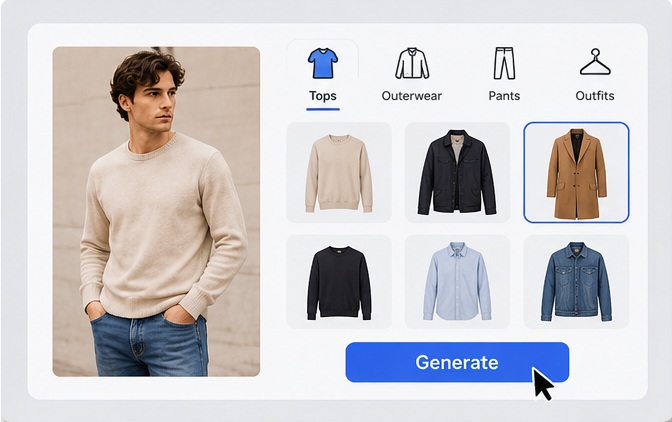
The Basic AILabTools interface keeps the process fairly simple.
You start with a portrait image.
Then you choose which part of the outfit you want to change:
- Top
- Bottom
- Full Body
After that, you provide the corresponding clothing image and generate the new version.
There are sample portraits and clothing examples available as well, so someone who simply wants to understand how the system works does not necessarily need to prepare everything before opening the tool. The product page describes the workflow as uploading a clear portrait and clothing image, processing them, then saving the generated result.
What I like about this workflow is that it does not ask you to build an avatar or enter twenty body measurements before seeing anything.
The experiment can be very simple:
Take one photo of yourself.
Try the white shirt.
Then the green shirt.
Then the cropped jacket you were unsure about.
Look at the images next to each other.
That comparison is where the tool becomes much more useful than looking at isolated product photos.
What Is Happening Behind the Image?
Virtual try-on looks simple from the outside because the user only sees two inputs and one output.
Behind the scenes, the problem is much harder.
Older approaches often relied heavily on geometric warping: taking an existing garment image, stretching it and attempting to fit it onto the shape of another person.
That can work to a point.
The problem is that clothes do not behave like stickers.
A shirt folds around a shoulder. Fabric hangs differently depending on pose. Sleeves bend. A loose blouse drapes; a fitted top stretches. Shadows change around the body.
Google’s Shopping research team described this exact problem when explaining its generative virtual try-on research. Its researchers developed a diffusion-based approach in which a garment image and a person image are processed through separate neural networks that exchange information through cross-attention. Instead of merely deforming and pasting the original garment, the system generates the resulting image.
Google says this type of system is designed to better reproduce details such as how clothing drapes, folds, clings, stretches and wrinkles.
That does not mean every AI clothes changer uses Google’s exact model.
It does explain why modern generative try-on can look much more convincing than the “digital sticker” fitting rooms people may remember from a few years ago.
Your Photo Matters More Than You Think
One of the easiest mistakes is blaming the AI for a poor result when the input image gives it very little information to work with.
If you want a useful comparison, start with a useful photo.
For the portrait
A straightforward image usually works better than a dramatic Instagram pose.
Ideally:
- face the camera or stand at a slight natural angle;
- keep the relevant part of your body visible;
- use even lighting;
- avoid strong shadows;
- avoid having bags, hands or other objects covering the clothing area;
- use a reasonably sharp image;
- choose a simple background when possible.
If you want to change an entire outfit, a full-body photograph is much more informative than a cropped selfie.
If you only want to compare tops, the upper body naturally matters most.
Perfect Corp.’s virtual try-on guidance similarly recommends clear, well-lit images where the body and clothing area are visible, because pose, proportions and lighting all affect the generated visualization.
For the clothing image
Think like a product photographer.
A clean front-facing garment image is usually more useful than a screenshot where half the dress is hidden behind a handbag.
Try to use an image where:
- the complete garment is visible;
- sleeves and hems are not cropped;
- the garment is reasonably large in the frame;
- the design is sharp enough to see;
- complicated objects are not covering it.
The goal is not to make the photo beautiful.
It is to give the model fewer things to guess.
How I Would Judge a Virtual Try-On Result
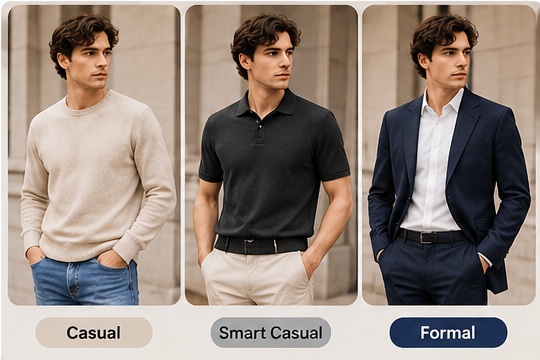
This is probably the most important part.
Do not look at the generated image and ask only:
“Is this 100% what I would look like?”
That sets the wrong expectation.
Instead, look for several different signals.
1. Silhouette
Does a cropped top visually balance your torso differently from a longer one?
Does a full-length dress create the shape you expected?
These broad proportions are often more useful than tiny fabric details.
2. Color
Seeing a colour next to your own face, hair and overall appearance feels very different from seeing it on a retailer’s model.
This is one of the simplest uses of virtual try-on, but also one of the most practical.
3. Style Compatibility
Sometimes the result tells you something very simple:
“I like this dress. I just don’t like it on me.”
That is valuable information.
AI does not need to perfectly simulate real life to help you reject a style you were already uncertain about.
4. Outfit Combinations
This is where tools such as an AI clothes changer become more interesting.
Instead of judging one item, you can test combinations.
A blouse that seems boring by itself may suddenly work with a particular pair of trousers. A jacket that looked great in the product image might overwhelm the rest of your outfit.
Virtual try-on becomes less like a fitting room and more like a visual brainstorming tool.
What AI Virtual Try-On Cannot Tell You
This section is important because realistic-looking AI images can create more confidence than they deserve.
A generated image is still a generated image.
It cannot tell you exactly how fabric feels.
It cannot reliably tell you whether a waistband will become uncomfortable after two hours.
It cannot guarantee that a size medium will fit.
It cannot perfectly simulate every fabric’s weight, elasticity, transparency or movement.
And it may occasionally reinterpret small details.
TryFit’s guide makes the same useful distinction: virtual fitting rooms can help visualize silhouette, style and appearance, but they should not replace retailer measurements when precise sizing matters.
Perfect Corp. likewise describes AI clothes changing primarily as visual exploration, rather than a substitute for physical fitting, measurements or evaluating actual fabric.
That is the healthiest way to use it.
Virtual try-on is a decision aid, not a fit guarantee.
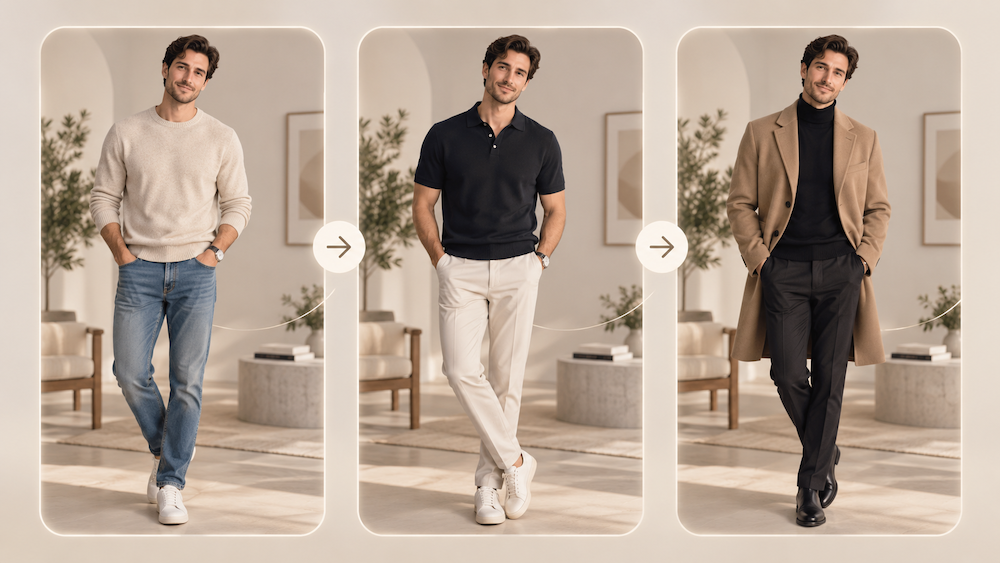
The Best Way to Use It: Compare, Don’t Predict
I think virtual try-on becomes far more useful once you stop asking it to predict reality perfectly.
Use it to compare options instead.
For example, suppose you are deciding among:
- a fitted black top;
- an oversized cream shirt;
- a cropped blue blouse.
Seeing each piece on three different models tells you something.
Seeing all three on the same photo of yourself tells you something different.
Now many variables are controlled.
Same person.
Same pose.
Same lighting.
Different outfit.
That makes differences easier to notice.
For this kind of experiment, the AILabTools virtual clothes try-on workflow is useful because the Basic interface lets you separately select Top, Bottom or Full Body rather than forcing every test into the same type of transformation.
That is how I would use the technology before shopping: not to tell me what to buy, but to reduce a shortlist of ten possibilities to three worth investigating further.
It Is Also Useful Even When You Are Not Shopping
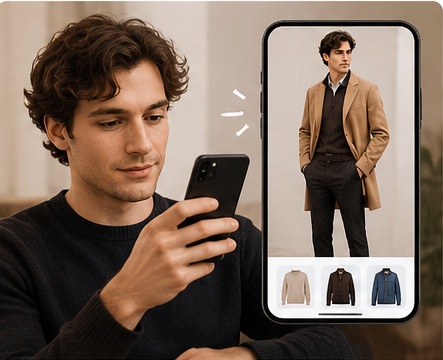
Shopping is the obvious application, but not the only one.
Someone planning vacation outfits could test several combinations before packing.
A content creator could preview styling ideas before arranging a photoshoot.
A small fashion seller could explore how different garments might look on model photography before committing to a creative direction.
A designer could use generated images as early visual references.
The AILabTools product page also provides a developer API intended for fashion-related applications and wardrobe-style experiences.
In other words, the underlying idea is bigger than “try this shirt.”
It is about reducing the distance between imagining a look and seeing a version of it.
What About Privacy?
Any tool involving personal photographs deserves this question.
According to AILabTools’ current product page, uploaded and generated files are automatically deleted within 24 hours and are used for generating results.
Even with a stated deletion policy, I would still use the same common-sense rule I use with any online image service: upload only photographs you are comfortable processing through an online tool and check the service’s current privacy terms if the image is sensitive.
That is especially important for businesses processing customer photographs.
So, Is Virtual Try-On Worth Using?
If you expect a digital fitting room to tell you exactly which size to order, reproduce the physical behaviour of every fabric and guarantee what will arrive in the parcel, today’s AI is not that tool.
But that is also not the most interesting use case.
The more useful question is:
Can a 30-second visual experiment help me avoid buying something I already suspected might not suit me?
Often, yes.
That is why I find this generation of virtual try-on more convincing than earlier fashion filters.
It does not have to replace the fitting room.
It only has to make the period before the fitting room—or before clicking Buy—a little less blind.
If you are curious, take one clear photograph, choose two or three very different garments, and run the same image through a virtual try on clothes tool.
Do not start by asking which result is perfect.
Ask which one makes you want to keep looking.
That is where AI-assisted shopping becomes genuinely useful.
FAQ
Can AI virtual try-on tell me what clothing size I need?
Not necessarily. A generated try-on image primarily gives you visual information. Use the retailer’s size chart and actual garment measurements when choosing a size.
Can I virtually try on tops and bottoms separately?
On the current AILabTools Basic interface, the clothing-type options shown are Top, Bottom and Full Body.
What kind of photo works best?
Use a clear, sharp image with good lighting and an unobstructed view of the area where clothing will be changed. For full outfits, a full-body image is preferable.
Is virtual try-on the same as AR?
No. “Virtual try-on” is a broad category. Some systems use live-camera AR overlays, while others generate new images from photos using AI. Shopify describes modern virtual fitting rooms as using different combinations of AI, AR and 3D technologies.
Will the generated clothing look exactly the same in real life?
Not always. AI can approximate visual qualities such as silhouette, colour and drape, but the generated image cannot reproduce every physical property of the real garment.
How long does AILabTools keep uploaded photos?
The current product page states that uploaded and generated files are automatically deleted within 24 hours.