Documentation Index
Fetch the complete documentation index at: https://ailabtools.mintlify.app/llms.txt
Use this file to discover all available pages before exploring further.
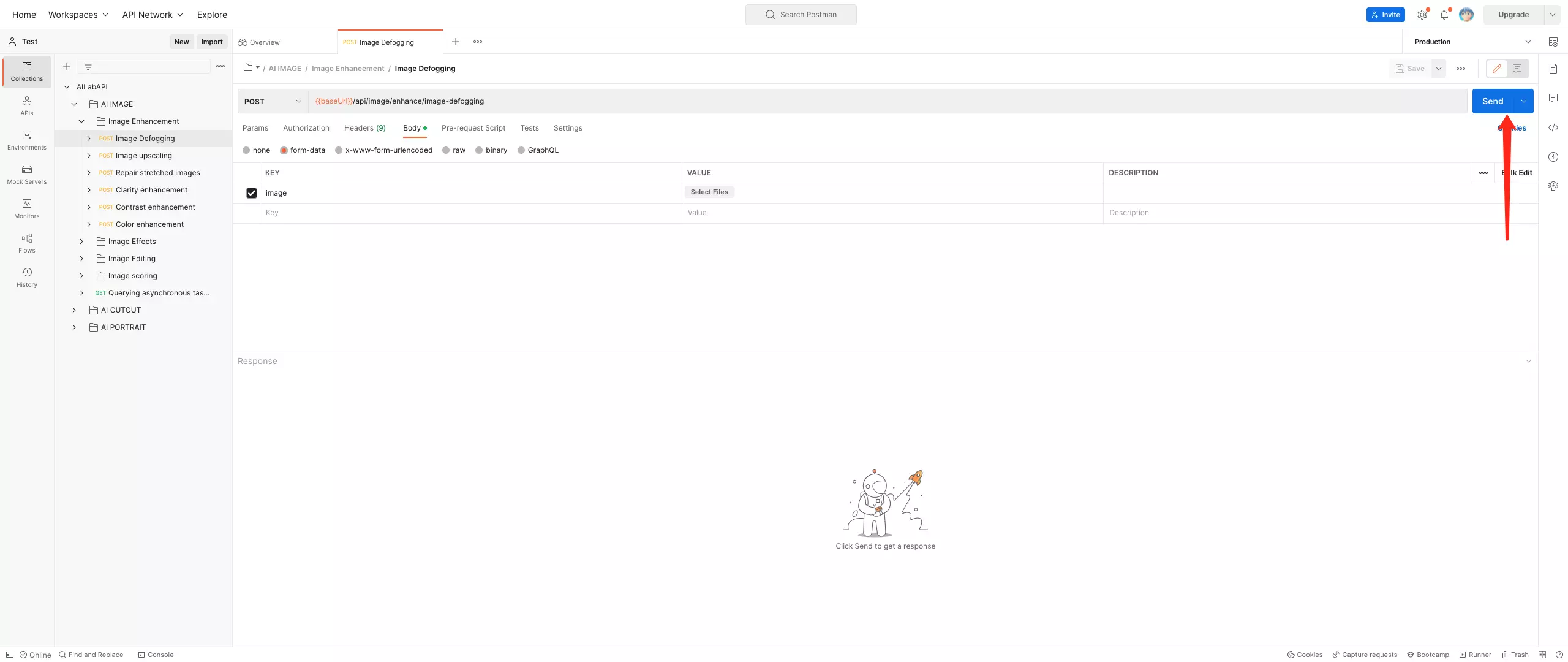
Get API
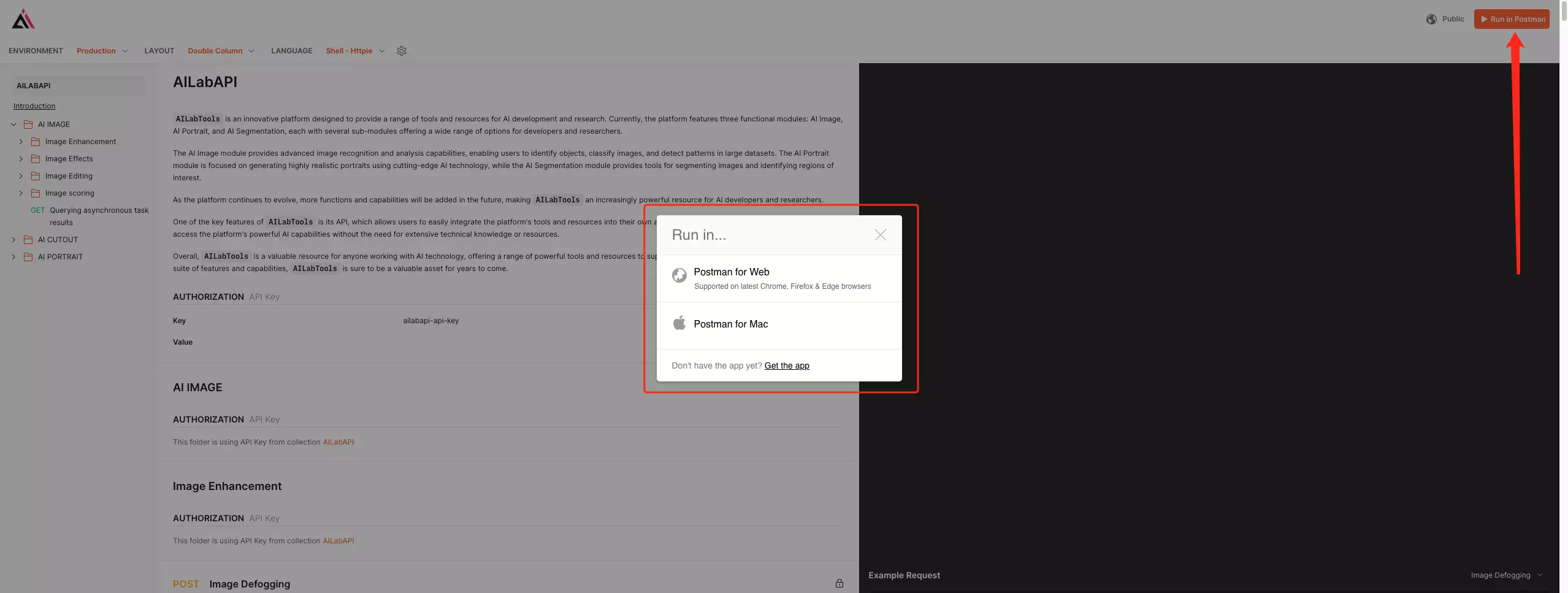
- Step 1: Open Sample Code
- Step 2: Run in Postman (If you don’t have Postman, please register for a Postman account first. Click to register
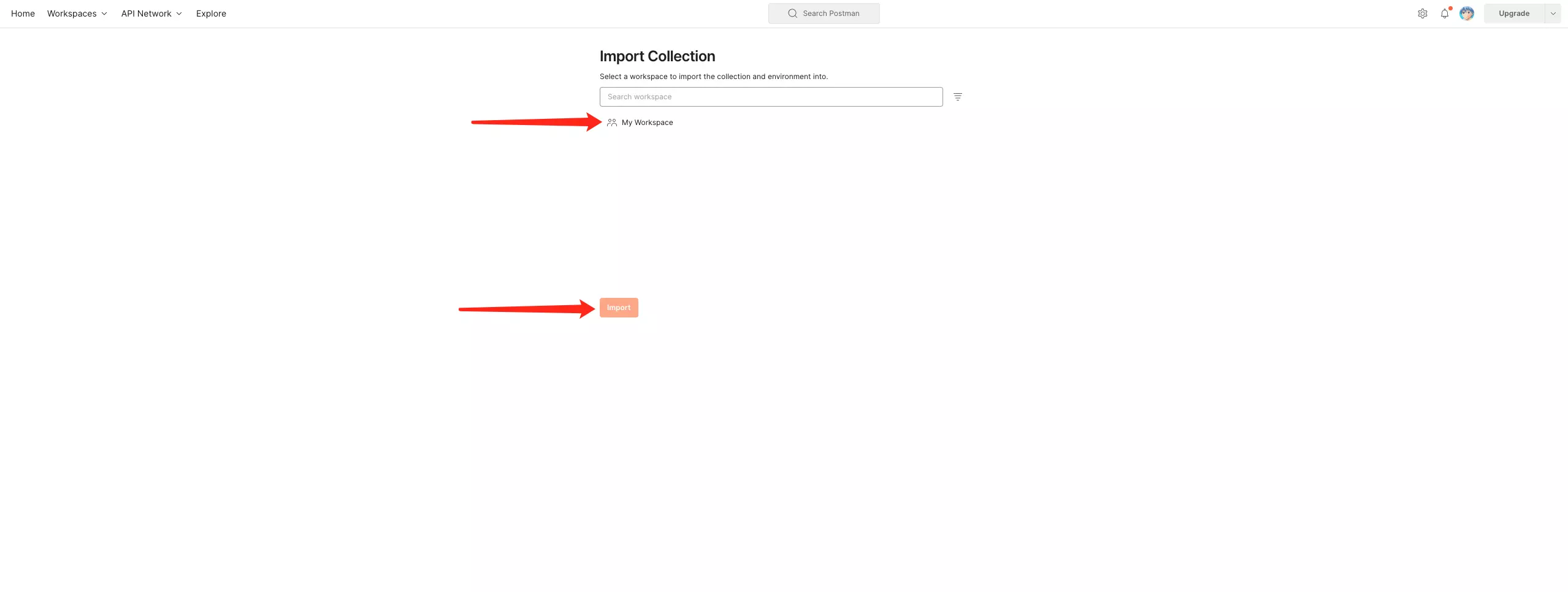
- Step 3: Open your Postman and select the workspace selected by [Step 2].
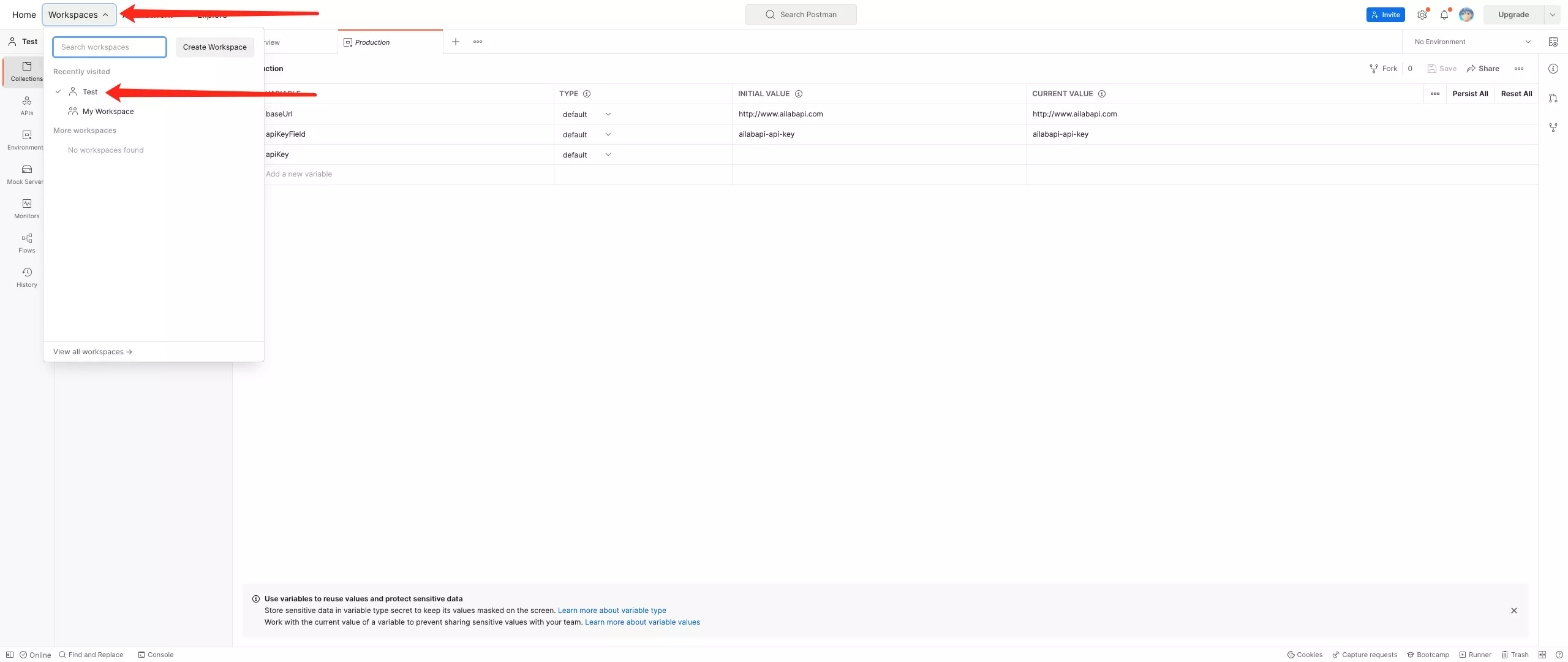
- Step 4: Confirm the contents obtained by the operation [Run in Postman].
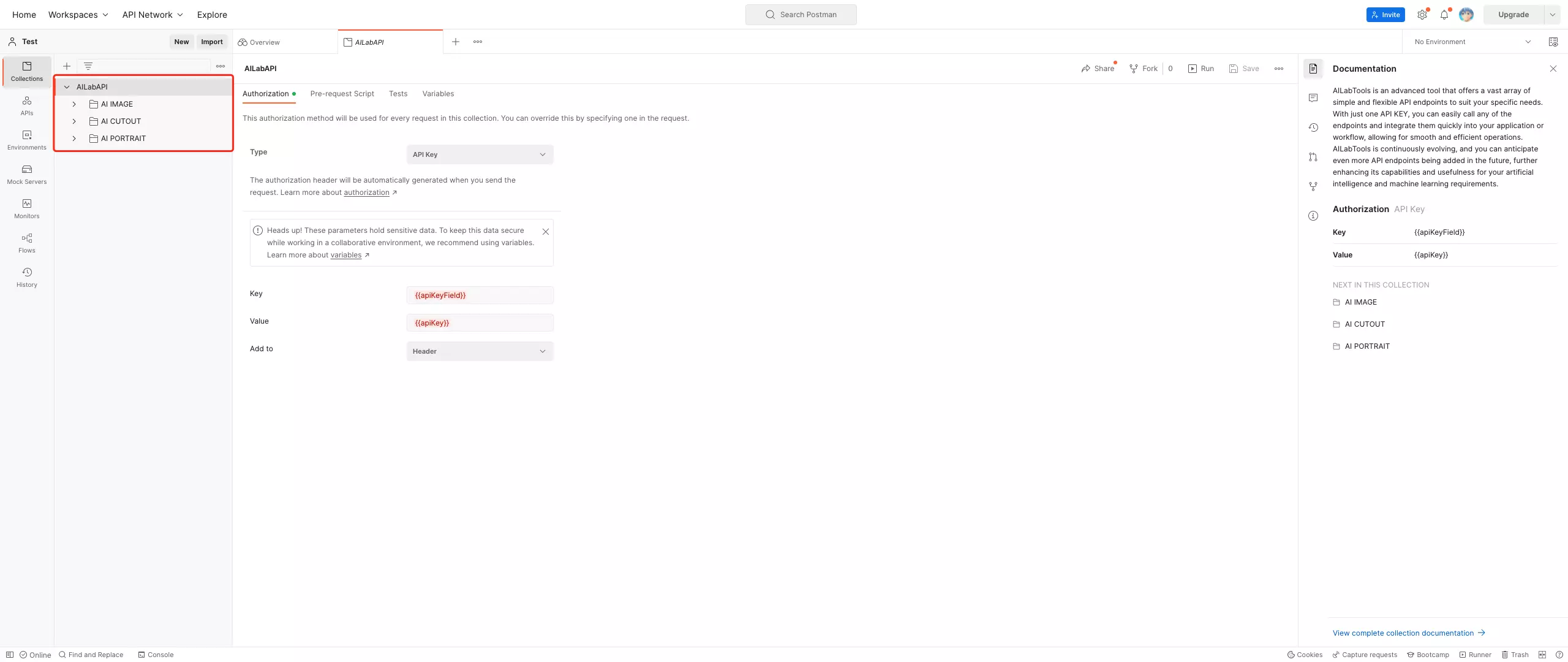
Use Postman to call the API
- Step 1: Get API KEY
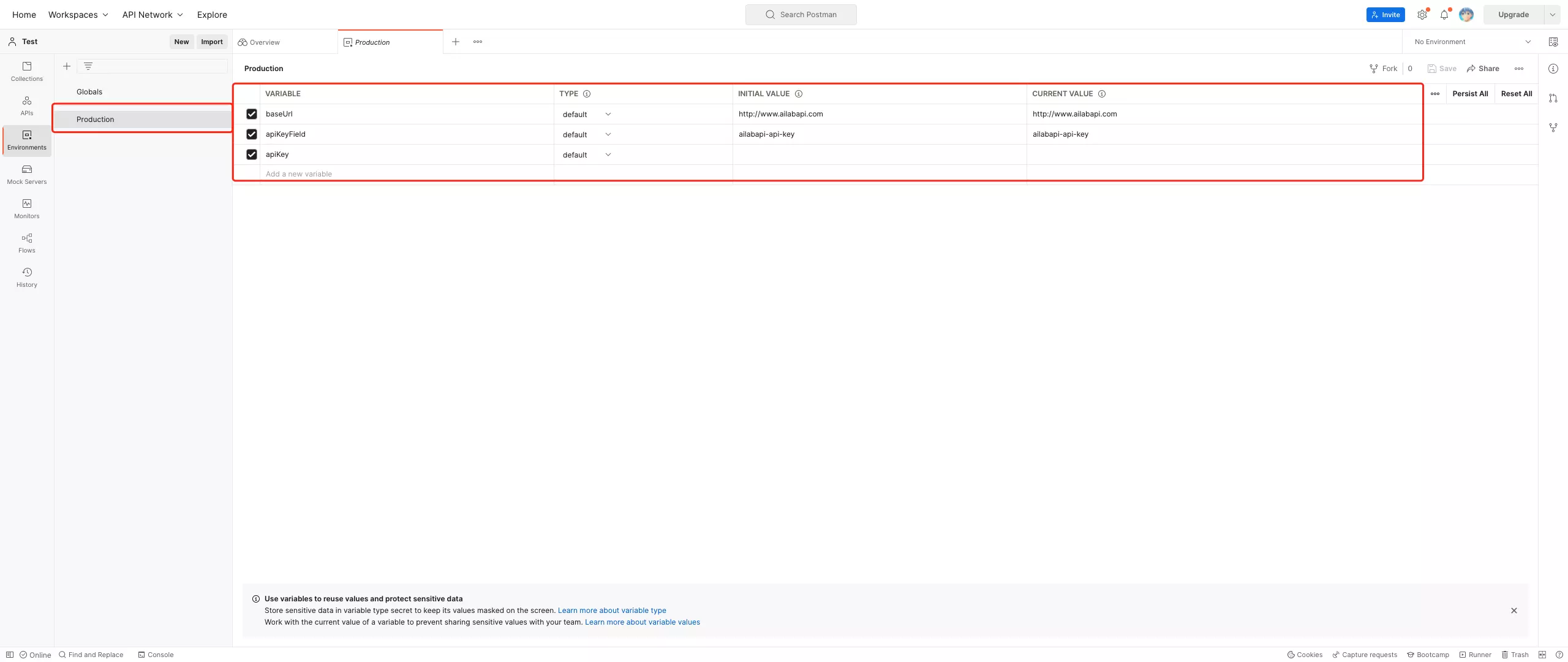
- Step 2: Configure [Environments]
baseUrl: Domain part in Request > URL- Default: https://www.ailabapi.com
- Example:
![Configure [Environments baseUrl]](https://ai-resource.ailabtools.com/apiDoc/DEBUGGING-10.webp)
apiKeyField:ailabapi-api-key![Configure [Environments]](https://ai-resource.ailabtools.com/apiDoc/DEBUGGING-6.webp)
- Step 3: Select [Environments]
![Select [Environments]](https://ai-resource.ailabtools.com/apiDoc/DEBUGGING-7.webp)
- Step 4: Configuration request data
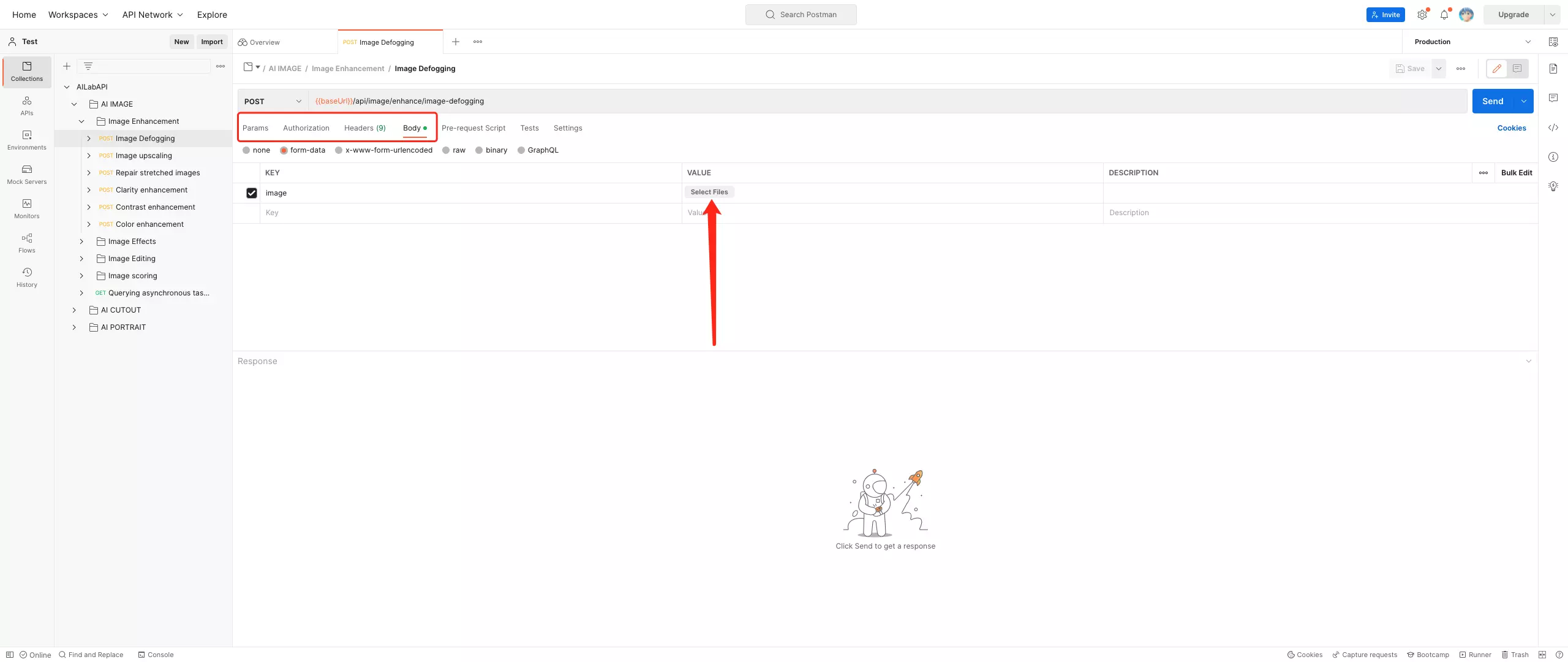
- Step 5: Send