

curl --request POST \
  --url https://www.ailabapi.com/api/portrait/analysis/skin-analysis-pro \
  --header 'Content-Type: multipart/form-data' \
  --header 'ailabapi-api-key: <api-key>' \
  --form image=@example-file \
  --form left_side_image=@example-file \
  --form right_side_image=@example-file \
  --form 'return_maps=red_area,brown_area,texture_enhanced_pores,texture_enhanced_blackheads,texture_enhanced_oily_area,texture_enhanced_lines,water_area,rough_area,roi_outline_map,texture_enhanced_bw,right_roi_outline_map,left_roi_outline_map' \
  --form 'return_marks=wrinkle_mark,right_nasolabial_list,right_mouth_list,right_eye_wrinkle_list,right_crowsfeet_list,right_cheek_list,left_nasolabial_list,left_mouth_list,left_eye_wrinkle_list,left_crowsfeet_list,left_cheek_list,glabella_wrinkle_list,forehead_wrinkle_list,dark_circle_outline,sensitivity_mark,melanin_mark,dark_circle_outline,cheekbone_mark' \
  --form 'roi_outline_color={"pores_color":"0000FF","blackhead_color":"FF0000","wrinkle_color":"6E9900","fine_line_color":"8DFE2A","closed_comedones_color":"00FF00","acne_pustule_color":"9F21F6","acne_nodule_color":"FF00FD","acne_color":"FE0100","brown_spot_color":"7E2A28"}' \
  --form return_side_results=jawline_info
import requests
url = "https://www.ailabapi.com/api/portrait/analysis/skin-analysis-pro"
files = {
"image": ("example-file", open("example-file", "rb")),
"left_side_image": ("example-file", open("example-file", "rb")),
"right_side_image": ("example-file", open("example-file", "rb"))
}
payload = {
"return_maps": "red_area,brown_area,texture_enhanced_pores,texture_enhanced_blackheads,texture_enhanced_oily_area,texture_enhanced_lines,water_area,rough_area,roi_outline_map,texture_enhanced_bw,right_roi_outline_map,left_roi_outline_map",
"return_marks": "wrinkle_mark,right_nasolabial_list,right_mouth_list,right_eye_wrinkle_list,right_crowsfeet_list,right_cheek_list,left_nasolabial_list,left_mouth_list,left_eye_wrinkle_list,left_crowsfeet_list,left_cheek_list,glabella_wrinkle_list,forehead_wrinkle_list,dark_circle_outline,sensitivity_mark,melanin_mark,dark_circle_outline,cheekbone_mark",
"roi_outline_color": "{\"pores_color\":\"0000FF\",\"blackhead_color\":\"FF0000\",\"wrinkle_color\":\"6E9900\",\"fine_line_color\":\"8DFE2A\",\"closed_comedones_color\":\"00FF00\",\"acne_pustule_color\":\"9F21F6\",\"acne_nodule_color\":\"FF00FD\",\"acne_color\":\"FE0100\",\"brown_spot_color\":\"7E2A28\"}",
"return_side_results": "jawline_info"
}
headers = {"ailabapi-api-key": "<api-key>"}
response = requests.post(url, data=payload, files=files, headers=headers)
print(response.text)const form = new FormData();
form.append('image', '<string>');
form.append('left_side_image', '<string>');
form.append('right_side_image', '<string>');
form.append('return_maps', 'red_area,brown_area,texture_enhanced_pores,texture_enhanced_blackheads,texture_enhanced_oily_area,texture_enhanced_lines,water_area,rough_area,roi_outline_map,texture_enhanced_bw,right_roi_outline_map,left_roi_outline_map');
form.append('return_marks', 'wrinkle_mark,right_nasolabial_list,right_mouth_list,right_eye_wrinkle_list,right_crowsfeet_list,right_cheek_list,left_nasolabial_list,left_mouth_list,left_eye_wrinkle_list,left_crowsfeet_list,left_cheek_list,glabella_wrinkle_list,forehead_wrinkle_list,dark_circle_outline,sensitivity_mark,melanin_mark,dark_circle_outline,cheekbone_mark');
form.append('roi_outline_color', '{"pores_color":"0000FF","blackhead_color":"FF0000","wrinkle_color":"6E9900","fine_line_color":"8DFE2A","closed_comedones_color":"00FF00","acne_pustule_color":"9F21F6","acne_nodule_color":"FF00FD","acne_color":"FE0100","brown_spot_color":"7E2A28"}');
form.append('return_side_results', 'jawline_info');
const options = {method: 'POST', headers: {'ailabapi-api-key': '<api-key>'}};
options.body = form;
fetch('https://www.ailabapi.com/api/portrait/analysis/skin-analysis-pro', options)
.then(res => res.json())
.then(res => console.log(res))
.catch(err => console.error(err));<?php
$curl = curl_init();
curl_setopt_array($curl, [
CURLOPT_URL => "https://www.ailabapi.com/api/portrait/analysis/skin-analysis-pro",
CURLOPT_RETURNTRANSFER => true,
CURLOPT_ENCODING => "",
CURLOPT_MAXREDIRS => 10,
CURLOPT_TIMEOUT => 30,
CURLOPT_HTTP_VERSION => CURL_HTTP_VERSION_1_1,
CURLOPT_CUSTOMREQUEST => "POST",
CURLOPT_POSTFIELDS => "-----011000010111000001101001\r\nContent-Disposition: form-data; name=\"image\"; filename=\"example-file\"\r\nContent-Type: application/octet-stream\r\n\r\n<string>\r\n-----011000010111000001101001\r\nContent-Disposition: form-data; name=\"left_side_image\"; filename=\"example-file\"\r\nContent-Type: application/octet-stream\r\n\r\n<string>\r\n-----011000010111000001101001\r\nContent-Disposition: form-data; name=\"right_side_image\"; filename=\"example-file\"\r\nContent-Type: application/octet-stream\r\n\r\n<string>\r\n-----011000010111000001101001\r\nContent-Disposition: form-data; name=\"return_maps\"\r\n\r\nred_area,brown_area,texture_enhanced_pores,texture_enhanced_blackheads,texture_enhanced_oily_area,texture_enhanced_lines,water_area,rough_area,roi_outline_map,texture_enhanced_bw,right_roi_outline_map,left_roi_outline_map\r\n-----011000010111000001101001\r\nContent-Disposition: form-data; name=\"return_marks\"\r\n\r\nwrinkle_mark,right_nasolabial_list,right_mouth_list,right_eye_wrinkle_list,right_crowsfeet_list,right_cheek_list,left_nasolabial_list,left_mouth_list,left_eye_wrinkle_list,left_crowsfeet_list,left_cheek_list,glabella_wrinkle_list,forehead_wrinkle_list,dark_circle_outline,sensitivity_mark,melanin_mark,dark_circle_outline,cheekbone_mark\r\n-----011000010111000001101001\r\nContent-Disposition: form-data; name=\"roi_outline_color\"\r\n\r\n{\"pores_color\":\"0000FF\",\"blackhead_color\":\"FF0000\",\"wrinkle_color\":\"6E9900\",\"fine_line_color\":\"8DFE2A\",\"closed_comedones_color\":\"00FF00\",\"acne_pustule_color\":\"9F21F6\",\"acne_nodule_color\":\"FF00FD\",\"acne_color\":\"FE0100\",\"brown_spot_color\":\"7E2A28\"}\r\n-----011000010111000001101001\r\nContent-Disposition: form-data; name=\"return_side_results\"\r\n\r\njawline_info\r\n-----011000010111000001101001--",
CURLOPT_HTTPHEADER => [
"Content-Type: multipart/form-data",
"ailabapi-api-key: <api-key>"
],
]);
$response = curl_exec($curl);
$err = curl_error($curl);
curl_close($curl);
if ($err) {
echo "cURL Error #:" . $err;
} else {
echo $response;
}package main
import (
"fmt"
"strings"
"net/http"
"io"
)
func main() {
url := "https://www.ailabapi.com/api/portrait/analysis/skin-analysis-pro"
payload := strings.NewReader("-----011000010111000001101001\r\nContent-Disposition: form-data; name=\"image\"; filename=\"example-file\"\r\nContent-Type: application/octet-stream\r\n\r\n<string>\r\n-----011000010111000001101001\r\nContent-Disposition: form-data; name=\"left_side_image\"; filename=\"example-file\"\r\nContent-Type: application/octet-stream\r\n\r\n<string>\r\n-----011000010111000001101001\r\nContent-Disposition: form-data; name=\"right_side_image\"; filename=\"example-file\"\r\nContent-Type: application/octet-stream\r\n\r\n<string>\r\n-----011000010111000001101001\r\nContent-Disposition: form-data; name=\"return_maps\"\r\n\r\nred_area,brown_area,texture_enhanced_pores,texture_enhanced_blackheads,texture_enhanced_oily_area,texture_enhanced_lines,water_area,rough_area,roi_outline_map,texture_enhanced_bw,right_roi_outline_map,left_roi_outline_map\r\n-----011000010111000001101001\r\nContent-Disposition: form-data; name=\"return_marks\"\r\n\r\nwrinkle_mark,right_nasolabial_list,right_mouth_list,right_eye_wrinkle_list,right_crowsfeet_list,right_cheek_list,left_nasolabial_list,left_mouth_list,left_eye_wrinkle_list,left_crowsfeet_list,left_cheek_list,glabella_wrinkle_list,forehead_wrinkle_list,dark_circle_outline,sensitivity_mark,melanin_mark,dark_circle_outline,cheekbone_mark\r\n-----011000010111000001101001\r\nContent-Disposition: form-data; name=\"roi_outline_color\"\r\n\r\n{\"pores_color\":\"0000FF\",\"blackhead_color\":\"FF0000\",\"wrinkle_color\":\"6E9900\",\"fine_line_color\":\"8DFE2A\",\"closed_comedones_color\":\"00FF00\",\"acne_pustule_color\":\"9F21F6\",\"acne_nodule_color\":\"FF00FD\",\"acne_color\":\"FE0100\",\"brown_spot_color\":\"7E2A28\"}\r\n-----011000010111000001101001\r\nContent-Disposition: form-data; name=\"return_side_results\"\r\n\r\njawline_info\r\n-----011000010111000001101001--")
req, _ := http.NewRequest("POST", url, payload)
req.Header.Add("ailabapi-api-key", "<api-key>")
res, _ := http.DefaultClient.Do(req)
defer res.Body.Close()
body, _ := io.ReadAll(res.Body)
fmt.Println(string(body))
}HttpResponse<String> response = Unirest.post("https://www.ailabapi.com/api/portrait/analysis/skin-analysis-pro")
.header("ailabapi-api-key", "<api-key>")
.body("-----011000010111000001101001\r\nContent-Disposition: form-data; name=\"image\"; filename=\"example-file\"\r\nContent-Type: application/octet-stream\r\n\r\n<string>\r\n-----011000010111000001101001\r\nContent-Disposition: form-data; name=\"left_side_image\"; filename=\"example-file\"\r\nContent-Type: application/octet-stream\r\n\r\n<string>\r\n-----011000010111000001101001\r\nContent-Disposition: form-data; name=\"right_side_image\"; filename=\"example-file\"\r\nContent-Type: application/octet-stream\r\n\r\n<string>\r\n-----011000010111000001101001\r\nContent-Disposition: form-data; name=\"return_maps\"\r\n\r\nred_area,brown_area,texture_enhanced_pores,texture_enhanced_blackheads,texture_enhanced_oily_area,texture_enhanced_lines,water_area,rough_area,roi_outline_map,texture_enhanced_bw,right_roi_outline_map,left_roi_outline_map\r\n-----011000010111000001101001\r\nContent-Disposition: form-data; name=\"return_marks\"\r\n\r\nwrinkle_mark,right_nasolabial_list,right_mouth_list,right_eye_wrinkle_list,right_crowsfeet_list,right_cheek_list,left_nasolabial_list,left_mouth_list,left_eye_wrinkle_list,left_crowsfeet_list,left_cheek_list,glabella_wrinkle_list,forehead_wrinkle_list,dark_circle_outline,sensitivity_mark,melanin_mark,dark_circle_outline,cheekbone_mark\r\n-----011000010111000001101001\r\nContent-Disposition: form-data; name=\"roi_outline_color\"\r\n\r\n{\"pores_color\":\"0000FF\",\"blackhead_color\":\"FF0000\",\"wrinkle_color\":\"6E9900\",\"fine_line_color\":\"8DFE2A\",\"closed_comedones_color\":\"00FF00\",\"acne_pustule_color\":\"9F21F6\",\"acne_nodule_color\":\"FF00FD\",\"acne_color\":\"FE0100\",\"brown_spot_color\":\"7E2A28\"}\r\n-----011000010111000001101001\r\nContent-Disposition: form-data; name=\"return_side_results\"\r\n\r\njawline_info\r\n-----011000010111000001101001--")
.asString();require 'uri'
require 'net/http'
url = URI("https://www.ailabapi.com/api/portrait/analysis/skin-analysis-pro")
http = Net::HTTP.new(url.host, url.port)
http.use_ssl = true
request = Net::HTTP::Post.new(url)
request["ailabapi-api-key"] = '<api-key>'
request.body = "-----011000010111000001101001\r\nContent-Disposition: form-data; name=\"image\"; filename=\"example-file\"\r\nContent-Type: application/octet-stream\r\n\r\n<string>\r\n-----011000010111000001101001\r\nContent-Disposition: form-data; name=\"left_side_image\"; filename=\"example-file\"\r\nContent-Type: application/octet-stream\r\n\r\n<string>\r\n-----011000010111000001101001\r\nContent-Disposition: form-data; name=\"right_side_image\"; filename=\"example-file\"\r\nContent-Type: application/octet-stream\r\n\r\n<string>\r\n-----011000010111000001101001\r\nContent-Disposition: form-data; name=\"return_maps\"\r\n\r\nred_area,brown_area,texture_enhanced_pores,texture_enhanced_blackheads,texture_enhanced_oily_area,texture_enhanced_lines,water_area,rough_area,roi_outline_map,texture_enhanced_bw,right_roi_outline_map,left_roi_outline_map\r\n-----011000010111000001101001\r\nContent-Disposition: form-data; name=\"return_marks\"\r\n\r\nwrinkle_mark,right_nasolabial_list,right_mouth_list,right_eye_wrinkle_list,right_crowsfeet_list,right_cheek_list,left_nasolabial_list,left_mouth_list,left_eye_wrinkle_list,left_crowsfeet_list,left_cheek_list,glabella_wrinkle_list,forehead_wrinkle_list,dark_circle_outline,sensitivity_mark,melanin_mark,dark_circle_outline,cheekbone_mark\r\n-----011000010111000001101001\r\nContent-Disposition: form-data; name=\"roi_outline_color\"\r\n\r\n{\"pores_color\":\"0000FF\",\"blackhead_color\":\"FF0000\",\"wrinkle_color\":\"6E9900\",\"fine_line_color\":\"8DFE2A\",\"closed_comedones_color\":\"00FF00\",\"acne_pustule_color\":\"9F21F6\",\"acne_nodule_color\":\"FF00FD\",\"acne_color\":\"FE0100\",\"brown_spot_color\":\"7E2A28\"}\r\n-----011000010111000001101001\r\nContent-Disposition: form-data; name=\"return_side_results\"\r\n\r\njawline_info\r\n-----011000010111000001101001--"
response = http.request(request)
puts response.read_body{
"request_id": "",
"log_id": "",
"error_detail": {
"code": "",
"code_message": "",
"message": ""
},
"face_rectangle": {
"top": 0,
"left": 0,
"width": 0,
"height": 0
},
"left_side_result": {
"left_jawline_quality": 1,
"left_jawline_angle": 122.73,
"left_jawline_mark": [
{
"x": 518,
"y": 1256
},
{
"x": 531,
"y": 1260
}
]
},
"right_jawline_info": {
"right_jawline_quality": 1,
"right_jawline_angle": 122.73,
"right_jawline_mark": [
{
"x": 518,
"y": 1256
},
{
"x": 531,
"y": 1260
}
]
},
"result": {
"image_quality": {
"face_ratio:": 0.3,
"face_orientation": {
"yaw": 30.1,
"pitch": 21.2,
"roll": 89
},
"face_rect": {
"top": 808,
"left": 677,
"width": 800,
"height": 800
},
"hair_occlusion": 0.05,
"glasses": 0
},
"skin_type": {
"skin_type": 0,
"details": {
"0": {
"value": 0,
"confidence": 0.89
},
"1": {
"value": 0,
"confidence": 0.89
},
"2": {
"value": 1,
"confidence": 0.89
},
"3": {
"value": 0,
"confidence": 0.89
}
}
},
"oily_intensity": {
"t_zone": {
"area": 0,
"intensity": 0
},
"left_cheek": {
"area": 0,
"intensity": 0
},
"right_cheek": {
"area": 0,
"intensity": 0
},
"chin_area": {
"area": 0,
"intensity": 0
}
},
"water": {
"water_severity": 0,
"water_area": 0,
"water_forehead": {
"area": 0
},
"water_leftcheek": {
"area": 0
},
"water_rightcheek": {
"area": 0
}
},
"skin_tone": {
"value": 0,
"confidence": 0
},
"skintone_ita": {
"ITA": 0,
"skintone": 0
},
"skin_hue_ha": {
"HA": 0,
"skin_hue": 0
},
"blackhead": {
"value": 0,
"confidence": 0
},
"blackhead_count": 0,
"enlarged_pore_count": {
"forehead": {
"count": 0,
"area": 0
},
"left_cheek_count": {
"count": 0,
"area": 0
},
"right_cheek_count": {
"count": 0,
"area": 0
},
"chin_count": {
"count": 0,
"area": 0
}
},
"pores_forehead": {
"value": 0,
"confidence": 0
},
"pores_rightcheek": {
"value": 0,
"confidence": 0
},
"pores_leftcheek": {
"value": 0,
"confidence": 0
},
"pores_jaw": {
"value": 0,
"confidence": 0
},
"rough": {
"rough_severity": 0,
"rough_area": 0,
"rough_forehead": {
"area": 0
},
"rough_leftcheek": {
"area": 0
},
"rough_rightcheek": {
"area": 0
},
"rough_jaw": {
"area": 0
}
},
"melanin": {
"brown_area": 0,
"melanin_concentration": 0,
"brown_forehead": 0,
"brown_leftcheek": 0,
"brown_rightcheek": 0
},
"melanin_mark": {
"polygon": [
[
{
"x": 0,
"y": 0
}
]
]
},
"mole": {
"rectangle": [
{
"width": 0,
"top": 0,
"height": 0,
"left": 0
}
],
"confidence": [
0
],
"polygon": [
[
{
"x": 0,
"y": 0
}
]
]
},
"brown_spot": {
"rectangle": [
{
"width": 0,
"top": 0,
"height": 0,
"left": 0
}
],
"confidence": [
0
],
"polygon": [
[
{
"x": 0,
"y": 0
}
]
]
},
"melasma": {
"value": 0,
"confidence": 0
},
"freckle": {
"value": 0,
"confidence": 0
},
"acne": {
"rectangle": [
{
"width": 0,
"top": 0,
"height": 0,
"left": 0
}
],
"confidence": [
0
],
"polygon": [
[
{
"x": 0,
"y": 0
}
]
]
},
"acne_pustule": {
"rectangle": [
{
"width": 0,
"top": 0,
"height": 0,
"left": 0
}
],
"confidence": [
0
],
"polygon": [
[
{
"x": 0,
"y": 0
}
]
]
},
"acne_nodule": {
"rectangle": [
{
"width": 0,
"top": 0,
"height": 0,
"left": 0
}
],
"confidence": [
0
],
"polygon": [
[
{
"x": 0,
"y": 0
}
]
]
},
"acne_mark": {
"rectangle": [
{
"width": 0,
"top": 0,
"height": 0,
"left": 0
}
],
"confidence": [
0
],
"polygon": [
[
{
"x": 0,
"y": 0
}
]
]
},
"closed_comedones": {
"rectangle": [
{
"width": 0,
"top": 0,
"height": 0,
"left": 0
}
],
"confidence": [
0
],
"polygon": [
[
{
"x": 0,
"y": 0
}
]
]
},
"sensitivity": {
"sensitivity_area": 0,
"sensitivity_intensity": 0
},
"sensitivity_mark": {
"polygon": [
[
{
"x": 0,
"y": 0
}
]
]
},
"skin_age": {
"value": 0
},
"forehead_wrinkle": {
"value": 0,
"confidence": 0
},
"crows_feet": {
"value": 0,
"confidence": 0
},
"eye_finelines": {
"value": 0,
"confidence": 0
},
"glabella_wrinkle": {
"value": 0,
"confidence": 0
},
"nasolabial_fold": {
"value": 0,
"confidence": 0
},
"nasolabial_fold_severity": {
"value": 0,
"confidence": 0
},
"left_mouth_wrinkle_severity": {
"value": 0
},
"right_mouth_wrinkle_severity": {
"value": 0
},
"forehead_wrinkle_severity": {
"value": 0
},
"left_crows_feet_severity": {
"value": 0
},
"right_crows_feet_severity": {
"value": 0
},
"left_eye_finelines_severity": {
"value": 0
},
"right_eye_finelines_severity": {
"value": 0
},
"glabella_wrinkle_severity": {
"value": 0
},
"left_nasolabial_fold_severity": {
"value": 0
},
"right_nasolabial_fold_severity": {
"value": 0
},
"left_cheek_wrinkle_severity": {
"value": 0
},
"right_cheek_wrinkle_severity": {
"value": 0
},
"fine_line": {
"forehead_count": 0,
"left_undereye_count": 0,
"right_undereye_count": 0,
"left_cheek_count": 0,
"right_cheek_count": 0,
"left_crowsfeet_count": 0,
"right_crowsfeet_count": 0,
"glabella_count": 0
},
"wrinkle_count": {
"forehead_count": 0,
"left_undereye_count": 0,
"right_undereye_count": 0,
"left_mouth_count": 0,
"right_mouth_count": 0,
"left_nasolabial_count": 0,
"right_nasolabial_count": 0,
"glabella_count": 0,
"left_cheek_count": 0,
"right_cheek_count": 0,
"left_crowsfeet_count": 0,
"right_crowsfeet_count": 0
},
"forehead_wrinkle_info": {
"wrinkle_score": 0,
"wrinkle_severity_level": 0,
"wrinkle_norm_length": 0,
"wrinkle_norm_depth": 0,
"wrinkle_pixel_density": 0,
"wrinkle_area_ratio": 0,
"wrinkle_deep_ratio": 0,
"wrinkle_deep_num": 0,
"wrinkle_shallow_num": 0,
"forehead_wrinkle_list": []
},
"left_eye_wrinkle_info": {
"wrinkle_score": 0,
"wrinkle_severity_level": 0,
"wrinkle_norm_length": 0,
"wrinkle_norm_depth": 0,
"wrinkle_pixel_density": 0,
"wrinkle_area_ratio": 0,
"wrinkle_deep_ratio": 0,
"wrinkle_deep_num": 0,
"wrinkle_shallow_num": 0,
"left_eye_wrinkle_list": []
},
"right_eye_wrinkle_info": {
"wrinkle_score": 0,
"wrinkle_severity_level": 0,
"wrinkle_norm_length": 0,
"wrinkle_norm_depth": 0,
"wrinkle_pixel_density": 0,
"wrinkle_area_ratio": 0,
"wrinkle_deep_ratio": 0,
"wrinkle_deep_num": 0,
"wrinkle_shallow_num": 0,
"right_eye_wrinkle_list": []
},
"left_crowsfeet_wrinkle_info": {
"wrinkle_score": 0,
"wrinkle_severity_level": 0,
"wrinkle_norm_length": 0,
"wrinkle_norm_depth": 0,
"wrinkle_pixel_density": 0,
"wrinkle_area_ratio": 0,
"wrinkle_deep_ratio": 0,
"wrinkle_deep_num": 0,
"wrinkle_shallow_num": 0,
"left_crowsfeet_wrinkle_list": []
},
"right_crowsfeet_wrinkle_info": {
"wrinkle_score": 0,
"wrinkle_severity_level": 0,
"wrinkle_norm_length": 0,
"wrinkle_norm_depth": 0,
"wrinkle_pixel_density": 0,
"wrinkle_area_ratio": 0,
"wrinkle_deep_ratio": 0,
"wrinkle_deep_num": 0,
"wrinkle_shallow_num": 0,
"right_crowsfeet_wrinkle_list": []
},
"glabella_wrinkle_info": {
"wrinkle_score": 0,
"wrinkle_severity_level": 0,
"wrinkle_norm_length": 0,
"wrinkle_norm_depth": 0,
"wrinkle_pixel_density": 0,
"wrinkle_area_ratio": 0,
"wrinkle_deep_ratio": 0,
"wrinkle_deep_num": 0,
"wrinkle_shallow_num": 0,
"glabella_wrinkle_list": []
},
"left_mouth_wrinkle_info": {
"wrinkle_score": 0,
"wrinkle_severity_level": 0,
"wrinkle_norm_length": 0,
"wrinkle_norm_depth": 0,
"wrinkle_pixel_density": 0,
"wrinkle_area_ratio": 0,
"wrinkle_deep_ratio": 0,
"wrinkle_deep_num": 0,
"wrinkle_shallow_num": 0,
"left_mouth_wrinkle_list": []
},
"right_mouth_wrinkle_info": {
"wrinkle_score": 0,
"wrinkle_severity_level": 0,
"wrinkle_norm_length": 0,
"wrinkle_norm_depth": 0,
"wrinkle_pixel_density": 0,
"wrinkle_area_ratio": 0,
"wrinkle_deep_ratio": 0,
"wrinkle_deep_num": 0,
"wrinkle_shallow_num": 0,
"right_mouth_wrinkle_list": []
},
"left_nasolabial_wrinkle_info": {
"wrinkle_score": 0,
"wrinkle_severity_level": 0,
"wrinkle_norm_length": 0,
"wrinkle_norm_depth": 0,
"wrinkle_pixel_density": 0,
"wrinkle_area_ratio": 0,
"wrinkle_deep_ratio": 0,
"wrinkle_deep_num": 0,
"wrinkle_shallow_num": 0,
"left_nasolabial_wrinkle_list": []
},
"right_nasolabial_wrinkle_info": {
"wrinkle_score": 0,
"wrinkle_severity_level": 0,
"wrinkle_norm_length": 0,
"wrinkle_norm_depth": 0,
"wrinkle_pixel_density": 0,
"wrinkle_area_ratio": 0,
"wrinkle_deep_ratio": 0,
"wrinkle_deep_num": 0,
"wrinkle_shallow_num": 0,
"right_nasolabial_wrinkle_list": []
},
"left_cheek_wrinkle_info": {
"wrinkle_score": 0,
"wrinkle_severity_level": 0,
"wrinkle_norm_length": 0,
"wrinkle_norm_depth": 0,
"wrinkle_pixel_density": 0,
"wrinkle_area_ratio": 0,
"wrinkle_deep_ratio": 0,
"wrinkle_deep_num": 0,
"wrinkle_shallow_num": 0,
"left_cheek_wrinkle_list": []
},
"right_cheek_wrinkle_info": {
"wrinkle_score": 0,
"wrinkle_severity_level": 0,
"wrinkle_norm_length": 0,
"wrinkle_norm_depth": 0,
"wrinkle_pixel_density": 0,
"wrinkle_area_ratio": 0,
"wrinkle_deep_ratio": 0,
"wrinkle_deep_num": 0,
"wrinkle_shallow_num": 0,
"right_cheek_wrinkle_list": []
},
"cheekbone_mark": {
"left_cheekbone_mark": [],
"right_cheekbone_mark": []
},
"eye_pouch": {
"value": 0,
"confidence": 0
},
"eye_pouch_severity": {
"value": 0,
"confidence": 0
},
"left_eye_pouch_rectangle": [],
"right_eye_pouch_rectangle": [],
"dark_circle": {
"value": 0,
"confidence": 0
},
"dark_circle_severity": {
"value": 0,
"confidence": 0
},
"left_dark_circle_rete": {
"value": 0
},
"right_dark_circle_rete": {
"value": 0
},
"left_dark_circle_pigment": {
"value": 0
},
"right_dark_circle_pigment": {
"value": 0
},
"left_dark_circle_structural": {
"value": 0
},
"right_dark_circle_structural": {
"value": 0
},
"dark_circle_mark": {
"left_eye_rect": {
"left": 0,
"top": 0,
"width": 0,
"height": 0
},
"right_eye_rect": {
"left": 0,
"top": 0,
"width": 0,
"height": 0
}
},
"left_eye_pouch_rect": {
"left": 0,
"top": 0,
"width": 0,
"height": 0
},
"right_eye_pouch_rect": {
"left": 0,
"top": 0,
"width": 0,
"height": 0
},
"wrinkle_mark": {
"left_cheek_wrinkle_outline": [],
"right_cheek_wrinkle_outline": [],
"head_wrinkle_outline": [],
"left_nasolabial_wrinkle_outline": [],
"right_nasolabial_wrinkle_outline": [],
"glabella_wrinkle_outline": [],
"left_crowsfeet_wrinkle_outline": [],
"right_crowsfeet_wrinkle_outline": [],
"left_mouth_wrinkle_outline": [],
"right_mouth_wrinkle_outline": [],
"left_eye_wrinkle_outline": [],
"right_eye_wrinkle_outline": []
},
"dark_circle_outline": {
"left_dark_circle_outline": [],
"right_dark_circle_outline": []
},
"score_info": {
"dark_circle_score": 0,
"skin_type_score": 0,
"wrinkle_score": 0,
"oily_intensity_score": 0,
"pores_score": 0,
"blackhead_score": 0,
"acne_score": 0,
"sensitivity_score": 0,
"melanin_score": 0,
"water_score": 0,
"rough_score": 0,
"total_score": 0,
"pores_type_score": {
"pores_forehead_score": 0,
"pores_leftcheek_score": 0,
"pores_rightcheek_score": 0,
"pores_jaw_score": 0
},
"dark_circle_type_score": {
"left_dark_circle_score": 0,
"right_dark_circle_score": 0
}
},
"enhanced_bw_info": {
"enhanced_bw_rect": {
"left": 0,
"top": 0,
"width": 0,
"height": 0
},
"ratio": 0
},
"face_maps": {
"red_area": "",
"brown_area": "",
"texture_enhanced_pores": "",
"texture_enhanced_blackheads": "",
"texture_enhanced_oily_area": "",
"texture_enhanced_lines": "",
"water_area": "",
"rough_area": "",
"roi_outline_map": "",
"texture_enhanced_bw": ""
}
}
}Skin Analyze Pro API
Skin Analyze Pro API analyzes skin texture, tone, wrinkles, acne, spots, eye bags, and other facial skin conditions.
curl --request POST \
  --url https://www.ailabapi.com/api/portrait/analysis/skin-analysis-pro \
  --header 'Content-Type: multipart/form-data' \
  --header 'ailabapi-api-key: <api-key>' \
  --form image=@example-file \
  --form left_side_image=@example-file \
  --form right_side_image=@example-file \
  --form 'return_maps=red_area,brown_area,texture_enhanced_pores,texture_enhanced_blackheads,texture_enhanced_oily_area,texture_enhanced_lines,water_area,rough_area,roi_outline_map,texture_enhanced_bw,right_roi_outline_map,left_roi_outline_map' \
  --form 'return_marks=wrinkle_mark,right_nasolabial_list,right_mouth_list,right_eye_wrinkle_list,right_crowsfeet_list,right_cheek_list,left_nasolabial_list,left_mouth_list,left_eye_wrinkle_list,left_crowsfeet_list,left_cheek_list,glabella_wrinkle_list,forehead_wrinkle_list,dark_circle_outline,sensitivity_mark,melanin_mark,dark_circle_outline,cheekbone_mark' \
  --form 'roi_outline_color={"pores_color":"0000FF","blackhead_color":"FF0000","wrinkle_color":"6E9900","fine_line_color":"8DFE2A","closed_comedones_color":"00FF00","acne_pustule_color":"9F21F6","acne_nodule_color":"FF00FD","acne_color":"FE0100","brown_spot_color":"7E2A28"}' \
  --form return_side_results=jawline_info
import requests
url = "https://www.ailabapi.com/api/portrait/analysis/skin-analysis-pro"
files = {
"image": ("example-file", open("example-file", "rb")),
"left_side_image": ("example-file", open("example-file", "rb")),
"right_side_image": ("example-file", open("example-file", "rb"))
}
payload = {
"return_maps": "red_area,brown_area,texture_enhanced_pores,texture_enhanced_blackheads,texture_enhanced_oily_area,texture_enhanced_lines,water_area,rough_area,roi_outline_map,texture_enhanced_bw,right_roi_outline_map,left_roi_outline_map",
"return_marks": "wrinkle_mark,right_nasolabial_list,right_mouth_list,right_eye_wrinkle_list,right_crowsfeet_list,right_cheek_list,left_nasolabial_list,left_mouth_list,left_eye_wrinkle_list,left_crowsfeet_list,left_cheek_list,glabella_wrinkle_list,forehead_wrinkle_list,dark_circle_outline,sensitivity_mark,melanin_mark,dark_circle_outline,cheekbone_mark",
"roi_outline_color": "{\"pores_color\":\"0000FF\",\"blackhead_color\":\"FF0000\",\"wrinkle_color\":\"6E9900\",\"fine_line_color\":\"8DFE2A\",\"closed_comedones_color\":\"00FF00\",\"acne_pustule_color\":\"9F21F6\",\"acne_nodule_color\":\"FF00FD\",\"acne_color\":\"FE0100\",\"brown_spot_color\":\"7E2A28\"}",
"return_side_results": "jawline_info"
}
headers = {"ailabapi-api-key": "<api-key>"}
response = requests.post(url, data=payload, files=files, headers=headers)
print(response.text)const form = new FormData();
form.append('image', '<string>');
form.append('left_side_image', '<string>');
form.append('right_side_image', '<string>');
form.append('return_maps', 'red_area,brown_area,texture_enhanced_pores,texture_enhanced_blackheads,texture_enhanced_oily_area,texture_enhanced_lines,water_area,rough_area,roi_outline_map,texture_enhanced_bw,right_roi_outline_map,left_roi_outline_map');
form.append('return_marks', 'wrinkle_mark,right_nasolabial_list,right_mouth_list,right_eye_wrinkle_list,right_crowsfeet_list,right_cheek_list,left_nasolabial_list,left_mouth_list,left_eye_wrinkle_list,left_crowsfeet_list,left_cheek_list,glabella_wrinkle_list,forehead_wrinkle_list,dark_circle_outline,sensitivity_mark,melanin_mark,dark_circle_outline,cheekbone_mark');
form.append('roi_outline_color', '{"pores_color":"0000FF","blackhead_color":"FF0000","wrinkle_color":"6E9900","fine_line_color":"8DFE2A","closed_comedones_color":"00FF00","acne_pustule_color":"9F21F6","acne_nodule_color":"FF00FD","acne_color":"FE0100","brown_spot_color":"7E2A28"}');
form.append('return_side_results', 'jawline_info');
const options = {method: 'POST', headers: {'ailabapi-api-key': '<api-key>'}};
options.body = form;
fetch('https://www.ailabapi.com/api/portrait/analysis/skin-analysis-pro', options)
.then(res => res.json())
.then(res => console.log(res))
.catch(err => console.error(err));<?php
$curl = curl_init();
curl_setopt_array($curl, [
CURLOPT_URL => "https://www.ailabapi.com/api/portrait/analysis/skin-analysis-pro",
CURLOPT_RETURNTRANSFER => true,
CURLOPT_ENCODING => "",
CURLOPT_MAXREDIRS => 10,
CURLOPT_TIMEOUT => 30,
CURLOPT_HTTP_VERSION => CURL_HTTP_VERSION_1_1,
CURLOPT_CUSTOMREQUEST => "POST",
CURLOPT_POSTFIELDS => "-----011000010111000001101001\r\nContent-Disposition: form-data; name=\"image\"; filename=\"example-file\"\r\nContent-Type: application/octet-stream\r\n\r\n<string>\r\n-----011000010111000001101001\r\nContent-Disposition: form-data; name=\"left_side_image\"; filename=\"example-file\"\r\nContent-Type: application/octet-stream\r\n\r\n<string>\r\n-----011000010111000001101001\r\nContent-Disposition: form-data; name=\"right_side_image\"; filename=\"example-file\"\r\nContent-Type: application/octet-stream\r\n\r\n<string>\r\n-----011000010111000001101001\r\nContent-Disposition: form-data; name=\"return_maps\"\r\n\r\nred_area,brown_area,texture_enhanced_pores,texture_enhanced_blackheads,texture_enhanced_oily_area,texture_enhanced_lines,water_area,rough_area,roi_outline_map,texture_enhanced_bw,right_roi_outline_map,left_roi_outline_map\r\n-----011000010111000001101001\r\nContent-Disposition: form-data; name=\"return_marks\"\r\n\r\nwrinkle_mark,right_nasolabial_list,right_mouth_list,right_eye_wrinkle_list,right_crowsfeet_list,right_cheek_list,left_nasolabial_list,left_mouth_list,left_eye_wrinkle_list,left_crowsfeet_list,left_cheek_list,glabella_wrinkle_list,forehead_wrinkle_list,dark_circle_outline,sensitivity_mark,melanin_mark,dark_circle_outline,cheekbone_mark\r\n-----011000010111000001101001\r\nContent-Disposition: form-data; name=\"roi_outline_color\"\r\n\r\n{\"pores_color\":\"0000FF\",\"blackhead_color\":\"FF0000\",\"wrinkle_color\":\"6E9900\",\"fine_line_color\":\"8DFE2A\",\"closed_comedones_color\":\"00FF00\",\"acne_pustule_color\":\"9F21F6\",\"acne_nodule_color\":\"FF00FD\",\"acne_color\":\"FE0100\",\"brown_spot_color\":\"7E2A28\"}\r\n-----011000010111000001101001\r\nContent-Disposition: form-data; name=\"return_side_results\"\r\n\r\njawline_info\r\n-----011000010111000001101001--",
CURLOPT_HTTPHEADER => [
"Content-Type: multipart/form-data",
"ailabapi-api-key: <api-key>"
],
]);
$response = curl_exec($curl);
$err = curl_error($curl);
curl_close($curl);
if ($err) {
echo "cURL Error #:" . $err;
} else {
echo $response;
}package main
import (
"fmt"
"strings"
"net/http"
"io"
)
func main() {
url := "https://www.ailabapi.com/api/portrait/analysis/skin-analysis-pro"
payload := strings.NewReader("-----011000010111000001101001\r\nContent-Disposition: form-data; name=\"image\"; filename=\"example-file\"\r\nContent-Type: application/octet-stream\r\n\r\n<string>\r\n-----011000010111000001101001\r\nContent-Disposition: form-data; name=\"left_side_image\"; filename=\"example-file\"\r\nContent-Type: application/octet-stream\r\n\r\n<string>\r\n-----011000010111000001101001\r\nContent-Disposition: form-data; name=\"right_side_image\"; filename=\"example-file\"\r\nContent-Type: application/octet-stream\r\n\r\n<string>\r\n-----011000010111000001101001\r\nContent-Disposition: form-data; name=\"return_maps\"\r\n\r\nred_area,brown_area,texture_enhanced_pores,texture_enhanced_blackheads,texture_enhanced_oily_area,texture_enhanced_lines,water_area,rough_area,roi_outline_map,texture_enhanced_bw,right_roi_outline_map,left_roi_outline_map\r\n-----011000010111000001101001\r\nContent-Disposition: form-data; name=\"return_marks\"\r\n\r\nwrinkle_mark,right_nasolabial_list,right_mouth_list,right_eye_wrinkle_list,right_crowsfeet_list,right_cheek_list,left_nasolabial_list,left_mouth_list,left_eye_wrinkle_list,left_crowsfeet_list,left_cheek_list,glabella_wrinkle_list,forehead_wrinkle_list,dark_circle_outline,sensitivity_mark,melanin_mark,dark_circle_outline,cheekbone_mark\r\n-----011000010111000001101001\r\nContent-Disposition: form-data; name=\"roi_outline_color\"\r\n\r\n{\"pores_color\":\"0000FF\",\"blackhead_color\":\"FF0000\",\"wrinkle_color\":\"6E9900\",\"fine_line_color\":\"8DFE2A\",\"closed_comedones_color\":\"00FF00\",\"acne_pustule_color\":\"9F21F6\",\"acne_nodule_color\":\"FF00FD\",\"acne_color\":\"FE0100\",\"brown_spot_color\":\"7E2A28\"}\r\n-----011000010111000001101001\r\nContent-Disposition: form-data; name=\"return_side_results\"\r\n\r\njawline_info\r\n-----011000010111000001101001--")
req, _ := http.NewRequest("POST", url, payload)
req.Header.Add("ailabapi-api-key", "<api-key>")
res, _ := http.DefaultClient.Do(req)
defer res.Body.Close()
body, _ := io.ReadAll(res.Body)
fmt.Println(string(body))
}HttpResponse<String> response = Unirest.post("https://www.ailabapi.com/api/portrait/analysis/skin-analysis-pro")
.header("ailabapi-api-key", "<api-key>")
.body("-----011000010111000001101001\r\nContent-Disposition: form-data; name=\"image\"; filename=\"example-file\"\r\nContent-Type: application/octet-stream\r\n\r\n<string>\r\n-----011000010111000001101001\r\nContent-Disposition: form-data; name=\"left_side_image\"; filename=\"example-file\"\r\nContent-Type: application/octet-stream\r\n\r\n<string>\r\n-----011000010111000001101001\r\nContent-Disposition: form-data; name=\"right_side_image\"; filename=\"example-file\"\r\nContent-Type: application/octet-stream\r\n\r\n<string>\r\n-----011000010111000001101001\r\nContent-Disposition: form-data; name=\"return_maps\"\r\n\r\nred_area,brown_area,texture_enhanced_pores,texture_enhanced_blackheads,texture_enhanced_oily_area,texture_enhanced_lines,water_area,rough_area,roi_outline_map,texture_enhanced_bw,right_roi_outline_map,left_roi_outline_map\r\n-----011000010111000001101001\r\nContent-Disposition: form-data; name=\"return_marks\"\r\n\r\nwrinkle_mark,right_nasolabial_list,right_mouth_list,right_eye_wrinkle_list,right_crowsfeet_list,right_cheek_list,left_nasolabial_list,left_mouth_list,left_eye_wrinkle_list,left_crowsfeet_list,left_cheek_list,glabella_wrinkle_list,forehead_wrinkle_list,dark_circle_outline,sensitivity_mark,melanin_mark,dark_circle_outline,cheekbone_mark\r\n-----011000010111000001101001\r\nContent-Disposition: form-data; name=\"roi_outline_color\"\r\n\r\n{\"pores_color\":\"0000FF\",\"blackhead_color\":\"FF0000\",\"wrinkle_color\":\"6E9900\",\"fine_line_color\":\"8DFE2A\",\"closed_comedones_color\":\"00FF00\",\"acne_pustule_color\":\"9F21F6\",\"acne_nodule_color\":\"FF00FD\",\"acne_color\":\"FE0100\",\"brown_spot_color\":\"7E2A28\"}\r\n-----011000010111000001101001\r\nContent-Disposition: form-data; name=\"return_side_results\"\r\n\r\njawline_info\r\n-----011000010111000001101001--")
.asString();require 'uri'
require 'net/http'
url = URI("https://www.ailabapi.com/api/portrait/analysis/skin-analysis-pro")
http = Net::HTTP.new(url.host, url.port)
http.use_ssl = true
request = Net::HTTP::Post.new(url)
request["ailabapi-api-key"] = '<api-key>'
request.body = "-----011000010111000001101001\r\nContent-Disposition: form-data; name=\"image\"; filename=\"example-file\"\r\nContent-Type: application/octet-stream\r\n\r\n<string>\r\n-----011000010111000001101001\r\nContent-Disposition: form-data; name=\"left_side_image\"; filename=\"example-file\"\r\nContent-Type: application/octet-stream\r\n\r\n<string>\r\n-----011000010111000001101001\r\nContent-Disposition: form-data; name=\"right_side_image\"; filename=\"example-file\"\r\nContent-Type: application/octet-stream\r\n\r\n<string>\r\n-----011000010111000001101001\r\nContent-Disposition: form-data; name=\"return_maps\"\r\n\r\nred_area,brown_area,texture_enhanced_pores,texture_enhanced_blackheads,texture_enhanced_oily_area,texture_enhanced_lines,water_area,rough_area,roi_outline_map,texture_enhanced_bw,right_roi_outline_map,left_roi_outline_map\r\n-----011000010111000001101001\r\nContent-Disposition: form-data; name=\"return_marks\"\r\n\r\nwrinkle_mark,right_nasolabial_list,right_mouth_list,right_eye_wrinkle_list,right_crowsfeet_list,right_cheek_list,left_nasolabial_list,left_mouth_list,left_eye_wrinkle_list,left_crowsfeet_list,left_cheek_list,glabella_wrinkle_list,forehead_wrinkle_list,dark_circle_outline,sensitivity_mark,melanin_mark,dark_circle_outline,cheekbone_mark\r\n-----011000010111000001101001\r\nContent-Disposition: form-data; name=\"roi_outline_color\"\r\n\r\n{\"pores_color\":\"0000FF\",\"blackhead_color\":\"FF0000\",\"wrinkle_color\":\"6E9900\",\"fine_line_color\":\"8DFE2A\",\"closed_comedones_color\":\"00FF00\",\"acne_pustule_color\":\"9F21F6\",\"acne_nodule_color\":\"FF00FD\",\"acne_color\":\"FE0100\",\"brown_spot_color\":\"7E2A28\"}\r\n-----011000010111000001101001\r\nContent-Disposition: form-data; name=\"return_side_results\"\r\n\r\njawline_info\r\n-----011000010111000001101001--"
response = http.request(request)
puts response.read_body{
"request_id": "",
"log_id": "",
"error_detail": {
"code": "",
"code_message": "",
"message": ""
},
"face_rectangle": {
"top": 0,
"left": 0,
"width": 0,
"height": 0
},
"left_side_result": {
"left_jawline_quality": 1,
"left_jawline_angle": 122.73,
"left_jawline_mark": [
{
"x": 518,
"y": 1256
},
{
"x": 531,
"y": 1260
}
]
},
"right_jawline_info": {
"right_jawline_quality": 1,
"right_jawline_angle": 122.73,
"right_jawline_mark": [
{
"x": 518,
"y": 1256
},
{
"x": 531,
"y": 1260
}
]
},
"result": {
"image_quality": {
"face_ratio:": 0.3,
"face_orientation": {
"yaw": 30.1,
"pitch": 21.2,
"roll": 89
},
"face_rect": {
"top": 808,
"left": 677,
"width": 800,
"height": 800
},
"hair_occlusion": 0.05,
"glasses": 0
},
"skin_type": {
"skin_type": 0,
"details": {
"0": {
"value": 0,
"confidence": 0.89
},
"1": {
"value": 0,
"confidence": 0.89
},
"2": {
"value": 1,
"confidence": 0.89
},
"3": {
"value": 0,
"confidence": 0.89
}
}
},
"oily_intensity": {
"t_zone": {
"area": 0,
"intensity": 0
},
"left_cheek": {
"area": 0,
"intensity": 0
},
"right_cheek": {
"area": 0,
"intensity": 0
},
"chin_area": {
"area": 0,
"intensity": 0
}
},
"water": {
"water_severity": 0,
"water_area": 0,
"water_forehead": {
"area": 0
},
"water_leftcheek": {
"area": 0
},
"water_rightcheek": {
"area": 0
}
},
"skin_tone": {
"value": 0,
"confidence": 0
},
"skintone_ita": {
"ITA": 0,
"skintone": 0
},
"skin_hue_ha": {
"HA": 0,
"skin_hue": 0
},
"blackhead": {
"value": 0,
"confidence": 0
},
"blackhead_count": 0,
"enlarged_pore_count": {
"forehead": {
"count": 0,
"area": 0
},
"left_cheek_count": {
"count": 0,
"area": 0
},
"right_cheek_count": {
"count": 0,
"area": 0
},
"chin_count": {
"count": 0,
"area": 0
}
},
"pores_forehead": {
"value": 0,
"confidence": 0
},
"pores_rightcheek": {
"value": 0,
"confidence": 0
},
"pores_leftcheek": {
"value": 0,
"confidence": 0
},
"pores_jaw": {
"value": 0,
"confidence": 0
},
"rough": {
"rough_severity": 0,
"rough_area": 0,
"rough_forehead": {
"area": 0
},
"rough_leftcheek": {
"area": 0
},
"rough_rightcheek": {
"area": 0
},
"rough_jaw": {
"area": 0
}
},
"melanin": {
"brown_area": 0,
"melanin_concentration": 0,
"brown_forehead": 0,
"brown_leftcheek": 0,
"brown_rightcheek": 0
},
"melanin_mark": {
"polygon": [
[
{
"x": 0,
"y": 0
}
]
]
},
"mole": {
"rectangle": [
{
"width": 0,
"top": 0,
"height": 0,
"left": 0
}
],
"confidence": [
0
],
"polygon": [
[
{
"x": 0,
"y": 0
}
]
]
},
"brown_spot": {
"rectangle": [
{
"width": 0,
"top": 0,
"height": 0,
"left": 0
}
],
"confidence": [
0
],
"polygon": [
[
{
"x": 0,
"y": 0
}
]
]
},
"melasma": {
"value": 0,
"confidence": 0
},
"freckle": {
"value": 0,
"confidence": 0
},
"acne": {
"rectangle": [
{
"width": 0,
"top": 0,
"height": 0,
"left": 0
}
],
"confidence": [
0
],
"polygon": [
[
{
"x": 0,
"y": 0
}
]
]
},
"acne_pustule": {
"rectangle": [
{
"width": 0,
"top": 0,
"height": 0,
"left": 0
}
],
"confidence": [
0
],
"polygon": [
[
{
"x": 0,
"y": 0
}
]
]
},
"acne_nodule": {
"rectangle": [
{
"width": 0,
"top": 0,
"height": 0,
"left": 0
}
],
"confidence": [
0
],
"polygon": [
[
{
"x": 0,
"y": 0
}
]
]
},
"acne_mark": {
"rectangle": [
{
"width": 0,
"top": 0,
"height": 0,
"left": 0
}
],
"confidence": [
0
],
"polygon": [
[
{
"x": 0,
"y": 0
}
]
]
},
"closed_comedones": {
"rectangle": [
{
"width": 0,
"top": 0,
"height": 0,
"left": 0
}
],
"confidence": [
0
],
"polygon": [
[
{
"x": 0,
"y": 0
}
]
]
},
"sensitivity": {
"sensitivity_area": 0,
"sensitivity_intensity": 0
},
"sensitivity_mark": {
"polygon": [
[
{
"x": 0,
"y": 0
}
]
]
},
"skin_age": {
"value": 0
},
"forehead_wrinkle": {
"value": 0,
"confidence": 0
},
"crows_feet": {
"value": 0,
"confidence": 0
},
"eye_finelines": {
"value": 0,
"confidence": 0
},
"glabella_wrinkle": {
"value": 0,
"confidence": 0
},
"nasolabial_fold": {
"value": 0,
"confidence": 0
},
"nasolabial_fold_severity": {
"value": 0,
"confidence": 0
},
"left_mouth_wrinkle_severity": {
"value": 0
},
"right_mouth_wrinkle_severity": {
"value": 0
},
"forehead_wrinkle_severity": {
"value": 0
},
"left_crows_feet_severity": {
"value": 0
},
"right_crows_feet_severity": {
"value": 0
},
"left_eye_finelines_severity": {
"value": 0
},
"right_eye_finelines_severity": {
"value": 0
},
"glabella_wrinkle_severity": {
"value": 0
},
"left_nasolabial_fold_severity": {
"value": 0
},
"right_nasolabial_fold_severity": {
"value": 0
},
"left_cheek_wrinkle_severity": {
"value": 0
},
"right_cheek_wrinkle_severity": {
"value": 0
},
"fine_line": {
"forehead_count": 0,
"left_undereye_count": 0,
"right_undereye_count": 0,
"left_cheek_count": 0,
"right_cheek_count": 0,
"left_crowsfeet_count": 0,
"right_crowsfeet_count": 0,
"glabella_count": 0
},
"wrinkle_count": {
"forehead_count": 0,
"left_undereye_count": 0,
"right_undereye_count": 0,
"left_mouth_count": 0,
"right_mouth_count": 0,
"left_nasolabial_count": 0,
"right_nasolabial_count": 0,
"glabella_count": 0,
"left_cheek_count": 0,
"right_cheek_count": 0,
"left_crowsfeet_count": 0,
"right_crowsfeet_count": 0
},
"forehead_wrinkle_info": {
"wrinkle_score": 0,
"wrinkle_severity_level": 0,
"wrinkle_norm_length": 0,
"wrinkle_norm_depth": 0,
"wrinkle_pixel_density": 0,
"wrinkle_area_ratio": 0,
"wrinkle_deep_ratio": 0,
"wrinkle_deep_num": 0,
"wrinkle_shallow_num": 0,
"forehead_wrinkle_list": []
},
"left_eye_wrinkle_info": {
"wrinkle_score": 0,
"wrinkle_severity_level": 0,
"wrinkle_norm_length": 0,
"wrinkle_norm_depth": 0,
"wrinkle_pixel_density": 0,
"wrinkle_area_ratio": 0,
"wrinkle_deep_ratio": 0,
"wrinkle_deep_num": 0,
"wrinkle_shallow_num": 0,
"left_eye_wrinkle_list": []
},
"right_eye_wrinkle_info": {
"wrinkle_score": 0,
"wrinkle_severity_level": 0,
"wrinkle_norm_length": 0,
"wrinkle_norm_depth": 0,
"wrinkle_pixel_density": 0,
"wrinkle_area_ratio": 0,
"wrinkle_deep_ratio": 0,
"wrinkle_deep_num": 0,
"wrinkle_shallow_num": 0,
"right_eye_wrinkle_list": []
},
"left_crowsfeet_wrinkle_info": {
"wrinkle_score": 0,
"wrinkle_severity_level": 0,
"wrinkle_norm_length": 0,
"wrinkle_norm_depth": 0,
"wrinkle_pixel_density": 0,
"wrinkle_area_ratio": 0,
"wrinkle_deep_ratio": 0,
"wrinkle_deep_num": 0,
"wrinkle_shallow_num": 0,
"left_crowsfeet_wrinkle_list": []
},
"right_crowsfeet_wrinkle_info": {
"wrinkle_score": 0,
"wrinkle_severity_level": 0,
"wrinkle_norm_length": 0,
"wrinkle_norm_depth": 0,
"wrinkle_pixel_density": 0,
"wrinkle_area_ratio": 0,
"wrinkle_deep_ratio": 0,
"wrinkle_deep_num": 0,
"wrinkle_shallow_num": 0,
"right_crowsfeet_wrinkle_list": []
},
"glabella_wrinkle_info": {
"wrinkle_score": 0,
"wrinkle_severity_level": 0,
"wrinkle_norm_length": 0,
"wrinkle_norm_depth": 0,
"wrinkle_pixel_density": 0,
"wrinkle_area_ratio": 0,
"wrinkle_deep_ratio": 0,
"wrinkle_deep_num": 0,
"wrinkle_shallow_num": 0,
"glabella_wrinkle_list": []
},
"left_mouth_wrinkle_info": {
"wrinkle_score": 0,
"wrinkle_severity_level": 0,
"wrinkle_norm_length": 0,
"wrinkle_norm_depth": 0,
"wrinkle_pixel_density": 0,
"wrinkle_area_ratio": 0,
"wrinkle_deep_ratio": 0,
"wrinkle_deep_num": 0,
"wrinkle_shallow_num": 0,
"left_mouth_wrinkle_list": []
},
"right_mouth_wrinkle_info": {
"wrinkle_score": 0,
"wrinkle_severity_level": 0,
"wrinkle_norm_length": 0,
"wrinkle_norm_depth": 0,
"wrinkle_pixel_density": 0,
"wrinkle_area_ratio": 0,
"wrinkle_deep_ratio": 0,
"wrinkle_deep_num": 0,
"wrinkle_shallow_num": 0,
"right_mouth_wrinkle_list": []
},
"left_nasolabial_wrinkle_info": {
"wrinkle_score": 0,
"wrinkle_severity_level": 0,
"wrinkle_norm_length": 0,
"wrinkle_norm_depth": 0,
"wrinkle_pixel_density": 0,
"wrinkle_area_ratio": 0,
"wrinkle_deep_ratio": 0,
"wrinkle_deep_num": 0,
"wrinkle_shallow_num": 0,
"left_nasolabial_wrinkle_list": []
},
"right_nasolabial_wrinkle_info": {
"wrinkle_score": 0,
"wrinkle_severity_level": 0,
"wrinkle_norm_length": 0,
"wrinkle_norm_depth": 0,
"wrinkle_pixel_density": 0,
"wrinkle_area_ratio": 0,
"wrinkle_deep_ratio": 0,
"wrinkle_deep_num": 0,
"wrinkle_shallow_num": 0,
"right_nasolabial_wrinkle_list": []
},
"left_cheek_wrinkle_info": {
"wrinkle_score": 0,
"wrinkle_severity_level": 0,
"wrinkle_norm_length": 0,
"wrinkle_norm_depth": 0,
"wrinkle_pixel_density": 0,
"wrinkle_area_ratio": 0,
"wrinkle_deep_ratio": 0,
"wrinkle_deep_num": 0,
"wrinkle_shallow_num": 0,
"left_cheek_wrinkle_list": []
},
"right_cheek_wrinkle_info": {
"wrinkle_score": 0,
"wrinkle_severity_level": 0,
"wrinkle_norm_length": 0,
"wrinkle_norm_depth": 0,
"wrinkle_pixel_density": 0,
"wrinkle_area_ratio": 0,
"wrinkle_deep_ratio": 0,
"wrinkle_deep_num": 0,
"wrinkle_shallow_num": 0,
"right_cheek_wrinkle_list": []
},
"cheekbone_mark": {
"left_cheekbone_mark": [],
"right_cheekbone_mark": []
},
"eye_pouch": {
"value": 0,
"confidence": 0
},
"eye_pouch_severity": {
"value": 0,
"confidence": 0
},
"left_eye_pouch_rectangle": [],
"right_eye_pouch_rectangle": [],
"dark_circle": {
"value": 0,
"confidence": 0
},
"dark_circle_severity": {
"value": 0,
"confidence": 0
},
"left_dark_circle_rete": {
"value": 0
},
"right_dark_circle_rete": {
"value": 0
},
"left_dark_circle_pigment": {
"value": 0
},
"right_dark_circle_pigment": {
"value": 0
},
"left_dark_circle_structural": {
"value": 0
},
"right_dark_circle_structural": {
"value": 0
},
"dark_circle_mark": {
"left_eye_rect": {
"left": 0,
"top": 0,
"width": 0,
"height": 0
},
"right_eye_rect": {
"left": 0,
"top": 0,
"width": 0,
"height": 0
}
},
"left_eye_pouch_rect": {
"left": 0,
"top": 0,
"width": 0,
"height": 0
},
"right_eye_pouch_rect": {
"left": 0,
"top": 0,
"width": 0,
"height": 0
},
"wrinkle_mark": {
"left_cheek_wrinkle_outline": [],
"right_cheek_wrinkle_outline": [],
"head_wrinkle_outline": [],
"left_nasolabial_wrinkle_outline": [],
"right_nasolabial_wrinkle_outline": [],
"glabella_wrinkle_outline": [],
"left_crowsfeet_wrinkle_outline": [],
"right_crowsfeet_wrinkle_outline": [],
"left_mouth_wrinkle_outline": [],
"right_mouth_wrinkle_outline": [],
"left_eye_wrinkle_outline": [],
"right_eye_wrinkle_outline": []
},
"dark_circle_outline": {
"left_dark_circle_outline": [],
"right_dark_circle_outline": []
},
"score_info": {
"dark_circle_score": 0,
"skin_type_score": 0,
"wrinkle_score": 0,
"oily_intensity_score": 0,
"pores_score": 0,
"blackhead_score": 0,
"acne_score": 0,
"sensitivity_score": 0,
"melanin_score": 0,
"water_score": 0,
"rough_score": 0,
"total_score": 0,
"pores_type_score": {
"pores_forehead_score": 0,
"pores_leftcheek_score": 0,
"pores_rightcheek_score": 0,
"pores_jaw_score": 0
},
"dark_circle_type_score": {
"left_dark_circle_score": 0,
"right_dark_circle_score": 0
}
},
"enhanced_bw_info": {
"enhanced_bw_rect": {
"left": 0,
"top": 0,
"width": 0,
"height": 0
},
"ratio": 0
},
"face_maps": {
"red_area": "",
"brown_area": "",
"texture_enhanced_pores": "",
"texture_enhanced_blackheads": "",
"texture_enhanced_oily_area": "",
"texture_enhanced_lines": "",
"water_area": "",
"rough_area": "",
"roi_outline_map": "",
"texture_enhanced_bw": ""
}
}
}Cases
| Case 1 | Case 2 |
|---|---|
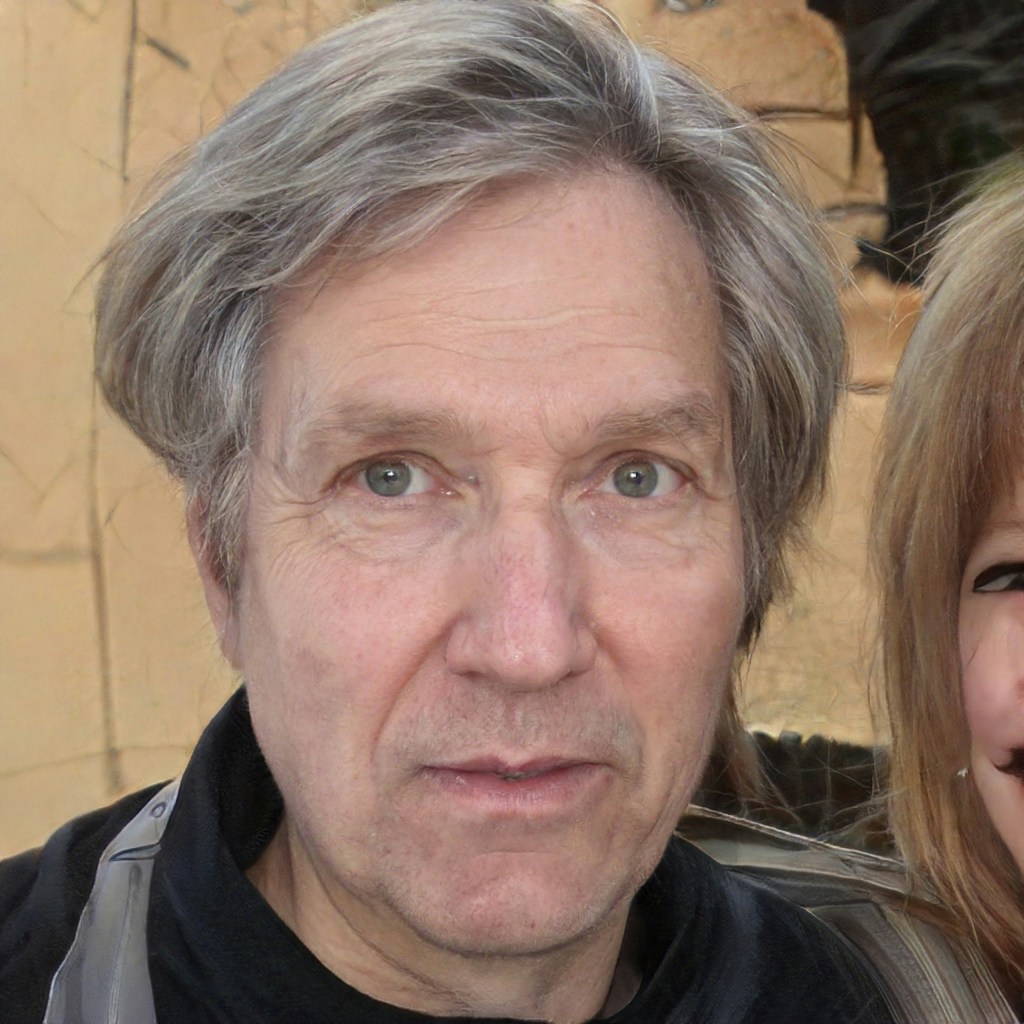 | 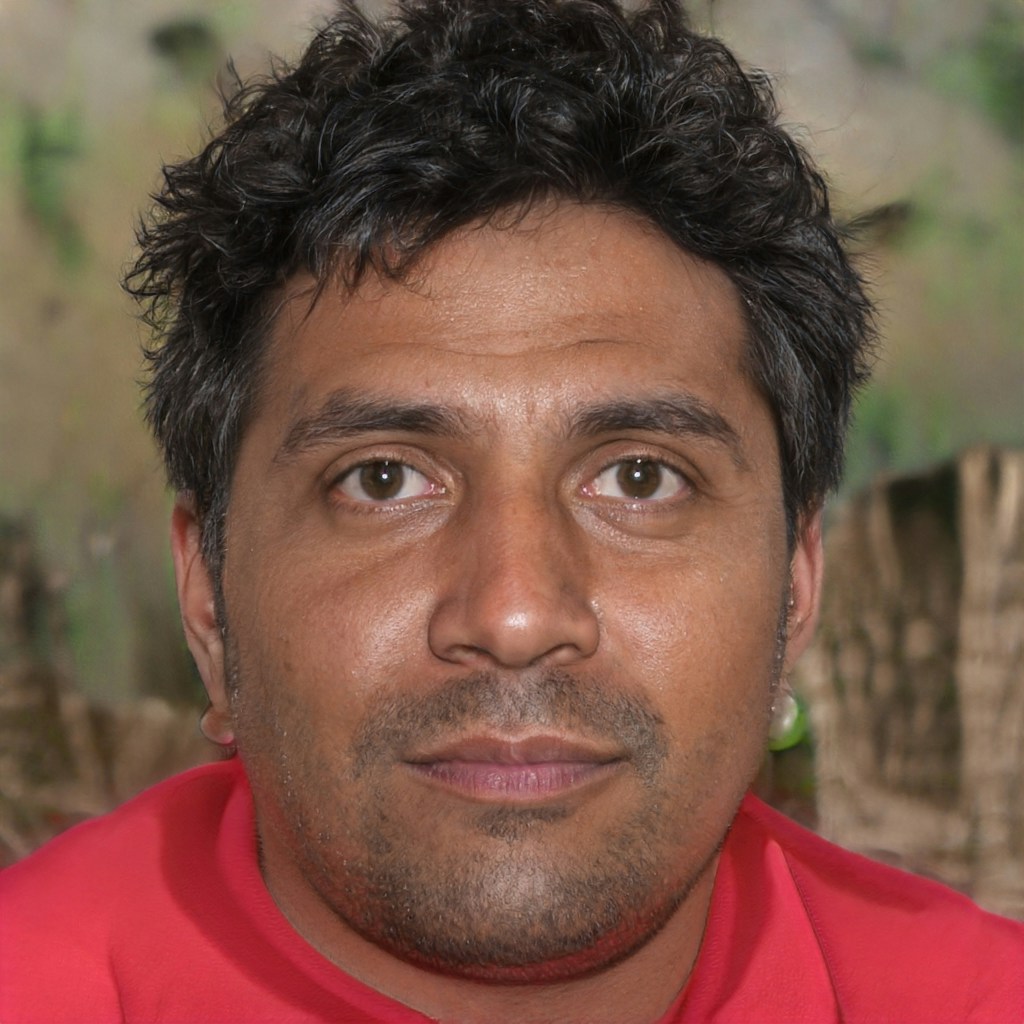 |
| View result | View result |
| Case 3 | Case 4 |
|---|---|
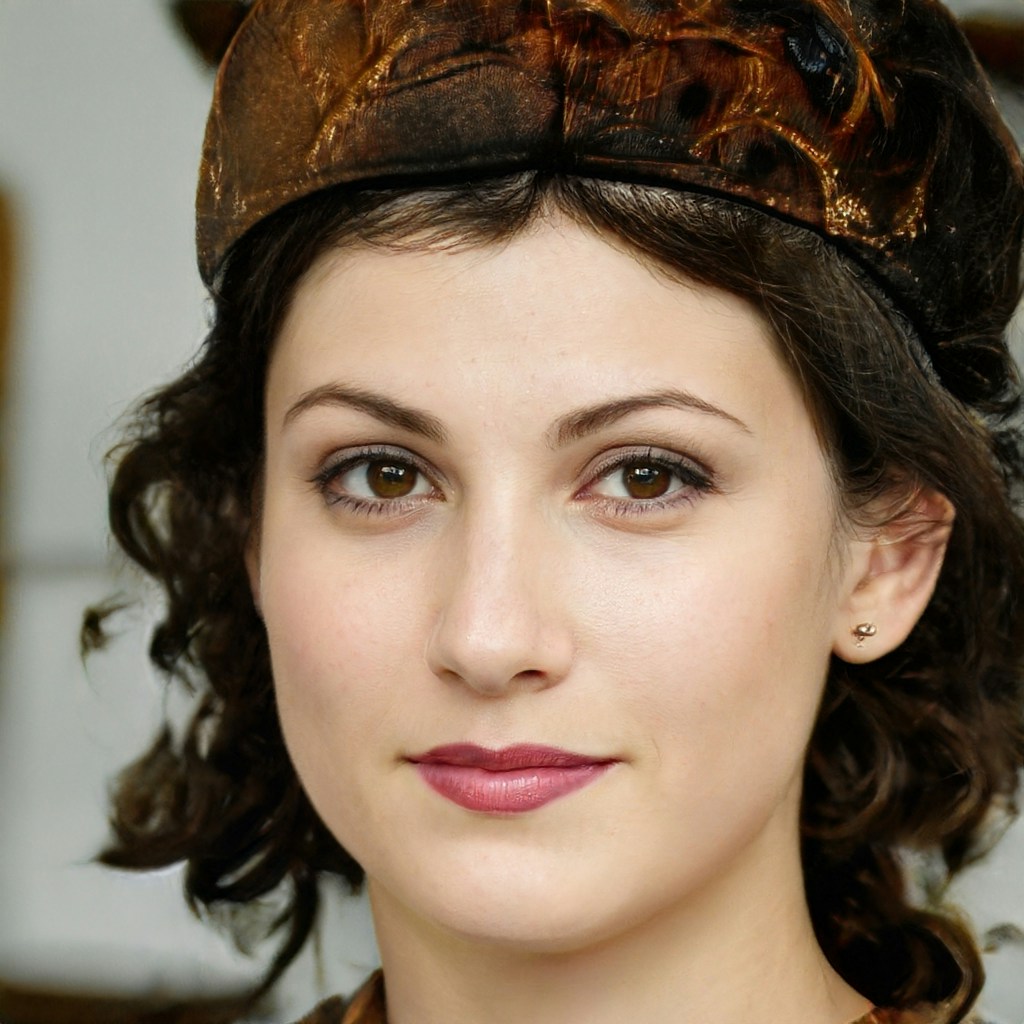 |  |
| View result | View result |
Authorizations
API Key for authentication
Body
Main Image.
- Image format:
JPEGJPG - Image size: No more than 8 MB.
- Image resolution: Larger than 200x200px, smaller than 4096x4096px.
- Minimum face pixel size: To ensure the effect, the minimum value of the face box (square) side length in the image should preferably be higher than 400px.
- Face quality: The higher the face quality, the more accurate the skin analysis. Factors affecting face quality include: occlusion of facial features, blurred images, improper lighting (bright, dark, backlight), excessive face angle (yaw ≤ ±30°, pitch ≤ ±40° recommended), etc.
Side face picture.(Left)
- Image format:
JPEGJPG - Image size: No more than 8 MB.
- Image resolution: Larger than 200x200px, smaller than 4096x4096px.
- Minimum face pixel size: To ensure the effect, the minimum value of the face box (square) side length in the image should preferably be higher than 400px.
- Face quality: The higher the face quality, the more accurate the skin analysis. Factors affecting face quality include: occlusion of facial features, blurred images, improper lighting (bright, dark, backlight), excessive face angle (yaw = 45°, pitch ≤ ±40° recommended), etc.
Side face picture.(Right)
- Image format:
JPEGJPG - Image size: No more than 8 MB.
- Image resolution: Larger than 200x200px, smaller than 4096x4096px.
- Minimum face pixel size: To ensure the effect, the minimum value of the face box (square) side length in the image should preferably be higher than 400px.
- Face quality: The higher the face quality, the more accurate the skin analysis. Factors affecting face quality include: occlusion of facial features, blurred images, improper lighting (bright, dark, backlight), excessive face angle (yaw = 45°, pitch ≤ ±40° recommended), etc.
Specifies the skin analysis map types to return. Multiple values can be provided as a comma-separated list. See return_maps.
"red_area,brown_area,texture_enhanced_pores,texture_enhanced_blackheads,texture_enhanced_oily_area,texture_enhanced_lines,water_area,rough_area,roi_outline_map,texture_enhanced_bw,right_roi_outline_map,left_roi_outline_map"
Specifies the problem area marks to return, including coordinates and related information. Multiple values can be provided as a comma-separated list. See return_marks.
"wrinkle_mark,right_nasolabial_list,right_mouth_list,right_eye_wrinkle_list,right_crowsfeet_list,right_cheek_list,left_nasolabial_list,left_mouth_list,left_eye_wrinkle_list,left_crowsfeet_list,left_cheek_list,glabella_wrinkle_list,forehead_wrinkle_list,dark_circle_outline,sensitivity_mark,melanin_mark,dark_circle_outline,cheekbone_mark"
Specifies the colors used to highlight problem areas in the image returned by return_maps. See roi_outline_color.
Specifies the side profile analysis results to return. A side profile image must be provided in the request. Multiple values can be provided as a comma-separated list. See return_side_results.
"jawline_info"
Response
Success
Request ID for debugging.
Log ID for debugging.
Show child attributes
Show child attributes
Position of the face rectangle box.
Show child attributes
Show child attributes