

Renderings show
Upload any portrait and receive an enlarged bust result image (ai boobs / boobs expansion) via the returnedimage_url. Sample gallery will be added soon.
| ORIGINAL IMAGE | RESULT IMAGE |
|---|---|
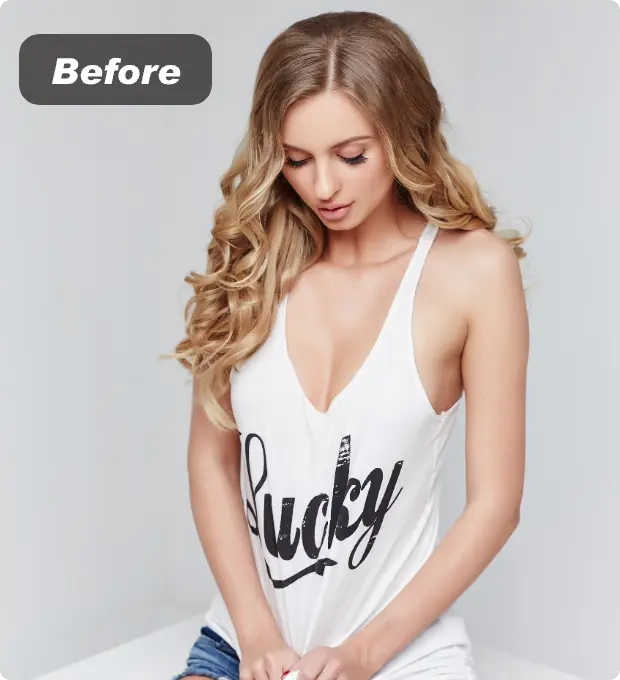 | 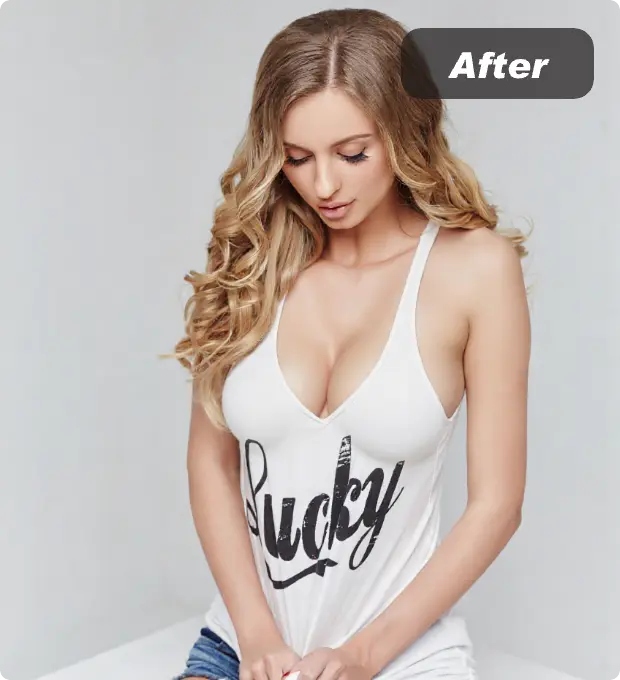 |
Billing Instructions
File Storage Policy
Application Scenarios
- Creator previews: Generate ai breast expansion shots to visualize large breast size looks before a shoot or design sprint.
- Marketing mockups: Build ai boobs / ai boobies renderings to test campaign concepts without manual retouching.
- A/B styling: Quickly create boobs expansion variations—ai titties, ai tits, big tits ai—to learn what resonates.
- Reference sets: Produce pic of big boobs or pics big breast references for storyboards, thumbnails, and hero banners.
Featured Advantages
- Targeted expansion: Focuses on the bust region so the rest of the portrait remains authentic.
- Texture preservation: Maintains lighting, fabric detail, and skin tone while scaling up the chest contour.
- Async-ready: Use
task_type=asyncto queue multiple edits and fetch finished images via URL with minimal blocking.
How It Works
- Provide a
person_imagefile that meets the basic size and format rules. - Submit the request with
task_type=asyncto kick off boobs expansion in the background. - Retrieve the
image_urlresult showing the ai breast expansion effect when processing finishes.