

Renderings show
| ORIGINAL IMAGE | GARMENT IMAGE | RESULT IMAGE |
|---|---|---|
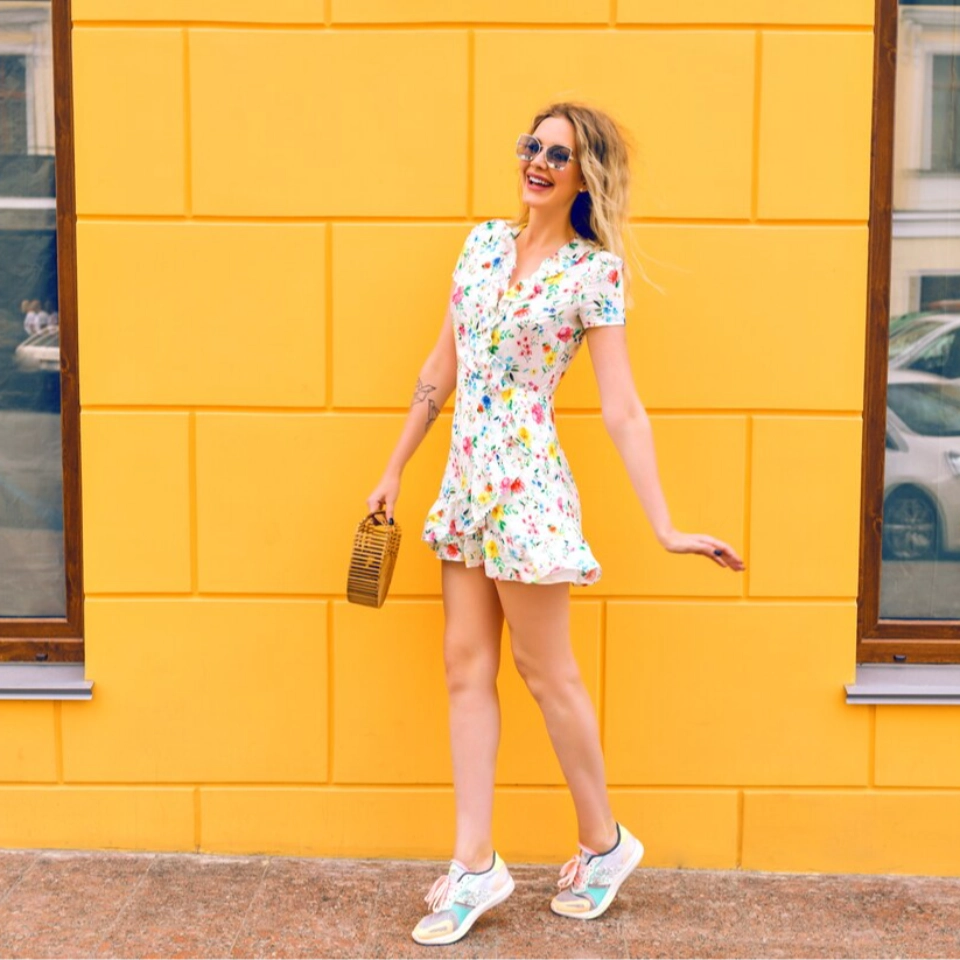 | 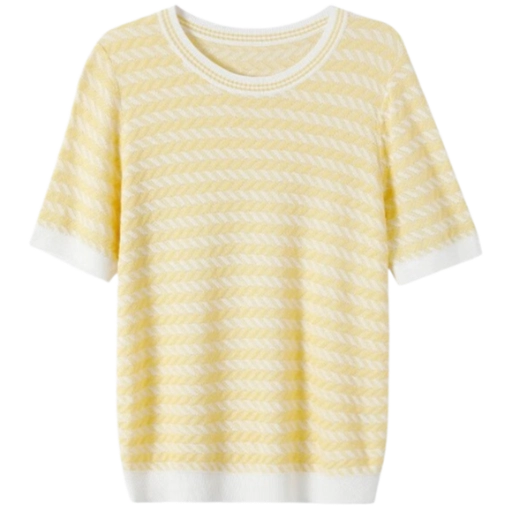 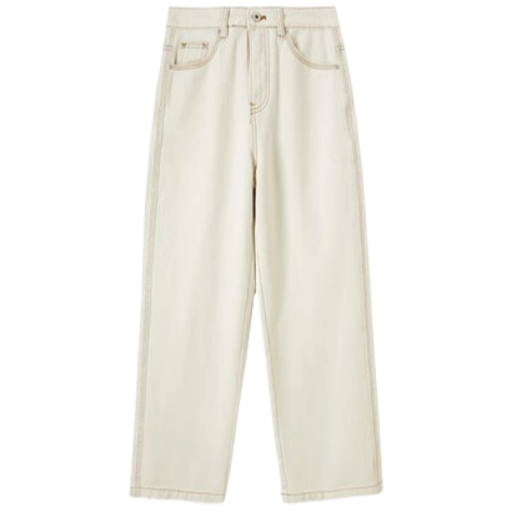 | 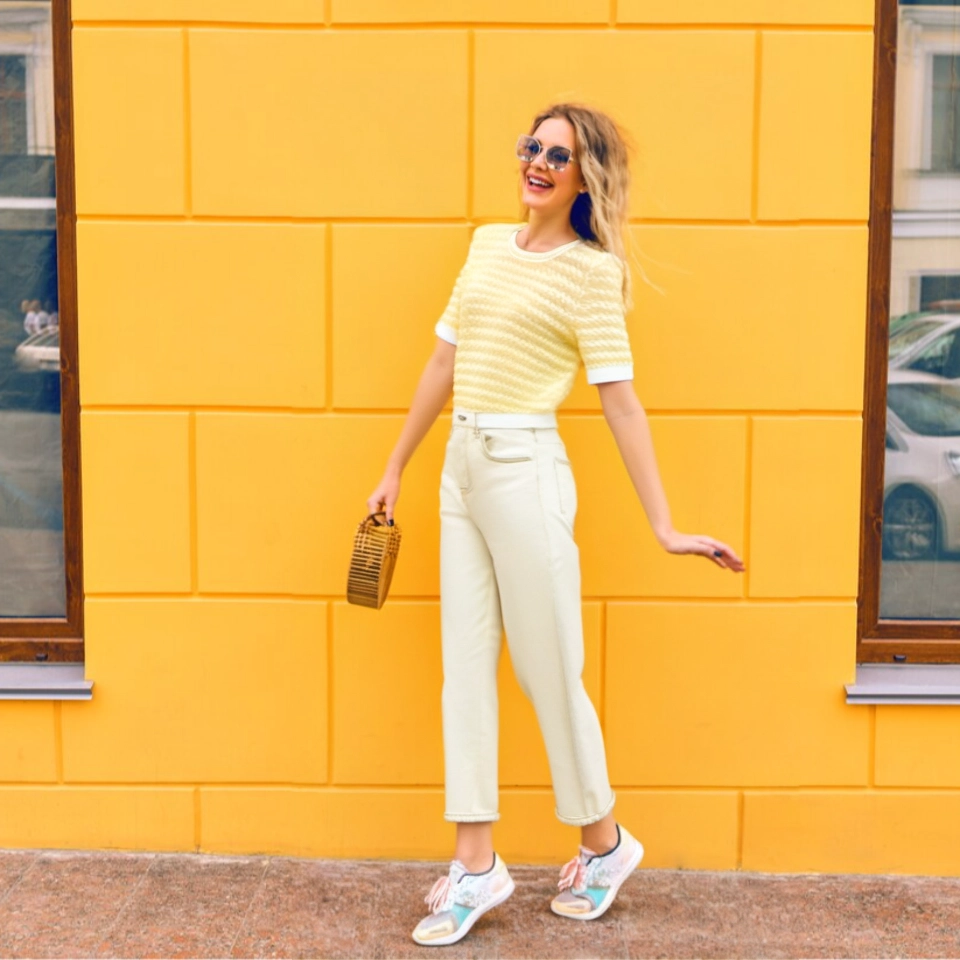 |
| 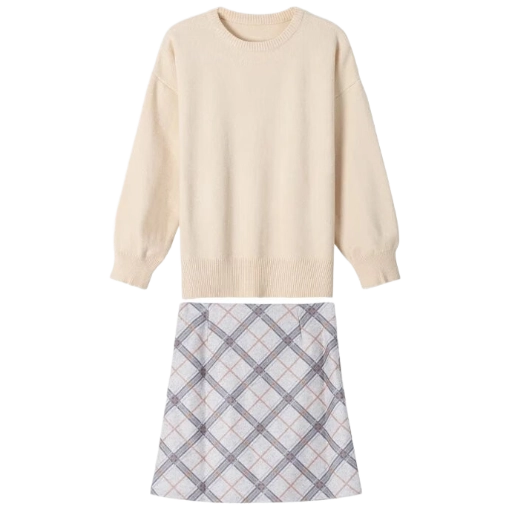 | 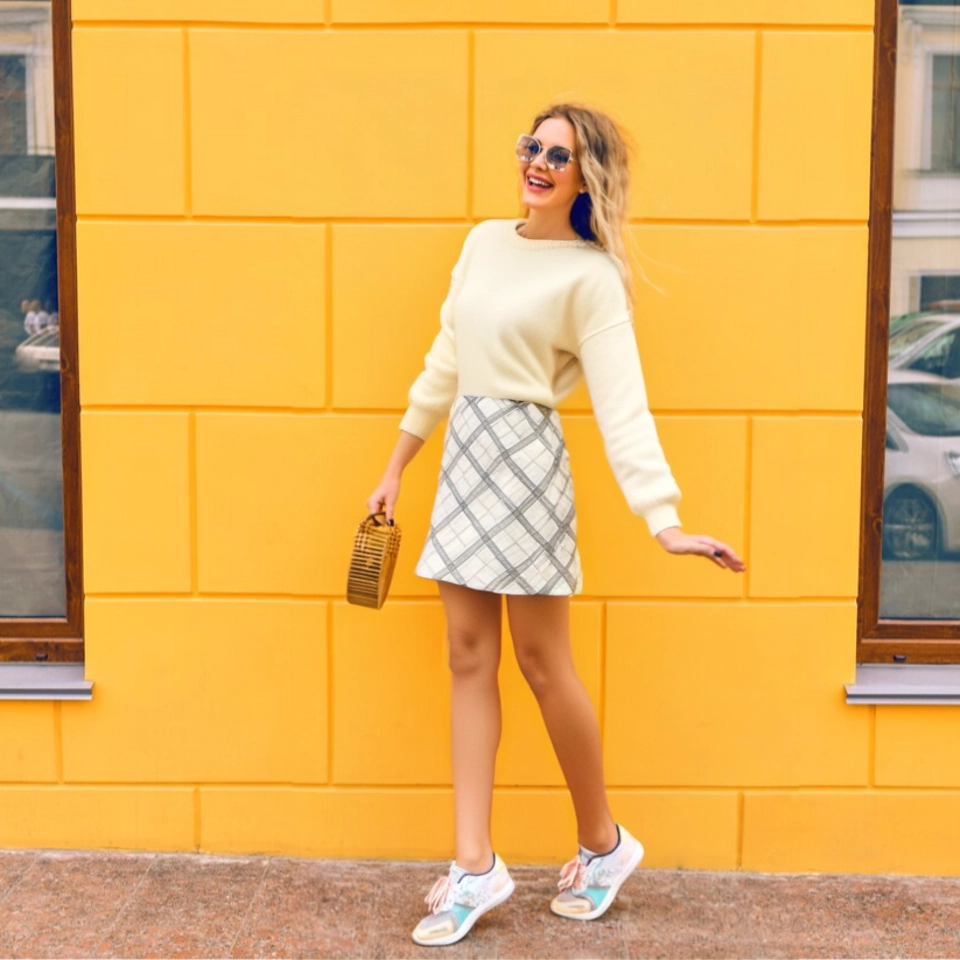 |
Billing Instructions
File Storage Policy
What Is Try on Clothes Premium?
Try on Clothes Premium is the high-quality version of our Try on Clothes Pro engine. Both products follow the same basic workflow, but Premium uses a more advanced generation pipeline to:- refine garment fit and silhouette,
- preserve fabric details and prints,
- reduce artifacts around edges, hands, and complex areas.
- product main images and detail pages,
- marketing and ad creatives,
- any scenario where visual quality is a priority.
Typical Use Cases
- E-commerce product & detail page images Generate high-quality on-model visuals for category pages and product detail pages, focusing on garment shape, fit, and texture. Ideal for main images and hero placements.
- Virtual try-on for models and consumers Create personalized try-on results across different body types, skin tones, and styles so shoppers see looks that feel closer to their real-world appearance.
- Marketing and social media content Produce realistic lifestyle images for ads, social posts, and store banners, reducing reliance on physical shoots while keeping brand visuals consistent.
- New product launch & design reference Use virtual try-on images to support early listings, internal reviews, and concept boards. Combine fabric reference images with different styles for quick visual exploration.
How Is Try on Clothes Premium Different from Try on Clothes Pro?
Try on Clothes Premium and Try on Clothes Pro share the same API structure and overall workflow, but they are tuned for different priorities. 1. Image Quality & Detail-
Premium
- Enhanced pipeline for garment reconstruction and texture.
- Better at preserving prints, seams, edges, and structural elements.
- Recommended for main product images, campaigns, and high-visibility placements.
-
Pro
- Balanced quality with faster inference.
- Well-suited for bulk generation, day-to-day e-commerce visuals, and rapid iteration.
- Premium: ~80 seconds per successful request (per input combination), due to additional refinement and quality steps.
- Pro: ~40 seconds per request, better when quick preview and throughput matter.
- Use Try on Clothes Pro for preview, internal review, and large-scale testing.
- Use Try on Clothes Premium for final outputs that will be exposed directly to users (main images, key detail shots, ad creatives).
Upload Guidelines
To get the best results from Try on Clothes Premium, we recommend following the guidelines below.Garment Image (Flat Lay or Mannequin)
- Use a high-resolution image that shows the entire garment.
- Flat lay shots are ideal; clean mannequin photos also work well.
- Avoid heavy shadows, strong reflections, and busy backgrounds that hide edges.
- Make sure sleeves, hems, collars, and key design elements are not cropped.
Model Image (Person / Consumer Photo)
- Use a front-facing full-body or half-body photo with the model clearly visible.
- Prefer simple base clothing (e.g., T-shirt and shorts) so arms and legs are not blocked.
- Avoid:
- long skirts covering the legs,
- bulky outerwear or multi-layer outfits,
- large accessories like scarves, umbrellas, or big bags.
FAQ
- Do I still need a flat lay garment image for Premium? Yes. Premium is stronger at reconstruction, but it still depends on clear garment structure and pattern information. A high-quality flat lay or mannequin photo greatly improves the final try-on quality.
- What if I don’t have a flat lay image? You can photograph a colleague or friend wearing the garment in a well-lit environment, or place it on a mannequin. As long as the clothing is fully visible and not heavily distorted, Premium can process it.
- Why does the generated image sometimes look soft or lack texture? This usually indicates the source garment image is low resolution, cropped, or blurry. Try re-uploading a higher-resolution, fully framed garment photo so Premium can better enhance texture and structure.
-
When should I choose Premium instead of Pro?
Choose Premium for:
- product main images and detail close-ups,
- assets used in ads, campaigns, and lookbooks,
- cases where visual quality is more important than speed. Choose Pro when you need faster turnaround, bulk generation, or quick experimentation.